Introduction
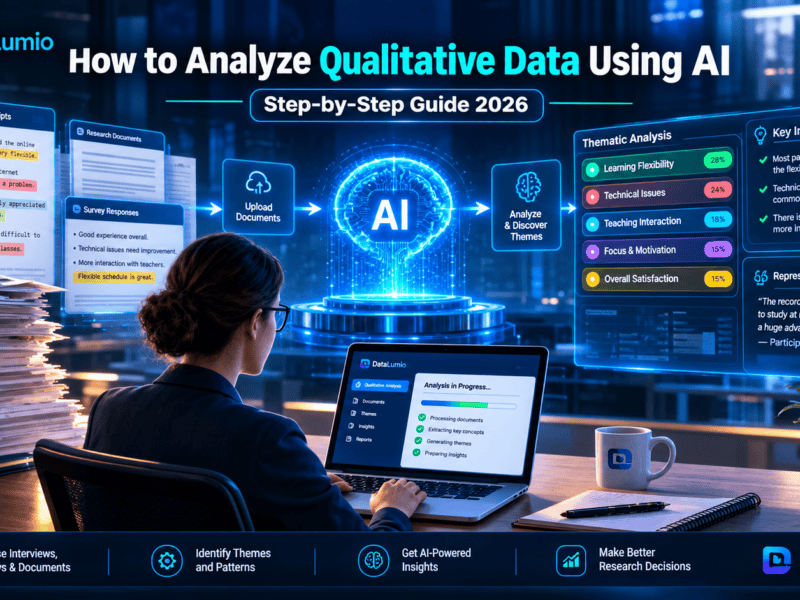
Qualitative research is built on understanding experiences, opinions, behaviors, and stories that numbers alone cannot explain. Whether you are analyzing interview transcripts, focus groups, open-ended survey responses, field notes, or policy documents, the quality of your findings often depends on how well you organize and interpret your data. Managing hundreds of pages of text manually can quickly become overwhelming. Researchers often spend more time searching for quotes, organizing codes, and reviewing documents than interpreting the findings themselves. As projects grow, maintaining consistency across themes and collaborating with other researchers becomes increasingly difficult. This is where qualitative data analysis software becomes valuable. These tools help researchers organize documents, code meaningful text segments, identify recurring themes, visualize relationships, and generate reports without losing the context behind the data. Modern platforms also introduce AI-assisted workflows that can support repetitive tasks while leaving analytical decisions in the hands of the researcher. Research continues to emphasize that AI should complement—not replace—human interpretation in qualitative work.
Today, there are dozens of qualitative analysis platforms available. Some focus on academic research, while others are designed for collaborative teams, market researchers, UX professionals, or mixed-methods studies. Choosing the right software depends on your research goals, technical experience, collaboration needs, budget, and preferred workflow.
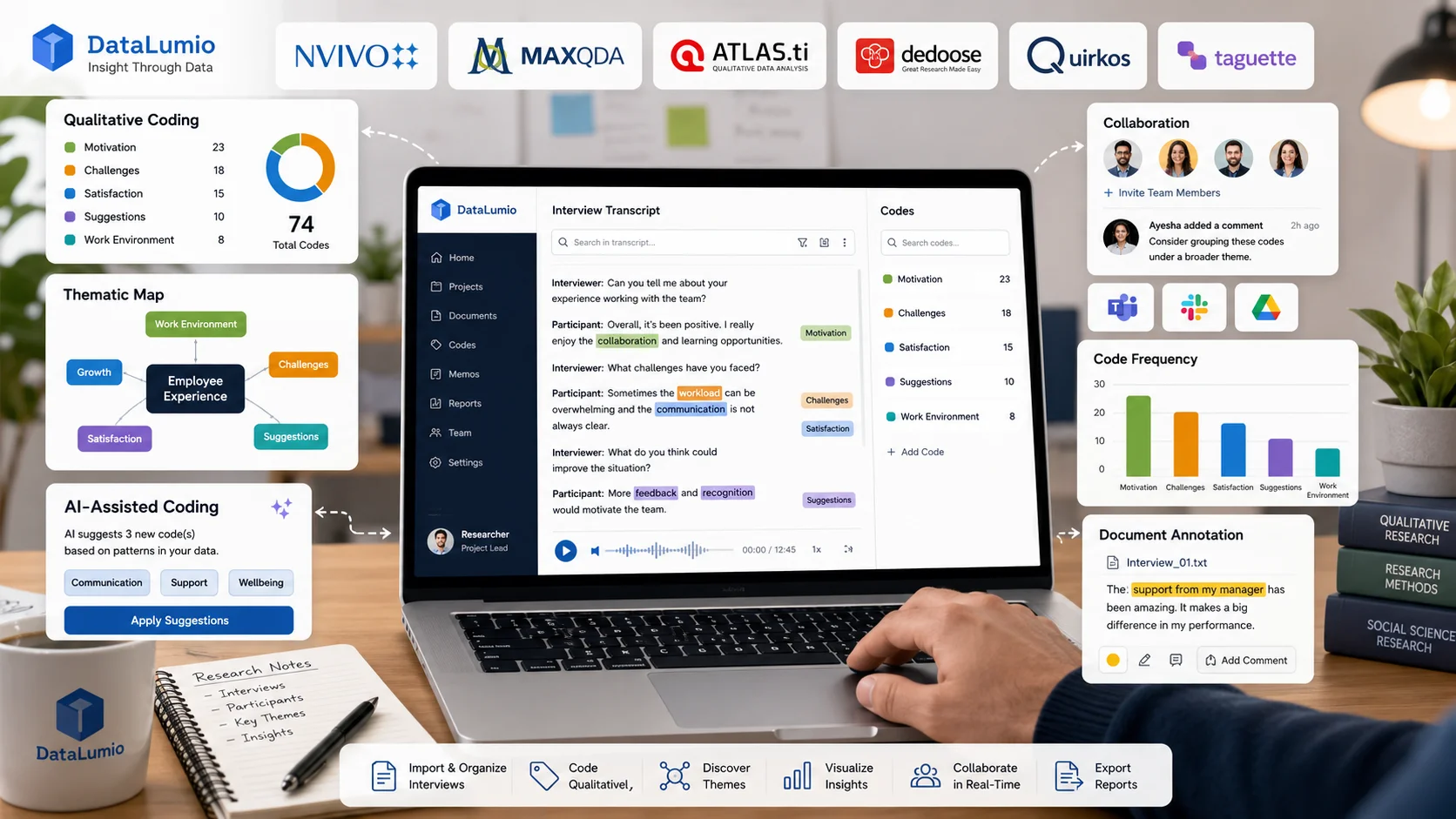
In this guide, we compare seven leading qualitative data analysis software tools based on the same evaluation criteria. Rather than focusing only on feature lists, we examine how each platform performs during real qualitative research tasks such as coding interviews, organizing themes, reviewing findings, collaborating with team members, and reporting results. This workflow-based approach reflects how many researchers evaluate QDA software in practice.
By the end of this guide, you’ll know which software is best suited for your research project, whether you’re a student completing a dissertation, a university researcher managing a large study, or a professional conducting customer interviews and qualitative analysis.
What You’ll Learn
After reading this guide, you’ll be able to:
- Understand what qualitative data analysis software is and when to use it.
- Compare seven popular QDA tools using consistent evaluation criteria.
- Identify the best software for interview coding, thematic analysis, and collaborative research.
- Compare free and paid qualitative research software.
- Understand the strengths and limitations of each platform.
- Choose software that matches your research workflow and budget.
Quick Answer
If you’re looking for a short recommendation before exploring the full comparison, here’s a quick overview of how the seven platforms compare across common research needs.
| Research Need | Recommended Software |
|---|---|
| Best Overall | DataLumio |
| Best Free Software | Taguette |
| Best for Mixed Methods | Dedoose |
| Best for Visual Coding | Quirkos |
| Best for Advanced Research | MAXQDA |
| Best for Enterprise Research | ATLAS.ti |
| Best for Large Academic Projects | NVivo |
Each recommendation is explained in detail later in this guide.
At a Glance: 07 Best Qualitative Data Analysis Software
| Software | Best For | AI Support | Free Version | Collaboration | Overall Rating |
|---|---|---|---|---|---|
| DataLumio | AI-assisted qualitative analysis | Yes | Yes | Excellent | ★★★★★ |
| Taguette | Students & beginners | No | Yes | Good | ★★★★☆ |
| Dedoose | Mixed-methods research | Limited | Trial | Excellent | ★★★★☆ |
| Quirkos | Visual qualitative coding | No | Trial | Good | ★★★★☆ |
| MAXQDA | Academic & professional research | Yes | Trial | Excellent | ★★★★★ |
| ATLAS.ti | Enterprise & institutional research | Yes | Trial | Excellent | ★★★★★ |
| NVivo | Large-scale qualitative projects | Yes | Trial | Excellent | ★★★★★ |
Ratings are based on the evaluation methodology described below and are intended to help readers compare overall suitability for different research scenarios.
How We Evaluated These Qualitative Data Analysis Tools
Every qualitative research project has different requirements. A PhD student coding interview transcripts may prioritize ease of use and affordability, while a research organization may need advanced collaboration, multimedia support, and detailed reporting.
To create a balanced comparison, we assessed each platform using the same practical workflow rather than relying solely on marketing materials or feature checklists. This mirrors an approach commonly used in high-quality QDA software comparisons, where identical research tasks are performed across multiple tools.
Our Evaluation Criteria for Qualitative Data Analysis
- Ease of setup – How quickly a new user can create a project and begin coding.
- Coding workflow – Simplicity of assigning, organizing, and refining codes.
- Interview analysis – Support for coding transcripts and managing qualitative interviews.
- Thematic analysis – Ability to identify, organize, and refine themes.
- AI-assisted features – Availability of AI tools that support coding or synthesis while preserving researcher oversight.
- Collaboration – Options for team projects, shared coding, and collaborative review.
- Supported data types – Compatibility with text documents, PDFs, audio, video, images, spreadsheets, and other research materials.
- Visualization and reporting – Tools for exploring patterns, creating visualizations, and exporting findings.
- Learning curve – How intuitive the platform is for first-time users.
- Value for money – Overall balance between features, usability, and pricing.
By using consistent evaluation criteria, readers can compare each platform more fairly and choose the software that aligns with their research goals rather than simply selecting the tool with the longest feature list.
2. DataLumio — Best Overall for AI-Assisted Qualitative Data Analysis
Best for: Researchers, students, consultants, UX teams, and organizations that want to analyze qualitative data faster without spending weeks learning traditional QDA software.
Overview
Traditional qualitative data analysis often involves importing documents, creating codebooks, manually assigning codes, grouping categories, reviewing themes, and exporting findings. While this workflow offers flexibility, it can also be time-consuming, particularly for researchers handling dozens of interview transcripts or lengthy document collections.
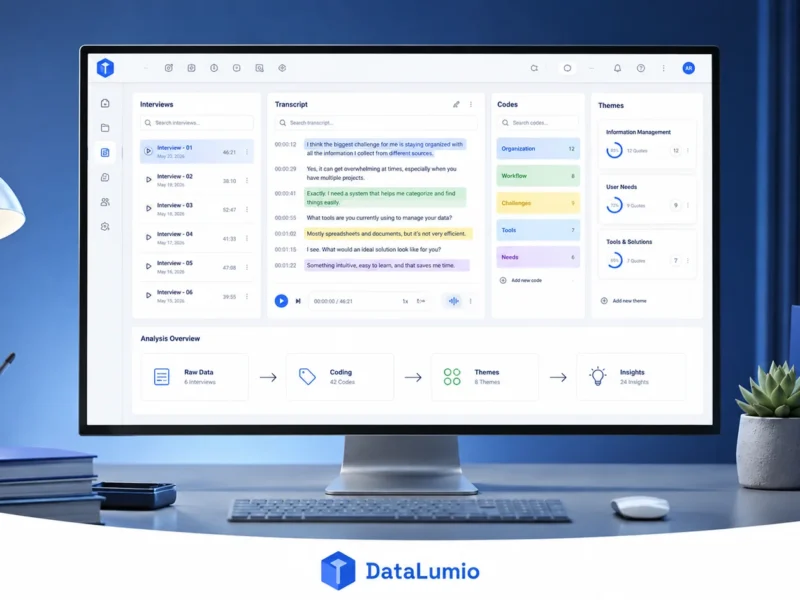
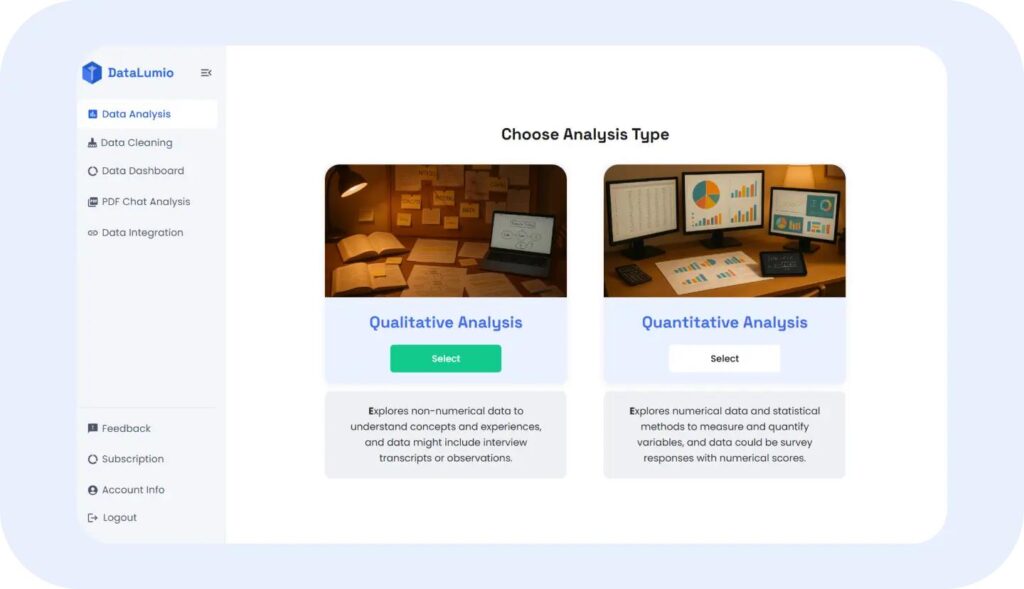
DataLumio takes a different approach. Instead of requiring users to build every code manually from the beginning, the platform combines document organization with AI-assisted analysis to help researchers move from raw documents to structured insights more efficiently. Users can upload interview transcripts, focus group discussions, open-ended survey responses, research notes, PDFs, and Word documents, then generate organized reports that include themes, supporting quotations, sentiment summaries, and downloadable findings. Throughout the process, researchers remain responsible for reviewing, refining, and interpreting the results.
Unlike many desktop-first qualitative analysis platforms, DataLumio is entirely web-based and emphasizes a simple setup. Researchers can upload files, begin reviewing results, and export reports without installing complex software or configuring local projects. The platform also combines qualitative analysis with complementary tools such as PDF chat, quantitative data analysis, dashboard creation, and data cleaning, allowing users to work with multiple types of research data in one workspace.
Best For
DataLumio is particularly well suited for:
- Academic research projects
- Master’s and PhD dissertations
- Interview transcript analysis
- Focus group studies
- Open-ended survey analysis
- UX and customer research
- Market research
- Policy evaluation
- NGO and nonprofit research
- Consultants preparing client reports
Key Features
AI-Assisted Theme Identification
Instead of beginning with an empty coding workspace, researchers can upload qualitative documents and receive an initial structured analysis highlighting recurring topics, patterns, and themes. These suggestions provide a starting point for deeper interpretation rather than replacing researcher judgment.
Guided or Exploratory Analysis
Researchers can either:
- Provide their own research questions
- Define expected themes
- Upload a coding framework
- Allow the software to perform an exploratory first-pass analysis
This flexibility supports both deductive and inductive qualitative approaches.
Supporting Quote Extraction
Every qualitative finding is stronger when supported by participant quotations.
DataLumio extracts representative quotations associated with identified themes, making it easier to connect findings with original evidence and streamline report writing.
Sentiment Analysis
For projects involving customer feedback, employee surveys, or public opinion, the platform can organize responses by positive, negative, and neutral sentiment, providing another perspective alongside thematic coding.
Built-In Reporting
Rather than manually creating summary documents after coding, users can export structured reports containing:
- Theme summaries
- Supporting quotations
- Visual summaries
- Theme frequencies
- Overall conclusions
This helps reduce the time required to prepare research deliverables.
Multiple Research Workflows in One Platform
One of DataLumio’s distinguishing characteristics is that it extends beyond qualitative coding alone. Researchers can also:
- Chat with research PDFs
- Clean spreadsheet data
- Analyze quantitative datasets
- Build interactive dashboards
- Export reports
This integrated workflow can reduce the need to switch between multiple applications during a research project.
Supported File Types
DataLumio currently supports multiple research file formats, including:
| Data Type | Supported |
|---|---|
| ✓ | |
| Microsoft Word (DOC/DOCX) | ✓ |
| CSV | ✓ |
| Excel (XLS/XLSX) | ✓ |
| Survey Files | ✓ |
| Interview Transcripts | ✓ |
| Research Reports | ✓ |
Pros
- Simple web-based interface
- Minimal setup required
- AI-assisted qualitative analysis
- Supports interview and focus group research
- Built-in report generation
- Integrated AI PDF analysis
- Includes quantitative analysis tools
- Data cleaning and dashboards available in the same platform
- No coding knowledge required
- Suitable for both researchers and business teams
Cons
- Researchers working with highly customized manual coding frameworks may still prefer traditional CAQDAS software for complete control over every coding stage.
- As with any AI-assisted workflow, outputs should be reviewed and validated before being used in publications or formal reports.
Pricing
| Plan | Starting Price |
|---|---|
| Free Trial | Available |
| Paid Plans | From $5/month |
Pricing may change over time. Always verify current plans on the official website. See here
Why Choose DataLumio?
If your goal is to spend less time on repetitive preparation and more time interpreting qualitative findings, DataLumio offers a practical workflow. Instead of treating qualitative analysis as an isolated task, it brings document review, AI-assisted analysis, reporting, PDF exploration, quantitative analysis, and data dashboards into one environment.
Researchers who value ease of use, integrated workflows, and faster project setup are likely to find this approach appealing, while still retaining responsibility for validating and interpreting the analytical results.
Our Verdict
| Category | Rating |
|---|---|
| Ease of Learning | ⭐⭐⭐⭐⭐ |
| Coding Workflow | ⭐⭐⭐⭐☆ |
| AI Assistance | ⭐⭐⭐⭐⭐ |
| Interview Analysis | ⭐⭐⭐⭐⭐ |
| Thematic Analysis | ⭐⭐⭐⭐⭐ |
| Reporting | ⭐⭐⭐⭐⭐ |
| Collaboration | ⭐⭐⭐⭐☆ |
| Value for Money | ⭐⭐⭐⭐⭐ |
| Overall Score | 4.9 / 5 |
DataLumio is a strong option for researchers seeking a modern, web-based qualitative analysis platform with AI-assisted workflows. Its combination of qualitative analysis, reporting, PDF review, and complementary research tools makes it especially attractive for users who want an integrated research environment rather than a traditional standalone coding application.
3. Taguette — Best Free Open-Source Qualitative Data Analysis Software
Best For: Students, academic researchers, nonprofits, and anyone looking for a completely free qualitative coding tool.
Overview
Finding reliable qualitative data analysis software without paying hundreds of dollars can be difficult. Many popular QDA platforms require annual licenses or subscription plans that are beyond the budgets of students, independent researchers, and nonprofit organizations.
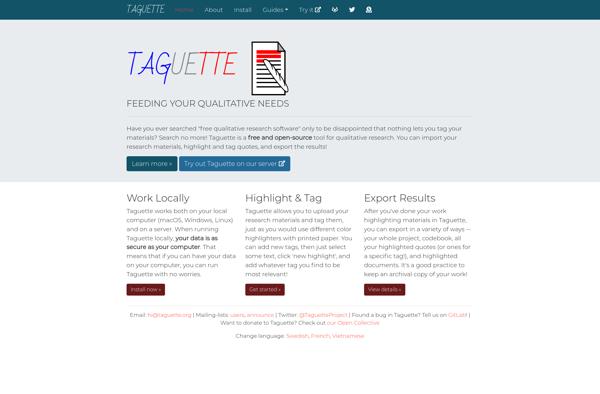
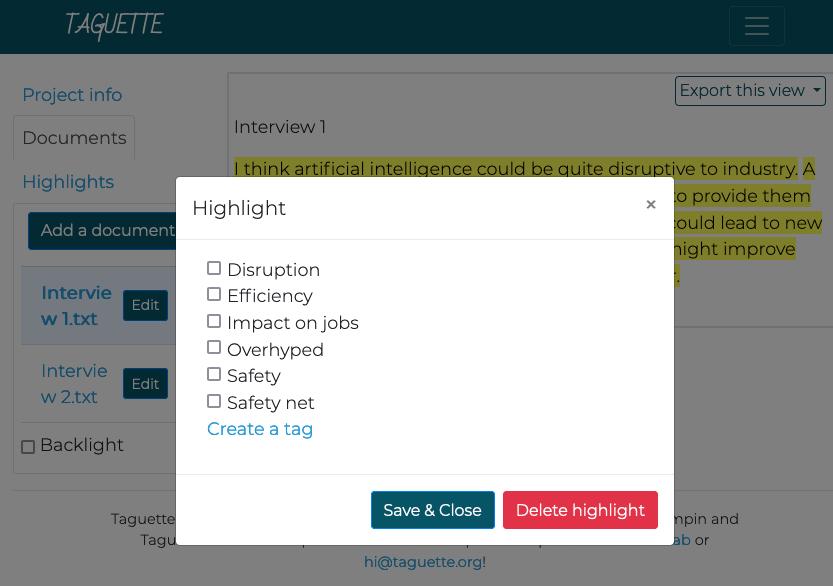
Taguette was created to solve this problem. It is a free and open-source qualitative data analysis tool designed specifically for highlighting, coding, and organizing textual research materials. Instead of offering a large collection of advanced research modules, Taguette focuses on providing a clean, distraction-free environment for manual qualitative coding.
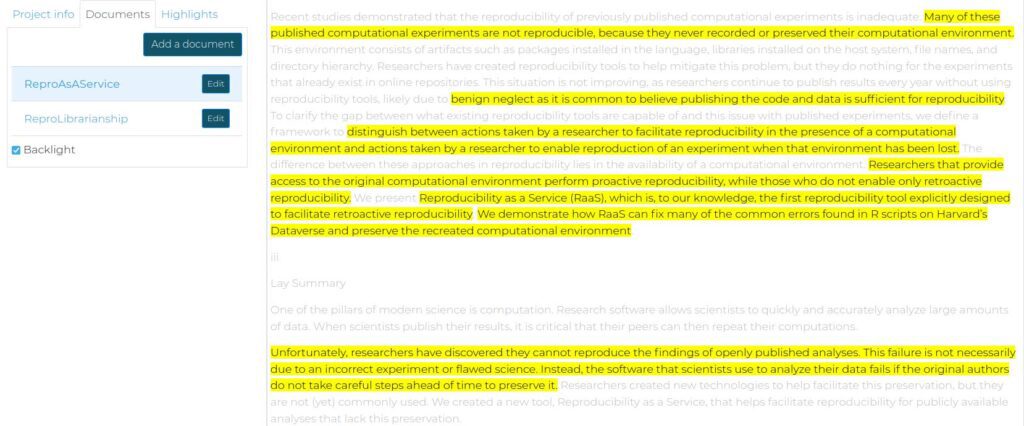
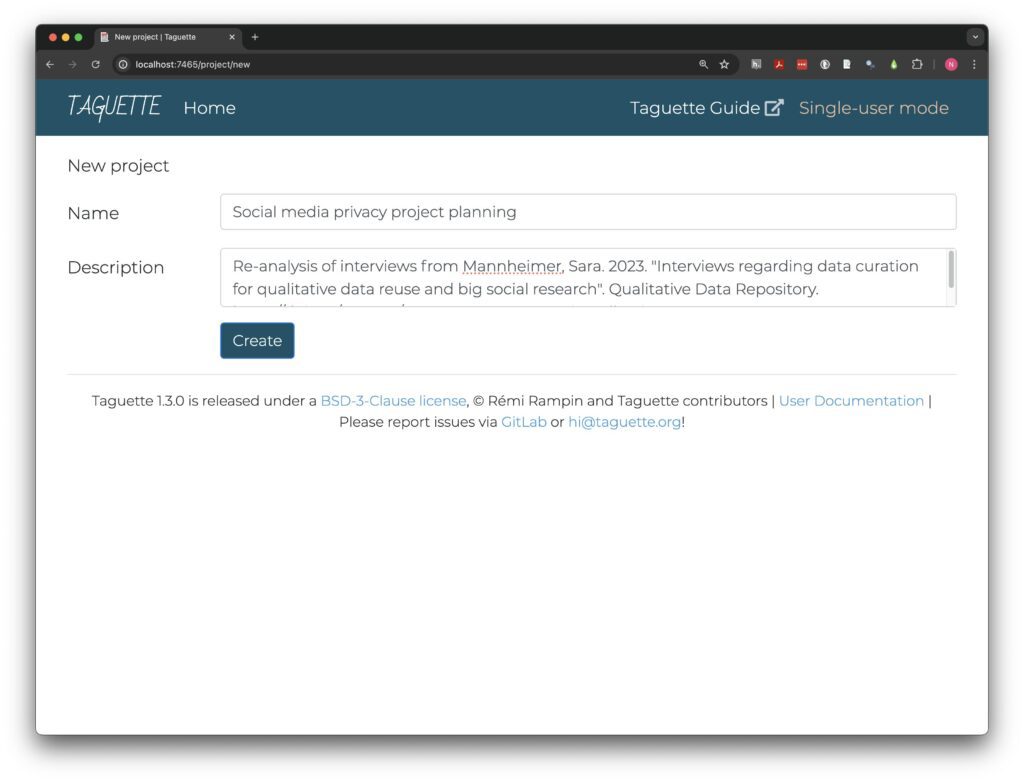
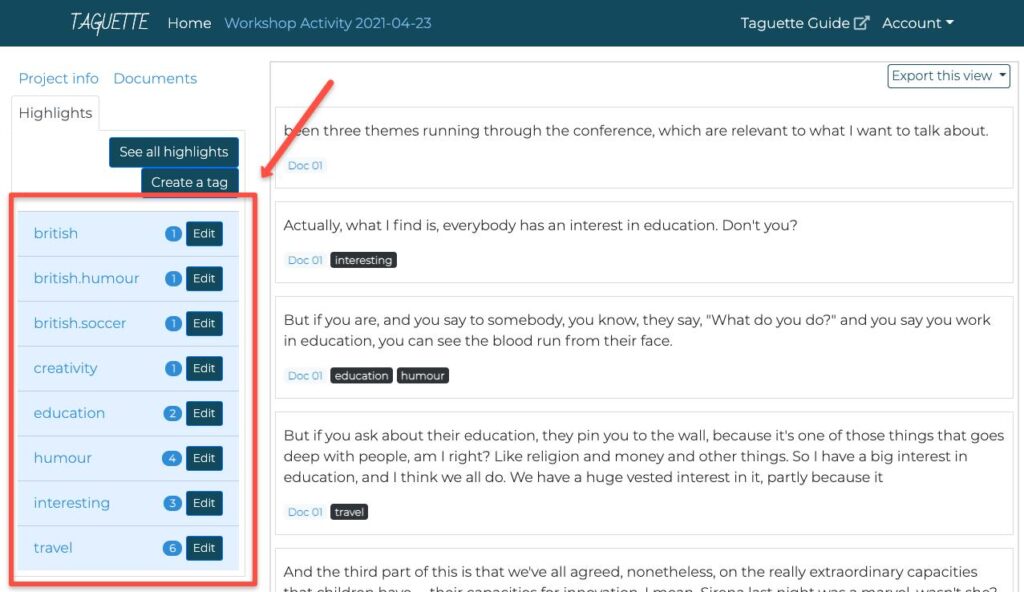
Researchers can import interview transcripts, research papers, policy documents, reports, and other text-based materials, highlight meaningful passages, assign custom tags, and export coded data for reporting or further analysis. Because it is open source, researchers can also self-host the platform if required.
Best For
Taguette is particularly suitable for:
- Undergraduate students
- Master’s dissertations
- PhD researchers with limited budgets
- NGOs
- Independent researchers
- Small qualitative research projects
- Manual thematic analysis
- Interview coding
- Open-source research workflows
Key Features
Completely Free and Open Source
Unlike many commercial QDA tools, Taguette is available at no cost under an open-source license. Users can install it locally on Windows, macOS, or Linux, or run it on a server for collaborative work.
Manual Highlighting and Coding
The platform follows a familiar workflow:
- Import documents
- Highlight relevant text
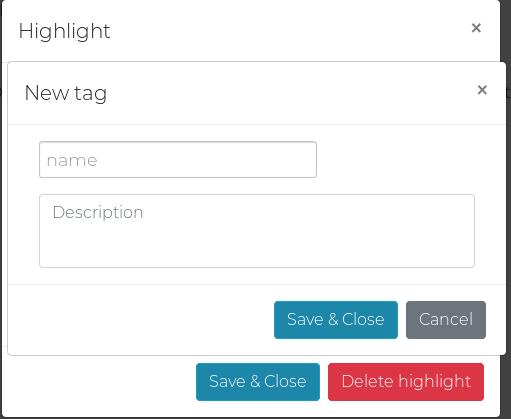
- Create custom tags (codes)
- Assign codes to highlighted passages
- Review coded segments
This straightforward approach makes it easy for new qualitative researchers to understand the coding process without navigating a complex interface.
Flexible File Support
Taguette supports a variety of commonly used research formats, including:
- DOCX
- TXT
- HTML
- EPUB
- MOBI
- ODT
- RTF
This allows researchers to consolidate qualitative sources into one project.
Export Your Work
Researchers can export:
- Complete projects
- Codebooks
- Tagged quotations
- Highlighted documents
This makes it easier to archive work or continue analysis in another application.
Supported File Types
| Data Type | Supported |
|---|---|
| ✓ | |
| Word | ✓ |
| Text Files | ✓ |
| HTML | ✓ |
| EPUB | ✓ |
| RTF | ✓ |
| Images | Limited |
| Audio | ✗ |
| Video | ✗ |
Pros
- Completely free
- Open source
- Easy to learn
- Lightweight interface
- Excellent for manual coding
- Cross-platform support
- Self-hosting available
- Good export capabilities
Cons
- No AI-assisted coding
- Limited multimedia analysis
- Fewer visualization tools than commercial platforms
- Better suited to small and medium-sized projects than very large collaborative studies
Pricing
| Plan | Cost |
|---|---|
| Community Edition | Free |
Taguette is free to use, whether installed locally or self-hosted. Donations support ongoing development.
Why Choose Taguette?
If your priority is affordability and straightforward manual coding, Taguette is one of the strongest options available. It avoids unnecessary complexity while covering the essentials of qualitative coding and project organization. It is especially attractive for students and researchers who need dependable functionality without a subscription fee.
Our Verdict
| Category | Rating |
|---|---|
| Ease of Learning | ⭐⭐⭐⭐⭐ |
| Manual Coding | ⭐⭐⭐⭐⭐ |
| AI Features | ⭐☆☆☆☆ |
| Collaboration | ⭐⭐⭐☆☆ |
| Reporting | ⭐⭐⭐☆☆ |
| Value for Money | ⭐⭐⭐⭐⭐ |
| Overall Score | 4.5 / 5 |
4. Dedoose — Best for Mixed-Methods Research and Team Collaboration
Best For: Research teams, evaluators, healthcare researchers, UX professionals, and academics combining qualitative and quantitative data.
Overview
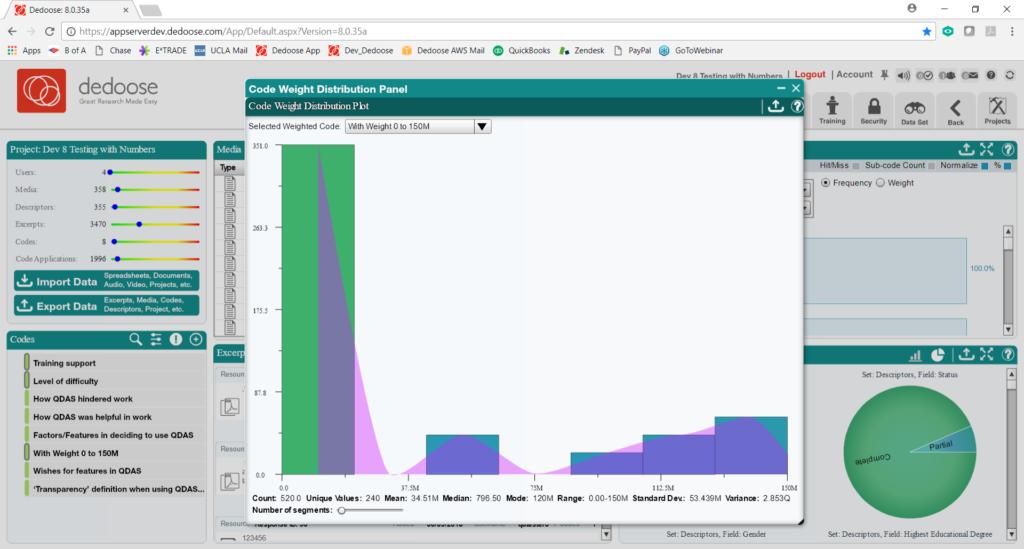
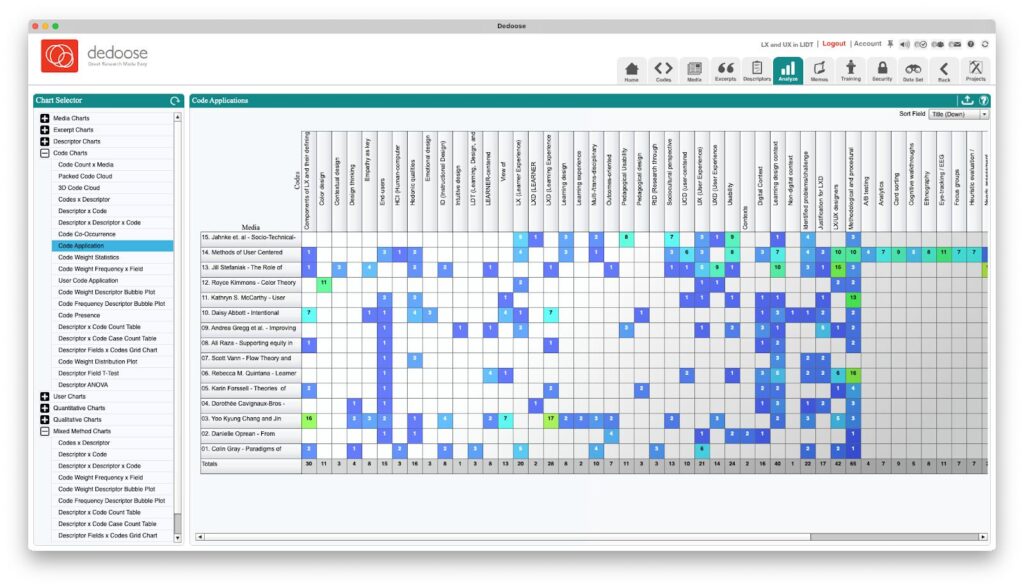
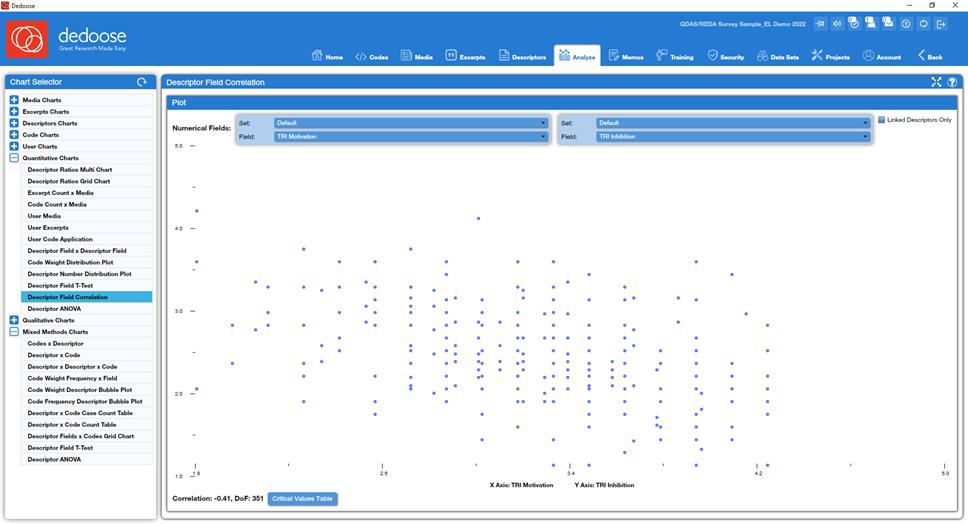
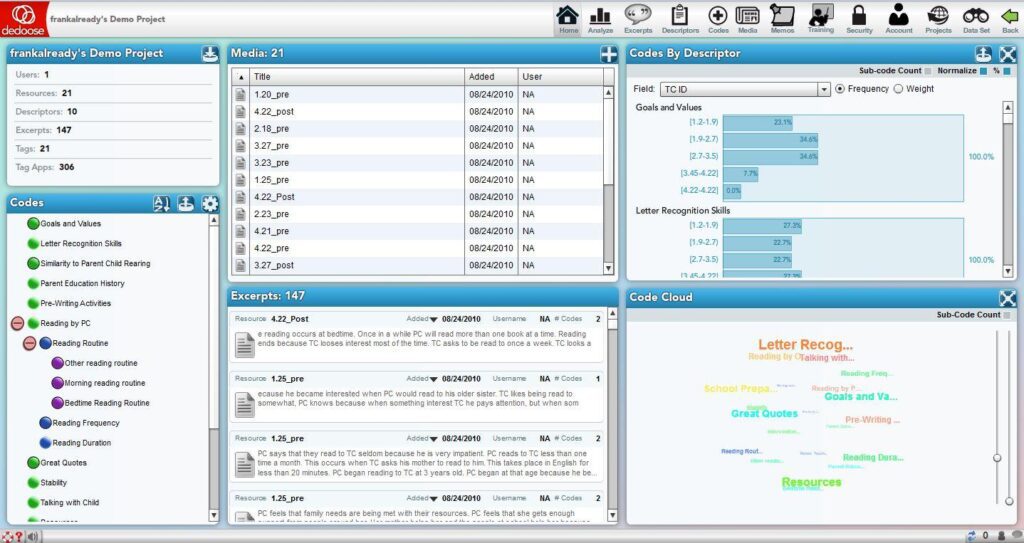
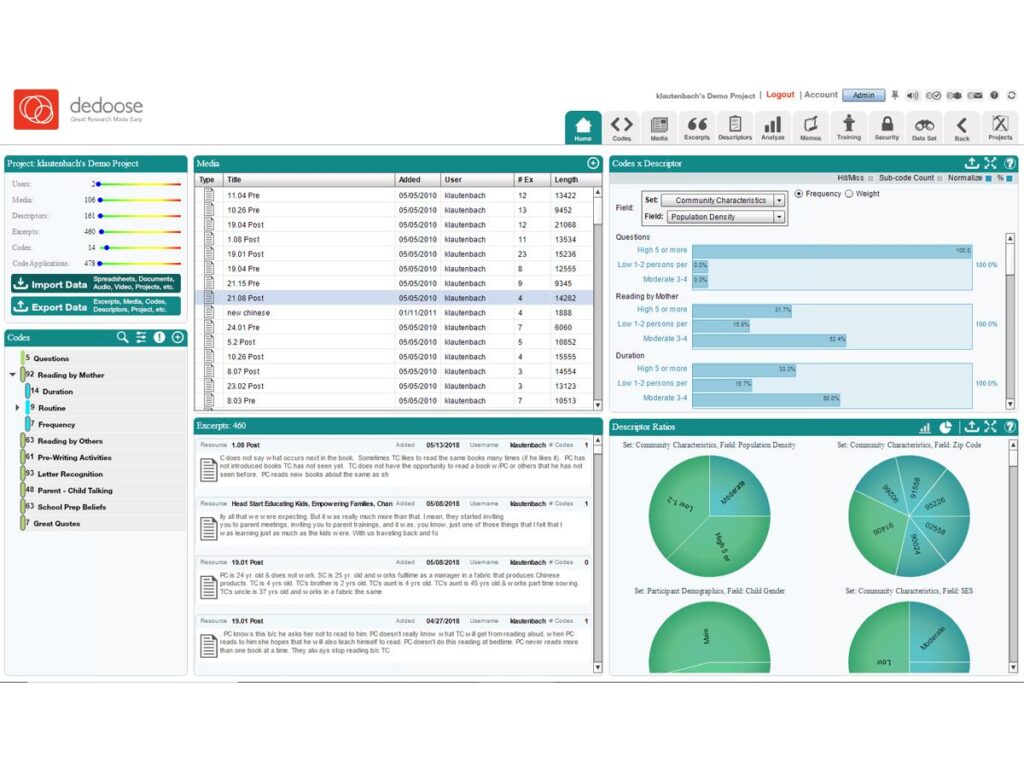
Dedoose is a cloud-based qualitative and mixed-methods research platform developed by researchers for researchers. Its core strength is the ability to analyze qualitative and quantitative data together within a single project, making it especially valuable for evaluations, public policy studies, healthcare research, and user experience projects where interview data is often paired with survey or demographic information.
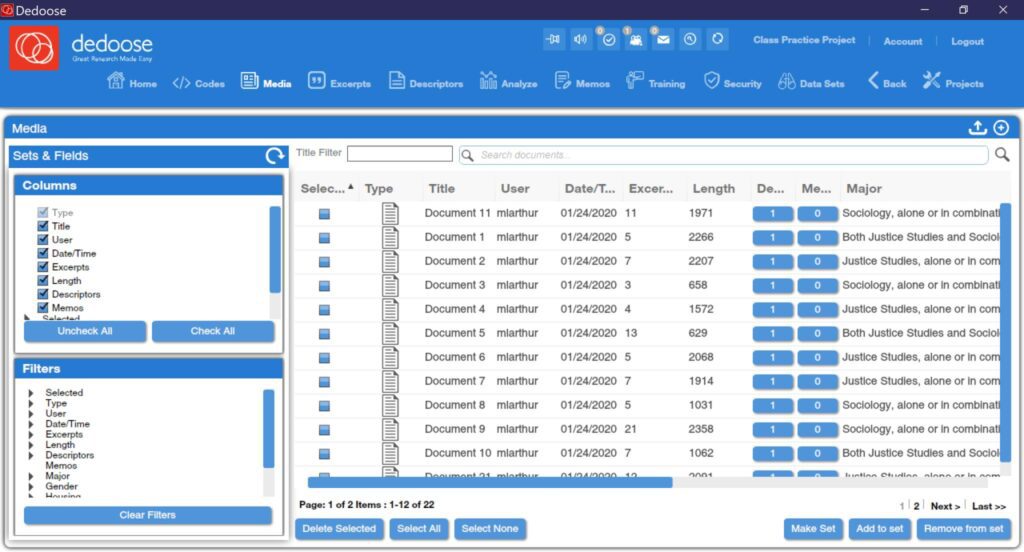
Unlike traditional desktop software, Dedoose is designed around collaboration. Multiple researchers can work on the same dataset simultaneously, compare coding decisions, assign permissions, and use built-in visualizations to explore patterns across codes and participant characteristics. The platform also supports text, images, audio, video, and spreadsheets, enabling richer mixed-methods analysis.
Best For
Dedoose is a strong choice for:
- Mixed-methods research
- University research groups
- Healthcare and public health studies
- Government and policy evaluation
- UX research
- Market research
- Collaborative coding teams
- Long-term qualitative projects
Key Features
Integrated Qualitative and Quantitative Analysis
Researchers can combine interview transcripts with demographic variables, survey responses, and other structured datasets to explore relationships between themes and participant characteristics.
Real-Time Collaboration
Dedoose allows multiple researchers to work within the same project at the same time. Team members can compare coding, assign permissions, and review one another’s work without manually merging separate project files.
Multimedia Analysis
The platform supports:
- Documents
- PDFs
- Images
- Audio
- Video
- Survey data
- Spreadsheets
This flexibility makes it suitable for projects using diverse qualitative evidence.
Interactive Visualizations
Dedoose includes charts, matrices, tables, and plots that help researchers examine relationships between codes, variables, and participant groups. These visualizations can simplify the interpretation of large datasets.
Researcher-Focused Learning Resources
The platform provides tutorials, webinars, a learning center, and documentation to help new users understand qualitative and mixed-methods workflows.
Supported File Types
| Data Type | Supported |
|---|---|
| ✓ | |
| Word | ✓ |
| Images | ✓ |
| Audio | ✓ |
| Video | ✓ |
| Excel | ✓ |
| CSV | ✓ |
| Survey Data | ✓ |
Pros
- Excellent collaboration features
- Strong mixed-methods support
- Multimedia analysis
- Cloud-based workflow
- Rich visualizations
- Role-based permissions
- Suitable for interdisciplinary research teams
Cons
- Subscription costs can accumulate on long-term projects.
- The interface may feel dated compared with newer web-first platforms.
- AI-assisted coding capabilities are more limited than those offered by some newer research tools.
Pricing
| Plan | Starting Price |
|---|---|
| Free Trial | 30 Days |
| Individual Plan | From $14.95/month |
Always verify current pricing before purchasing.
Why Choose Dedoose?
If your research combines interviews, surveys, demographic information, and collaborative coding, Dedoose remains one of the strongest mixed-methods platforms available. Its emphasis on real-time teamwork, integrated datasets, and visual analysis makes it particularly valuable for organizations and academic teams working across disciplines.
Our Verdict
| Category | Rating |
|---|---|
| Ease of Learning | ⭐⭐⭐⭐☆ |
| Mixed Methods | ⭐⭐⭐⭐⭐ |
| Collaboration | ⭐⭐⭐⭐⭐ |
| Visualization | ⭐⭐⭐⭐⭐ |
| AI Features | ⭐⭐⭐☆☆ |
| Value for Money | ⭐⭐⭐⭐☆ |
| Overall Score | 4.7 / 5 |
5. Quirkos — Best for Beginners and Visual Qualitative Coding
Best For: Students, first-time qualitative researchers, lecturers, and anyone looking for an intuitive coding experience with minimal learning time.

Overview
Many qualitative analysis platforms are built for experienced researchers and include dozens of advanced functions. While powerful, these interfaces can feel overwhelming for someone starting their first dissertation or interview analysis project.
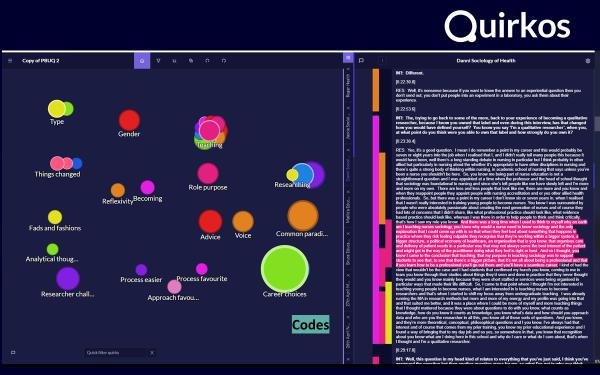
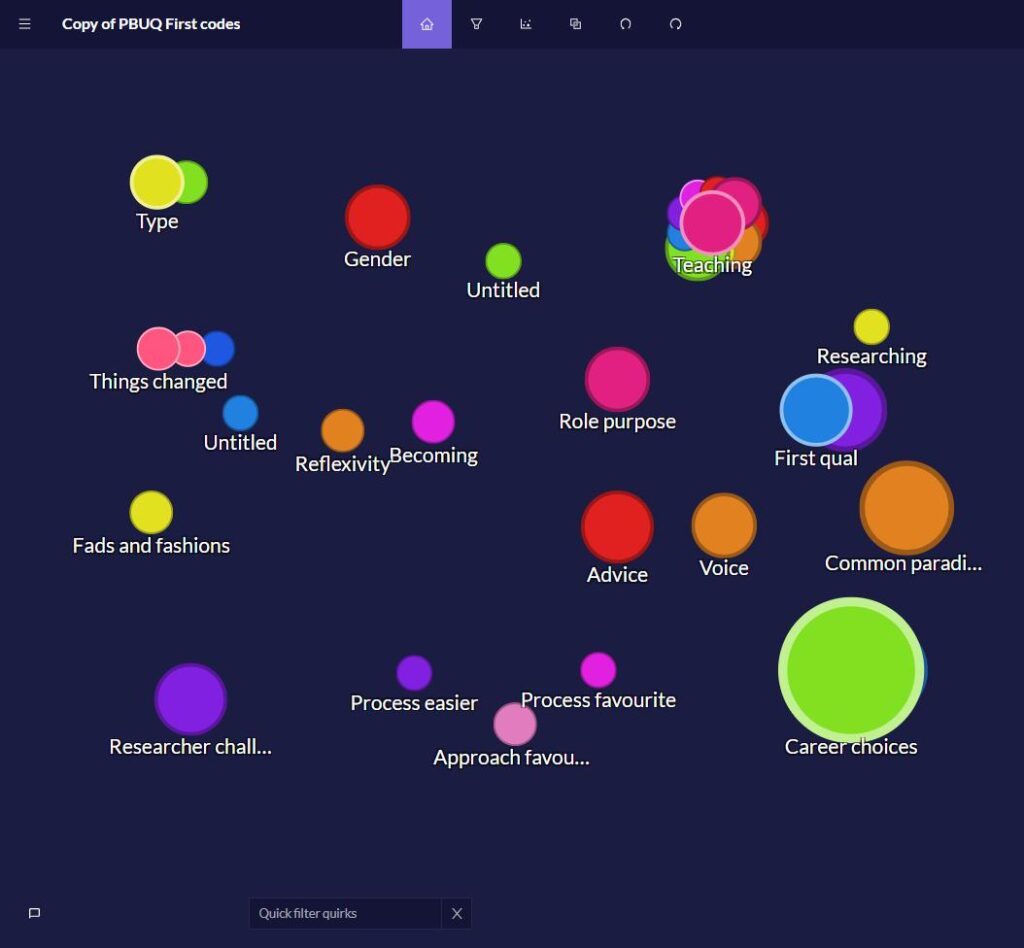
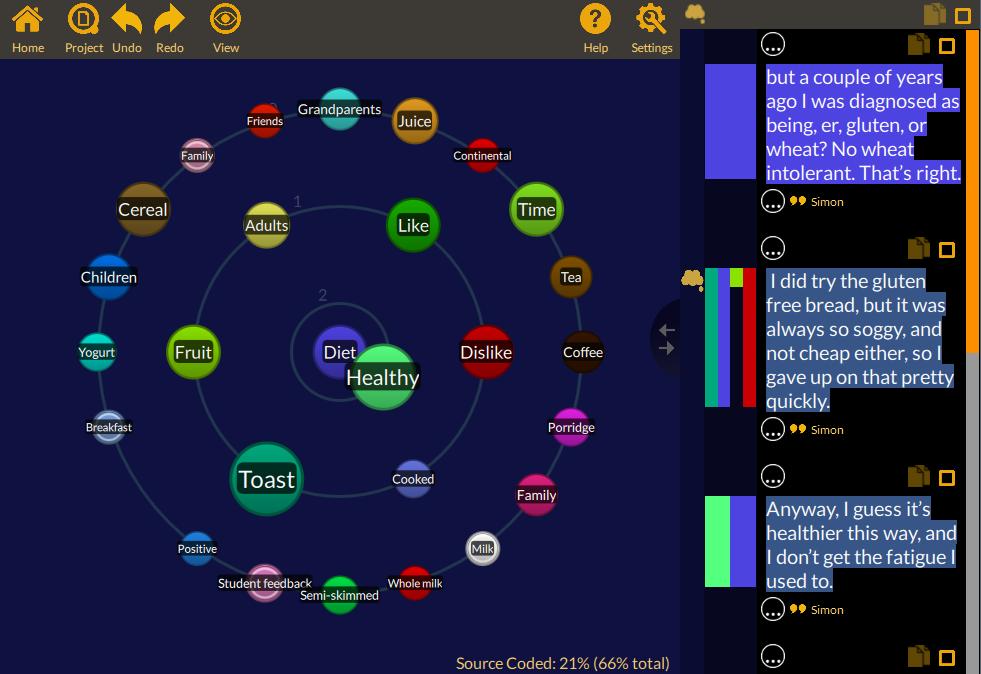
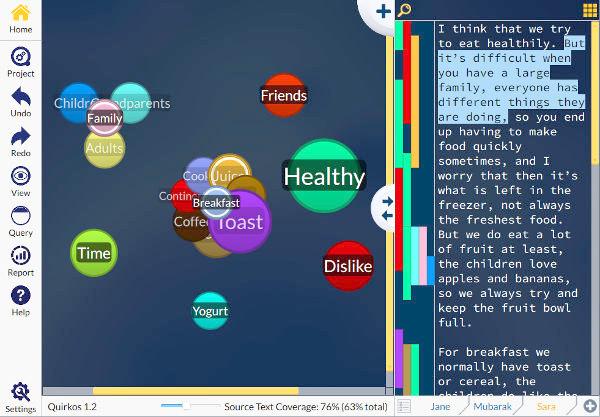
Quirkos takes a different approach. Instead of relying on complex menus and deeply nested code structures, it uses a visual workspace where themes are represented as colorful “bubbles.” Researchers simply drag highlighted text onto these bubbles to organize and refine their codes. This design reduces the learning curve while still supporting rigorous manual qualitative analysis.
The software works across Windows, macOS, Linux, and the web, supports offline work, and can import projects from other major QDA platforms through compatible exchange formats, making migration easier for researchers switching tools.
Best For
Quirkos is ideal for:
- Undergraduate students
- Master’s dissertations
- First-time qualitative researchers
- Interview coding
- Focus group analysis
- Thematic analysis
- Educational institutions
- Small research teams
Key Features
Visual Coding Workspace
The software replaces complicated code trees with interactive visual bubbles that grow as more coded content is assigned. This helps researchers understand the distribution of themes at a glance.
Cross-Platform Compatibility
Projects can be accessed across Windows, macOS, Linux, tablets, smartphones, and web browsers using Quirkos Cloud.
Built-In Data Visualization
Researchers can generate:
- Word clouds
- Theme hierarchies
- Correlation views
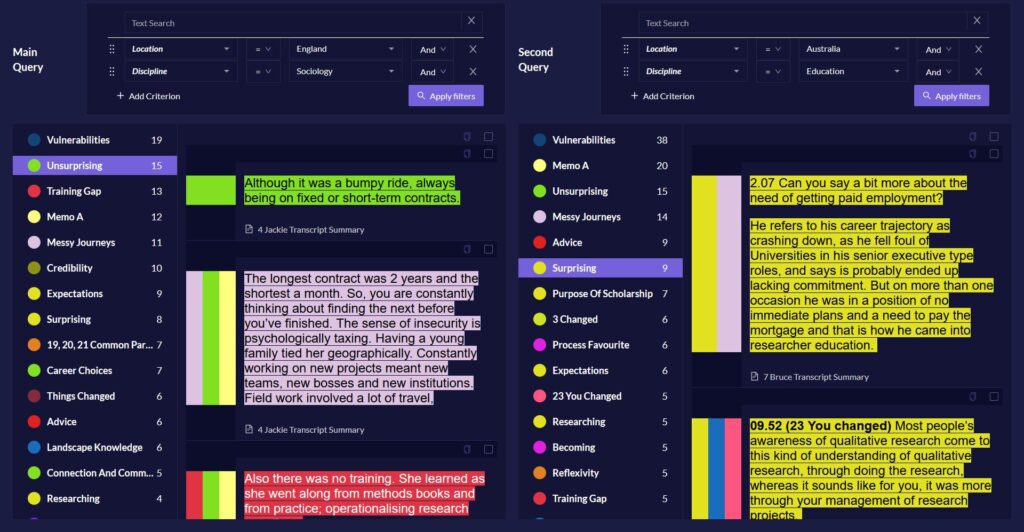
- Comparison queries
These visualizations help identify relationships within coded datasets.
Multimedia Support
Quirkos supports importing:
- PDFs
- Microsoft Word documents
- Text files
- Spreadsheets
- Transcripts
Optional transcription services are also available.
Pros
- Extremely easy to learn
- Excellent visual interface
- Affordable pricing
- Cross-platform support
- Offline and cloud options
- Interactive visualizations
- Good documentation and tutorials
Cons
- Fewer advanced analytical features than enterprise platforms
- Designed primarily for manual coding rather than AI-assisted analysis
- Better suited to small and medium-sized projects than very large institutional studies
Pricing
| Plan | Starting Price |
|---|---|
| Free Trial | 14 Days |
| Paid License | Varies by user type |
Quirkos offers student, academic, nonprofit, public sector, and commercial licensing options.
Our Verdict
| Category | Rating |
|---|---|
| Ease of Learning | ⭐⭐⭐⭐⭐ |
| Coding Workflow | ⭐⭐⭐⭐⭐ |
| Visualization | ⭐⭐⭐⭐☆ |
| Collaboration | ⭐⭐⭐⭐☆ |
| AI Features | ⭐⭐☆☆☆ |
| Overall Score | 4.6 / 5 |
Quirkos is one of the most approachable qualitative analysis tools available. Its visual coding environment makes it an excellent choice for researchers who want to focus on analysis rather than learning complex software.
6. MAXQDA — Best for Advanced Academic and Mixed-Methods Research
Best For: Universities, PhD researchers, social scientists, and research teams conducting complex qualitative or mixed-methods studies.
Overview
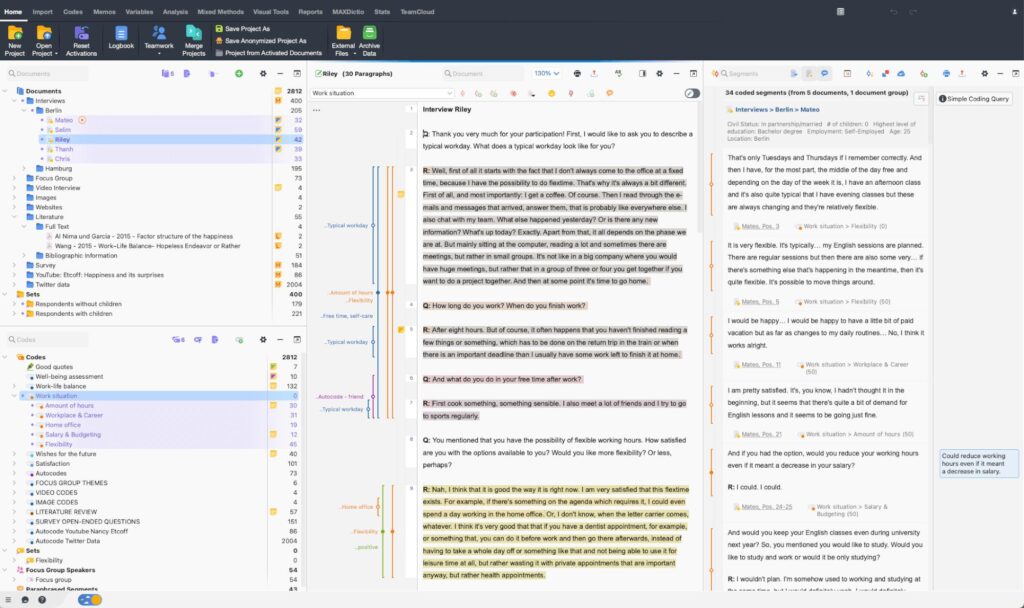
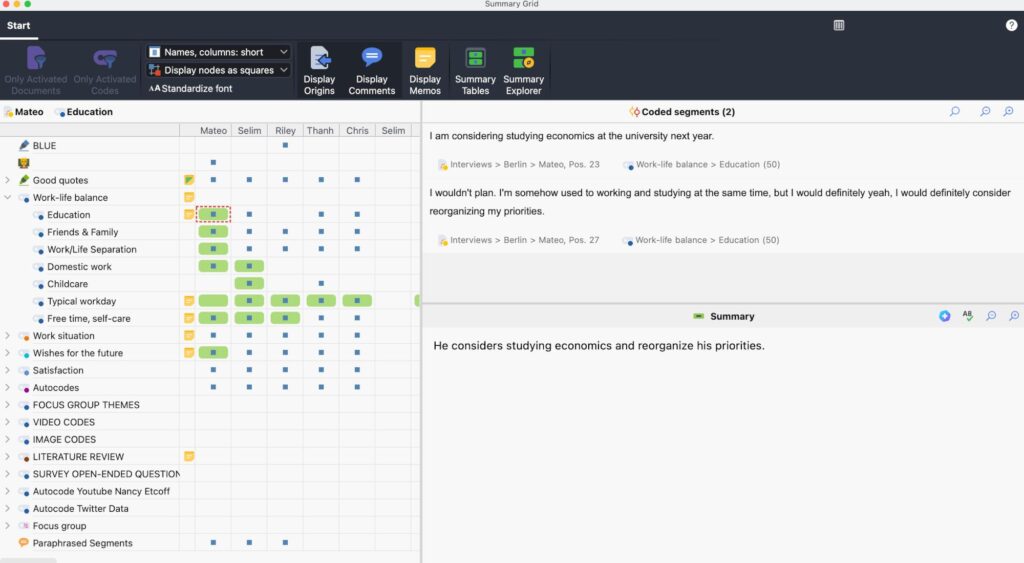
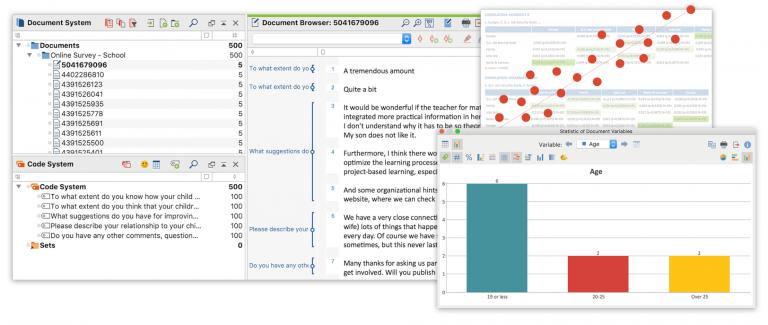
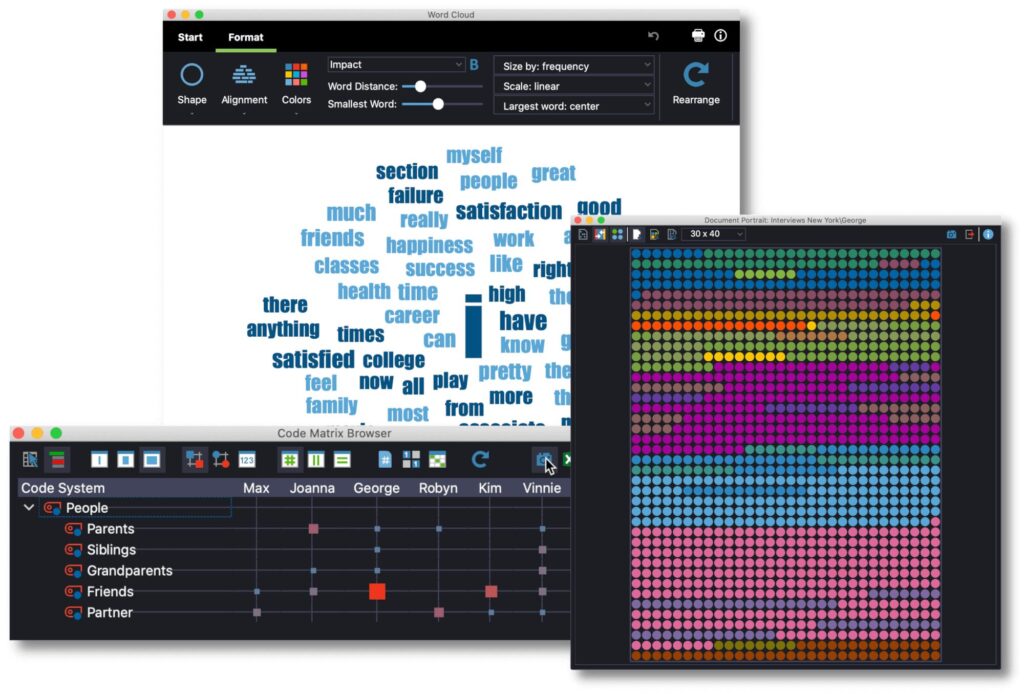
MAXQDA has been one of the most established qualitative data analysis platforms for decades. It supports qualitative, quantitative, and mixed-methods research while offering advanced coding, visualization, document management, and reporting capabilities.
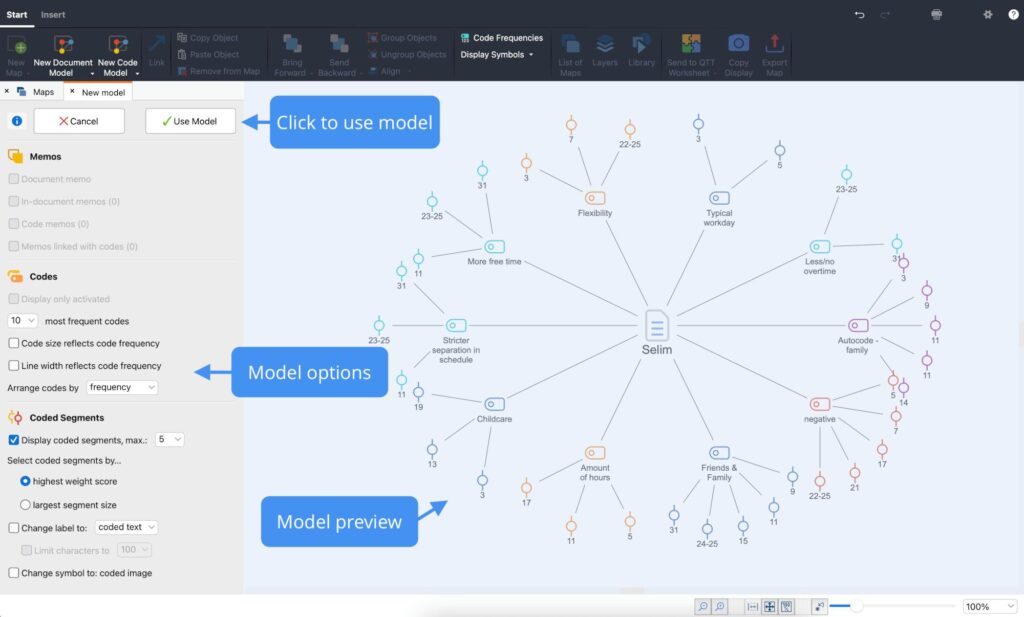
One of its distinguishing strengths is consistency across Windows and macOS. Researchers working on different operating systems share the same interface and feature set, reducing compatibility issues in collaborative projects. MAXQDA also provides AI-assisted capabilities, multilingual support, and flexible licensing for researchers who need enterprise-grade functionality.
Best For
MAXQDA is recommended for:
- PhD dissertations
- University research
- Mixed-methods studies
- Healthcare research
- Public policy analysis
- Government research
- International research teams
- Large qualitative datasets
Key Features
Advanced Coding System
MAXQDA supports hierarchical coding, memos, code relations, lexical searches, document variables, and complex retrieval functions for large research projects.
AI Assist
Recent versions include AI-powered features such as document summaries, coding suggestions, chat with documents, and text explanation while allowing researchers to review and edit outputs.
Mixed-Methods Integration
Researchers can combine qualitative coding with statistical analysis, variables, and structured datasets in a single project.
Collaboration and Project Sharing
MAXQDA supports team collaboration, cloud services, and a free project reader for stakeholders who need to review research without purchasing a license.
Pros
- Comprehensive research toolkit
- Excellent mixed-methods support
- Strong visualization features
- AI-assisted capabilities
- Consistent Windows and macOS experience
- Extensive training resources
Cons
- Higher learning curve for beginners
- Premium pricing compared with entry-level alternatives
- Some advanced modules require additional licensing
Pricing
MAXQDA offers student, academic, commercial, perpetual, and subscription licenses. Pricing depends on the selected modules and license type.
Our Verdict
| Category | Rating |
|---|---|
| Ease of Learning | ⭐⭐⭐⭐☆ |
| Coding Workflow | ⭐⭐⭐⭐⭐ |
| Mixed Methods | ⭐⭐⭐⭐⭐ |
| AI Features | ⭐⭐⭐⭐⭐ |
| Collaboration | ⭐⭐⭐⭐⭐ |
| Overall Score | 4.9 / 5 |
MAXQDA remains one of the strongest choices for researchers who need a comprehensive research platform with advanced qualitative and mixed-methods capabilities.
7. ATLAS.ti — Best for Complex Research Projects and Knowledge Visualization
Best For: Experienced qualitative researchers, multidisciplinary teams, and organizations working with complex relationships between data, codes, and concepts.
Overview
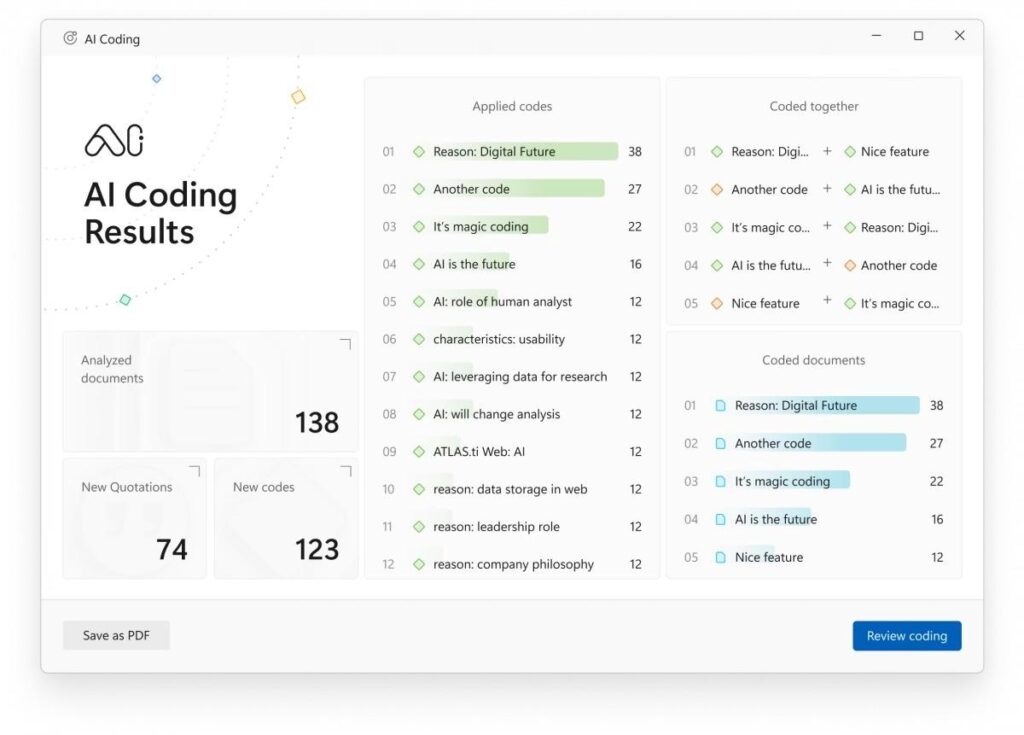
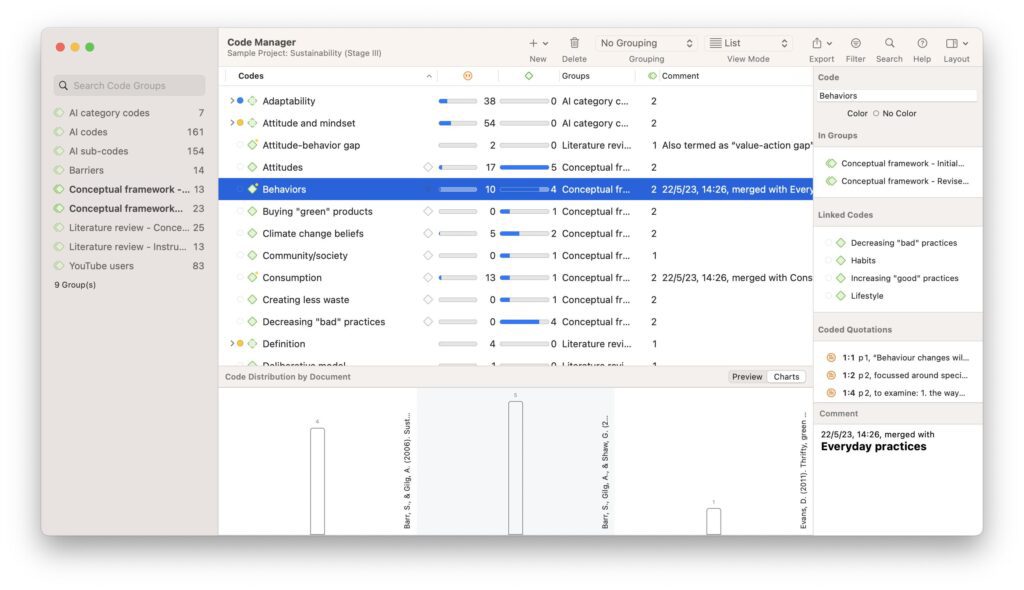
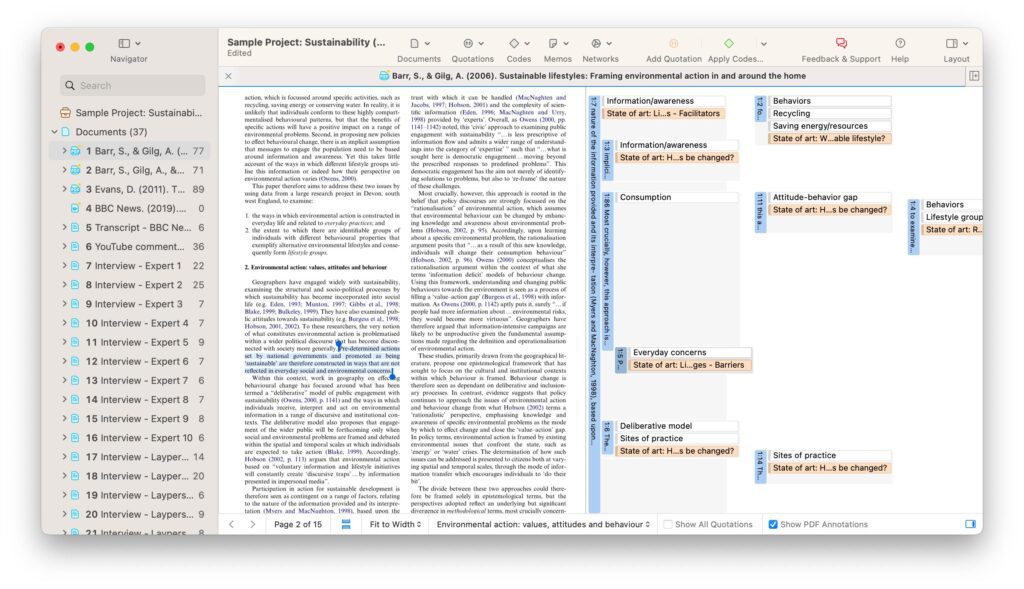
ATLAS.ti has long been recognized for helping researchers analyze complex qualitative datasets through coding, visualization, and relationship mapping. It supports text, audio, video, images, surveys, and geospatial information, making it suitable for multidisciplinary projects.
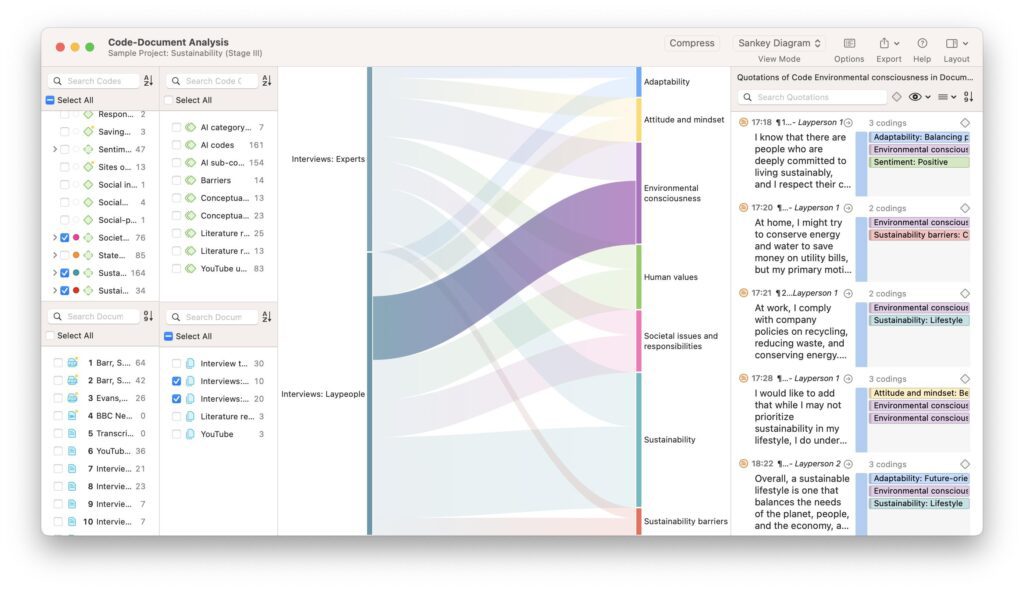
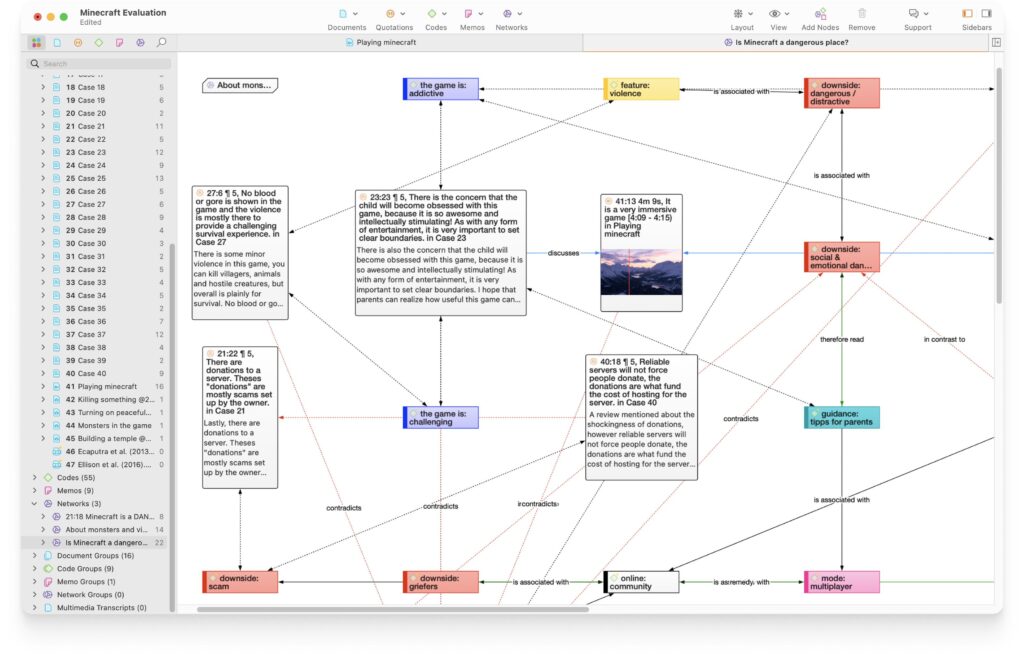
A defining feature is its network visualization, which allows researchers to explore connections between documents, codes, quotations, and concepts. This visual perspective can be particularly useful when investigating grounded theory or conceptual frameworks.
Best For
- Grounded theory
- Policy research
- Healthcare studies
- Social science research
- Large coding frameworks
- Multimedia analysis
- Institutional research
Key Features
- Network visualization
- Multimedia coding
- AI-assisted analysis features
- Team collaboration
- Survey integration
- Advanced search and retrieval
- Code co-occurrence analysis
Pros
- Excellent conceptual visualization
- Rich multimedia support
- Mature research environment
- Strong coding flexibility
- Good collaboration features
Cons
- Learning curve can be steep
- Premium pricing
- Interface may feel complex for new users
Our Verdict
| Category | Rating |
|---|---|
| Coding | ⭐⭐⭐⭐⭐ |
| Visualization | ⭐⭐⭐⭐⭐ |
| Collaboration | ⭐⭐⭐⭐☆ |
| Ease of Learning | ⭐⭐⭐⭐☆ |
| Overall Score | 4.8 / 5 |
ATLAS.ti is an excellent option for researchers who value visual exploration of relationships and need sophisticated tools for large qualitative studies.
8. NVivo — Best for Large Institutional and University Research Projects
Best For: Universities, doctoral research, government agencies, and organizations managing extensive qualitative datasets.
Overview
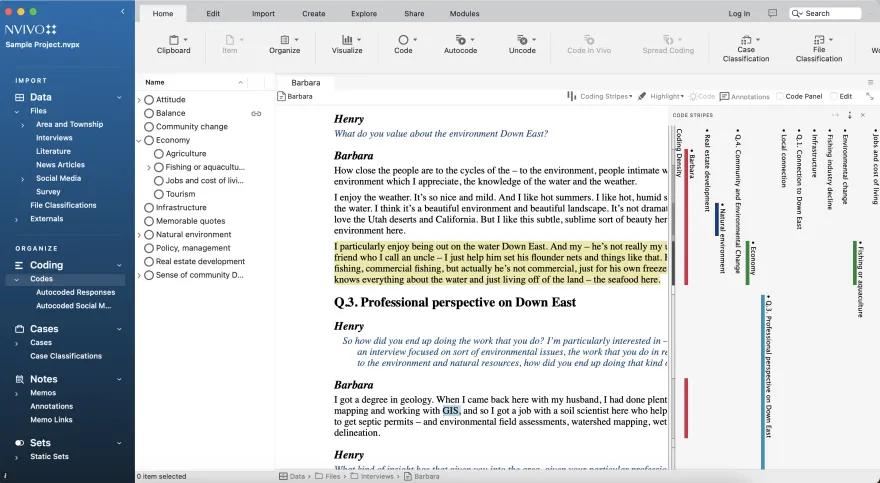
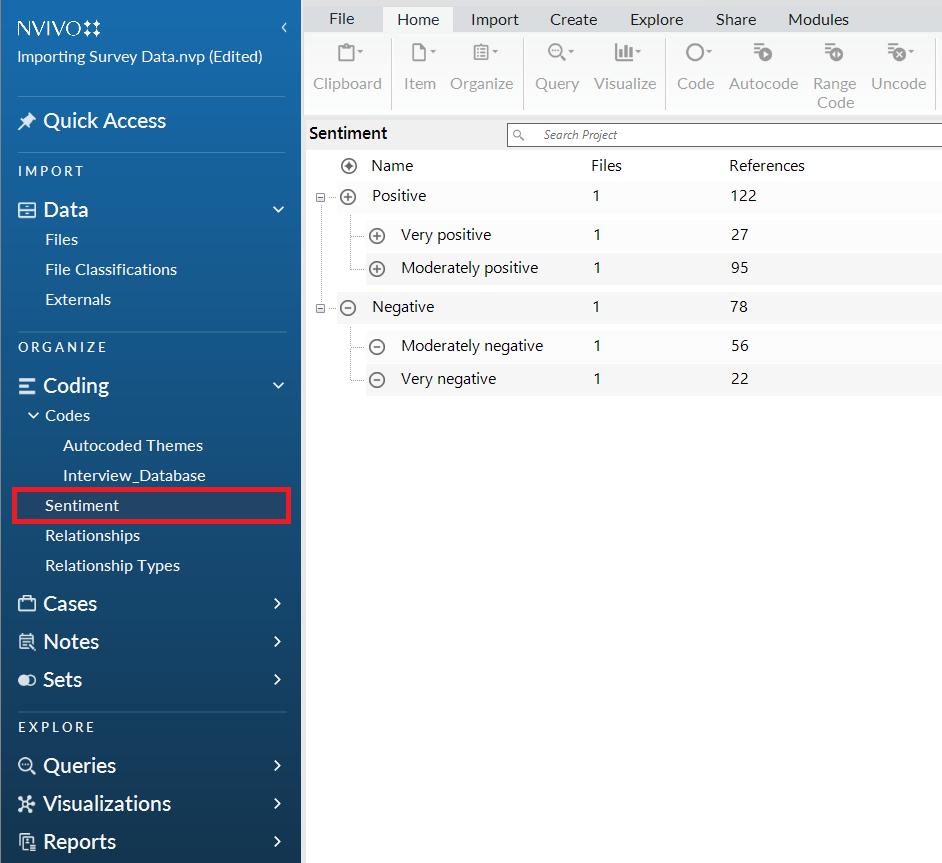
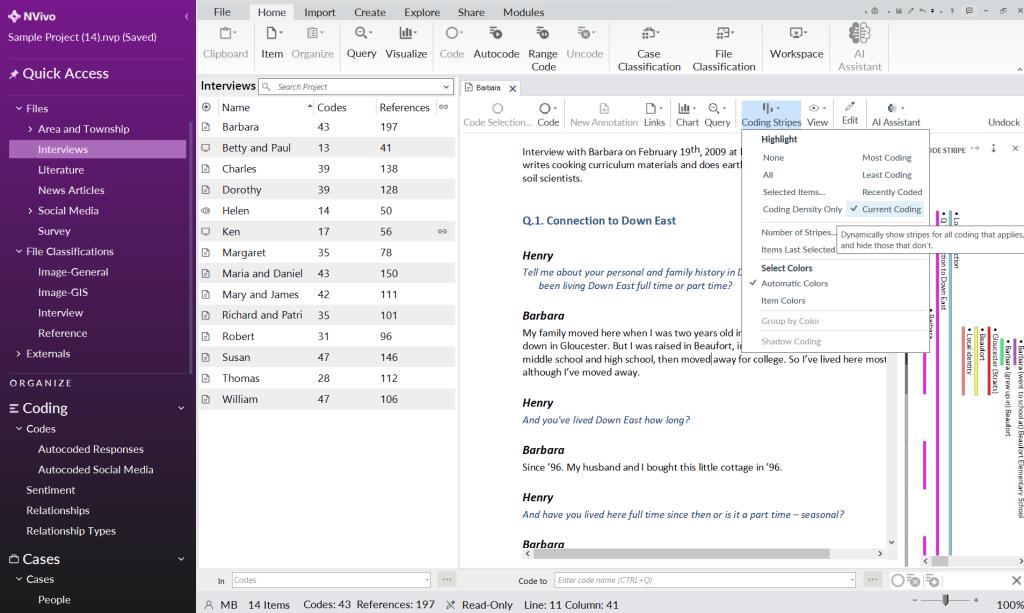
NVivo has been one of the most widely adopted qualitative data analysis platforms in academic research for many years. It supports coding, thematic analysis, literature reviews, interviews, focus groups, multimedia files, and mixed-methods research.
Its strength lies in handling large and complex projects involving thousands of coded passages, multiple researchers, and diverse data types. NVivo continues to be a common choice in universities where institutional licenses and established research workflows are already in place.
Best For
- PhD dissertations
- University research labs
- Government projects
- Healthcare research
- Longitudinal studies
- Large interview collections
- Mixed-methods research
Key Features
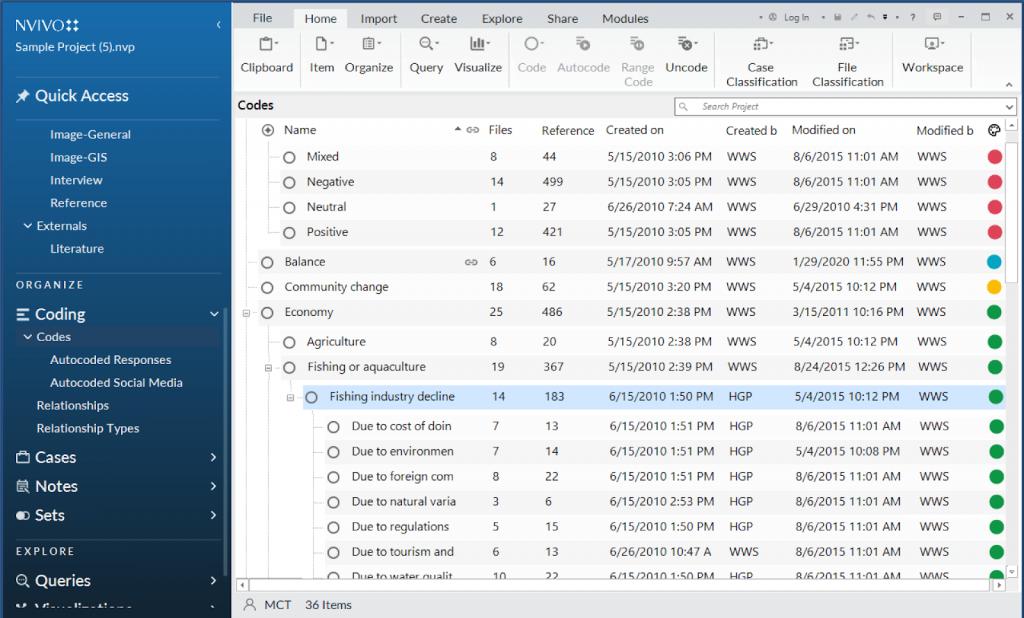
- Advanced qualitative coding
- Interview and focus group analysis
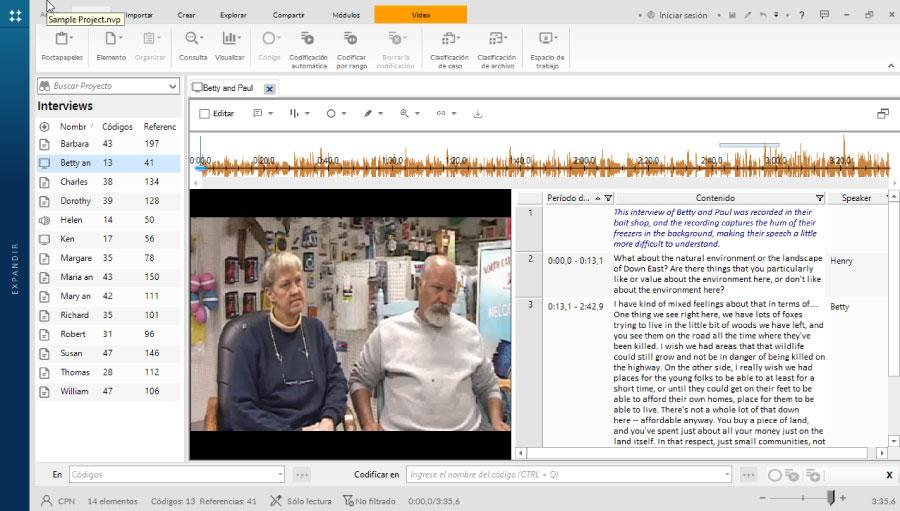
- Multimedia support
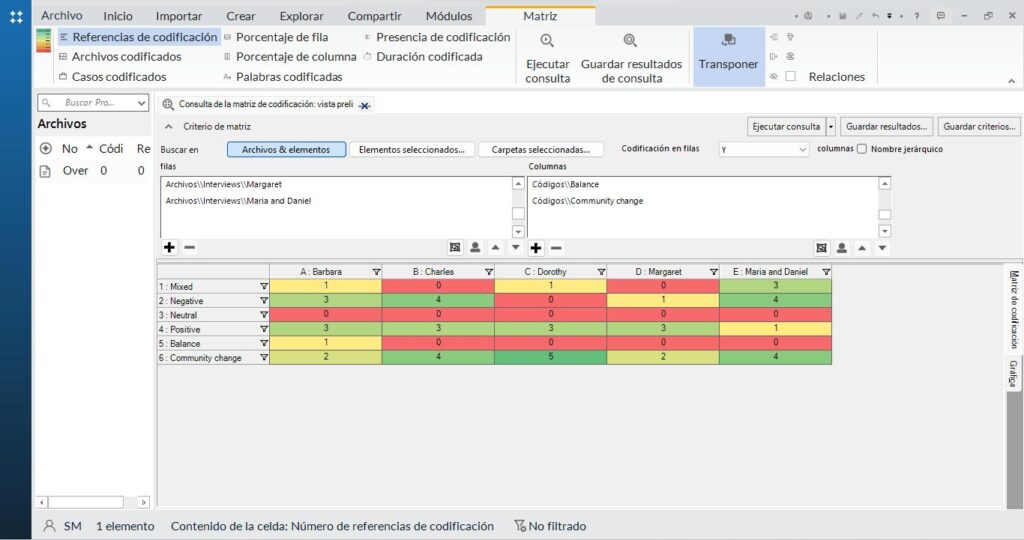
- Framework matrices
- Coding comparison queries
- Data visualization
- AI-assisted features in newer versions
Pros
- Comprehensive feature set
- Handles large research projects
- Strong academic adoption
- Extensive documentation
- Supports numerous research methodologies
Cons
- Steeper learning curve than beginner-focused tools
- Higher licensing costs
- Some users report interface complexity and collaboration challenges, particularly across platforms.
Pricing
NVivo offers student, academic, commercial, and enterprise licensing options. Prices vary depending on the edition and subscription model.
Our Verdict
| Category | Rating |
|---|---|
| Coding Workflow | ⭐⭐⭐⭐⭐ |
| Multimedia Support | ⭐⭐⭐⭐⭐ |
| Collaboration | ⭐⭐⭐⭐☆ |
| Ease of Learning | ⭐⭐⭐⭐☆ |
| Overall Score | 4.8 / 5 |
NVivo remains a leading choice for researchers managing large-scale qualitative projects. While it has a steeper learning curve than some newer platforms, its mature feature set, broad academic adoption, and support for complex research workflows continue to make it a strong option for institutional research.
Feature Comparison: Which Qualitative Data Analysis Software Offers the Most?
Choosing qualitative data analysis software is rarely about finding the platform with the longest feature list. Instead, the right choice depends on your research goals, project size, collaboration requirements, budget, and preferred workflow. Universities and research methodology resources consistently recommend matching software capabilities to your analytic approach rather than selecting a tool based only on popularity.
The comparison below summarizes how the seven tools covered in this guide perform across the features researchers most commonly evaluate.
Complete Feature Comparison Table
| Feature | DataLumio | Taguette | Dedoose | Quirkos | MAXQDA | ATLAS.ti | NVivo |
|---|---|---|---|---|---|---|---|
| Cloud-Based | ✓ | Optional | ✓ | ✓ | Partial | Partial | Partial |
| Desktop Version | ✗ | ✓ | ✗ | ✓ | ✓ | ✓ | ✓ |
| AI-Assisted Features | ✓ | ✗ | Limited | ✗ | ✓ | ✓ | ✓ |
| Manual Coding | ✓ | ✓ | ✓ | ✓ | ✓ | ✓ | ✓ |
| Interview Analysis | ✓ | ✓ | ✓ | ✓ | ✓ | ✓ | ✓ |
| Thematic Analysis | ✓ | ✓ | ✓ | ✓ | ✓ | ✓ | ✓ |
| Mixed Methods | Limited | ✗ | ✓ | Limited | ✓ | ✓ | ✓ |
| Team Collaboration | ✓ | Limited | ✓ | Limited | ✓ | ✓ | ✓ |
| PDF Support | ✓ | ✓ | ✓ | ✓ | ✓ | ✓ | ✓ |
| Word Documents | ✓ | ✓ | ✓ | ✓ | ✓ | ✓ | ✓ |
| Audio Analysis | Limited | ✗ | ✓ | Limited | ✓ | ✓ | ✓ |
| Video Analysis | Limited | ✗ | ✓ | Limited | ✓ | ✓ | ✓ |
| Image Analysis | ✓ | Limited | ✓ | Limited | ✓ | ✓ | ✓ |
| Visualization Tools | ✓ | Basic | ✓ | ✓ | ✓ | ✓ | ✓ |
| Report Export | ✓ | ✓ | ✓ | ✓ | ✓ | ✓ | ✓ |
| Learning Curve | Easy | Easy | Moderate | Easy | Moderate | Advanced | Advanced |
| Free Version | ✓ | ✓ | Trial | Trial | Trial | Trial | Trial |
Which Software Is Best for Different Research Needs?
Every research project is unique. Some researchers need a free coding tool for a dissertation, while others require advanced collaboration or multimedia analysis for large institutional studies. The following recommendations are based on common research scenarios and the strengths of each platform. These recommendations reflect the kinds of distinctions highlighted in independent CAQDAS comparison resources.
| Research Scenario | Recommended Tool |
|---|---|
| Best Overall | DataLumio |
| Best Free Software | Taguette |
| Best for Beginners | Quirkos |
| Best for AI-Assisted Analysis | DataLumio |
| Best for Mixed Methods | Dedoose |
| Best for Universities | NVivo |
| Best for Advanced Researchers | MAXQDA |
| Best for Enterprise Research | ATLAS.ti |
| Best for Interview Analysis | DataLumio |
| Best for Team Collaboration | Dedoose |
How to Choose the Right Qualitative Data Analysis Software
Selecting qualitative research software is an important decision because the platform you choose often remains part of your workflow throughout the entire project. Changing software after coding has started can be time-consuming, particularly when projects include hundreds of coded passages or multiple collaborators.
Instead of choosing the software with the most features, evaluate each option against your own research requirements.
1. Define Your Research Methodology
Start by considering the methodology you plan to use.
Different software supports different research approaches, including:
- Thematic analysis
- Grounded theory
- Content analysis
- Framework analysis
- Narrative analysis
- Phenomenological research
- Mixed-methods research
If your work combines qualitative and quantitative data, platforms such as Dedoose, MAXQDA, or NVivo may provide additional flexibility.
2. Consider Your Data Types
Not every project involves plain text.
Think about whether you’ll analyze:
- Interview transcripts
- Focus groups
- PDFs
- Survey responses
- Images
- Audio recordings
- Video interviews
- Field notes
- Social media content
Researchers working with multimedia datasets should prioritize software with strong audio and video support.
3. Think About Team Collaboration
If multiple researchers will participate in coding, look for features such as:
- Shared projects
- Version history
- User permissions
- Coding comparison
- Cloud synchronization
These capabilities help maintain consistency across research teams and reduce manual project merging.
4. Evaluate Ease of Learning
Learning a new platform takes time.
Ask yourself:
- How quickly can I begin coding?
- Are tutorials available?
- Is the interface intuitive?
- Will my supervisor or colleagues already know this software?
Students often prefer software with shorter learning curves, while experienced researchers may prioritize advanced functionality.
5. AI Assistance vs. Manual Coding
AI has become an increasingly common part of qualitative research software, but current best practice is to use it as an aid rather than a replacement for researcher interpretation. Emerging research emphasizes that AI can support coding consistency and efficiency while human oversight remains essential for methodological rigor.
When evaluating AI features, consider whether the platform can:
- Suggest themes
- Summarize documents
- Identify repeated concepts
- Generate draft reports
- Maintain traceability back to source quotations
6. Compare Long-Term Costs
Software costs vary considerably.
Look beyond the initial subscription price and consider:
- Student discounts
- Annual renewal costs
- Institutional licenses
- Cloud storage fees
- Team licenses
- Upgrade policies
A lower monthly fee may not always translate into the lowest total cost over a multi-year research project.
Free vs. Paid Qualitative Data Analysis Software
Many researchers begin with free software before moving to commercial platforms. Whether a free solution is sufficient depends on the complexity of your project.
| Feature | Free Software | Paid Software |
|---|---|---|
| Manual Coding | ✓ | ✓ |
| Basic Themes | ✓ | ✓ |
| AI Features | Limited | Common |
| Team Collaboration | Limited | Advanced |
| Multimedia Analysis | Limited | Comprehensive |
| Visualizations | Basic | Advanced |
| Reporting | Basic | Advanced |
| Technical Support | Community | Dedicated |
| Scalability | Small Projects | Small to Enterprise Projects |
When Free Software Is Enough
Free tools are often suitable for:
- Undergraduate assignments
- Small interview studies
- Pilot projects
- Independent researchers
- Budget-conscious nonprofits
When Paid Software Makes Sense
Commercial software becomes more valuable when you need:
- Large research teams
- Advanced reporting
- Multimedia analysis
- AI-assisted workflows
- Long-term institutional support
- Enterprise-scale projects
What Is CAQDAS?
You may have noticed the term CAQDAS while researching qualitative software.
CAQDAS stands for Computer-Assisted Qualitative Data Analysis Software.
Rather than representing a single product, CAQDAS describes an entire category of software designed to help researchers organize, code, retrieve, compare, and interpret qualitative data. Well-known CAQDAS platforms include NVivo, ATLAS.ti, MAXQDA, Dedoose, and Taguette. Universities that specialize in qualitative methods use the term broadly to distinguish these tools from general-purpose document editors or spreadsheets.
Typical CAQDAS capabilities include:
- Organizing research documents
- Creating and managing codes
- Memo writing
- Theme development
- Querying coded data
- Visualizing relationships
- Exporting reports
Modern platforms increasingly combine these traditional capabilities with AI-assisted features, but the underlying goal remains the same: helping researchers work with qualitative evidence in a structured and transparent way.
Common Use Cases for Qualitative Data Analysis Software
Qualitative data analysis software is used across universities, businesses, healthcare organizations, government agencies, nonprofit institutions, and research consultancies. While the software may look similar on the surface, the way researchers use it varies considerably depending on the project.
The following examples illustrate some of the most common situations where QDA software can improve organization, coding consistency, and reporting.
1. Interview Transcript Analysis
Interview-based research is one of the most common applications of qualitative data analysis software.
Researchers typically import interview transcripts, assign codes to meaningful passages, group similar codes into categories, and develop broader themes that answer the research questions. As projects grow from a handful of interviews to dozens or even hundreds, software helps maintain consistency and makes it easier to retrieve supporting quotations during report writing. Guidance from the CAQDAS Networking Project emphasizes that software supports organization and analytic thinking rather than replacing the researcher’s interpretation.
Typical projects include:
- Academic interviews
- User interviews
- Employee interviews
- Customer discovery interviews
- Healthcare interviews
- Journalism projects
2. Thematic Analysis
Thematic analysis focuses on identifying recurring patterns across qualitative datasets.
Researchers often use software to:
- Create initial codes
- Merge related concepts
- Build themes
- Review coded evidence
- Compare themes across participants
- Export thematic summaries
Many modern platforms now provide AI-assisted suggestions for themes, but methodological guidance recommends treating these as starting points that require researcher review and justification.
3. Focus Group Analysis
Focus groups generate conversations involving multiple participants, making manual organization difficult.
Qualitative software helps researchers:
- Separate speakers
- Code discussions
- Compare participant opinions
- Identify agreements and disagreements
- Track emerging themes
This structured workflow is especially valuable when analyzing several focus groups within the same study.
4. Open-Ended Survey Responses
Many surveys include questions such as:
- “What challenges did you experience?”
- “What improvements would you suggest?”
- “Tell us about your overall experience.”
Although these responses are qualitative, manually reviewing thousands of comments is time-consuming.
QDA software can help organize responses into themes, retrieve representative quotations, and support reporting. When AI is used to assist with early-stage coding or clustering, researchers should document that use and verify the outputs before drawing conclusions.
5. Literature Reviews
Researchers increasingly use qualitative software during literature reviews.
Common tasks include:
- Coding research articles
- Identifying recurring concepts
- Comparing methodologies
- Tracking evidence
- Building conceptual frameworks
- Organizing references
This approach is particularly useful for systematic, scoping, and qualitative evidence syntheses.
6. UX and Customer Research
UX researchers frequently conduct:
- User interviews
- Product usability testing
- Customer feedback analysis
- Journey mapping
- Feature prioritization
Qualitative analysis software helps organize large volumes of feedback, compare participant experiences, and identify recurring usability issues.
7. Healthcare Research
Hospitals, universities, and public health organizations often analyze:
- Patient interviews
- Clinical observations
- Caregiver feedback
- Community health studies
- Mental health research
These projects often involve sensitive information, making secure data handling and transparent analytical processes especially important.
8. Policy and Government Research
Government agencies and nonprofit organizations use qualitative software to analyze:
- Public consultations
- Stakeholder interviews
- Policy documents
- Community engagement sessions
- Program evaluations
These projects frequently involve large document collections and multiple reviewers, making structured coding and collaboration valuable.
Frequently Asked Questions
What is qualitative data analysis software?
Qualitative data analysis software (QDA software) helps researchers organize, code, search, compare, and interpret non-numerical data such as interview transcripts, focus group discussions, field notes, open-ended survey responses, and documents. Rather than performing the interpretation itself, the software supports a more systematic and transparent analysis process.
Which is the best qualitative data analysis software?
The answer depends on your research needs.
- DataLumio — Best overall for AI-assisted workflows.
- Taguette — Best free and open-source option.
- Quirkos — Best for beginners.
- Dedoose — Best for mixed-methods projects.
- MAXQDA — Best for advanced academic research.
- ATLAS.ti — Best for conceptual and network analysis.
- NVivo — Best for large institutional research projects.
Is there any free qualitative data analysis software?
Yes. Taguette is a well-known free and open-source option. Several commercial platforms also provide free trials or limited free plans, allowing researchers to evaluate features before purchasing.
What does CAQDAS mean?
CAQDAS stands for Computer-Assisted Qualitative Data Analysis Software. It refers to software that supports qualitative research activities such as coding, memo writing, data organization, querying, visualization, and reporting.
Can AI replace qualitative researchers?
No. Current evidence suggests that AI is best used to support repetitive tasks such as summarization or preliminary coding. Researchers remain responsible for methodological decisions, interpretation, validation, and reporting. Transparency about AI use is increasingly recommended by research organizations and publishers.
Which software is best for interview analysis?
Several platforms perform well for interview analysis.
- DataLumio
- MAXQDA
- NVivo
- Dedoose
- ATLAS.ti
The best choice depends on whether you prioritize AI assistance, collaboration, or advanced manual coding.
Which software is easiest to learn?
Among the tools compared in this guide:
- Quirkos
- Taguette
- DataLumio
These platforms generally have more approachable interfaces than traditional enterprise-grade software.
Is NVivo better than MAXQDA?
Neither platform is universally better.
NVivo is widely used in universities and supports large qualitative projects.
MAXQDA offers strong mixed-methods functionality, a consistent cross-platform experience, and a growing set of AI-assisted features.
The better option depends on your methodology, institutional requirements, and preferred workflow.
Is ATLAS.ti better than NVivo?
ATLAS.ti excels in visual relationship mapping and conceptual network exploration, while NVivo is often preferred for large institutional research environments and established academic workflows.
Both are mature CAQDAS platforms with broad support for qualitative methods.
Can qualitative software analyze audio and video?
Yes. Many commercial platforms—including Dedoose, MAXQDA, ATLAS.ti, and NVivo—support audio and video coding. Support varies by product, so it is worth confirming the capabilities you need before selecting a platform.
Should students use free or paid software?
For dissertations, pilot studies, or smaller projects, free software such as Taguette may be sufficient.
Researchers managing larger datasets, collaborating with teams, or requiring advanced reporting and multimedia analysis often benefit from commercial platforms.
How do I choose the right qualitative data analysis software?
Consider the following factors:
- Your research methodology
- Types of data you will analyze
- Team collaboration needs
- Budget
- Ease of learning
- AI-assisted capabilities
- Reporting requirements
- Long-term licensing costs
Selecting software that aligns with your research process is generally more important than choosing the platform with the most features.
Final Verdict
Selecting the right qualitative data analysis software is not about finding a single tool that is perfect for every researcher. The best choice depends on your research questions, data types, analytical approach, team size, and budget.
If you are looking for a modern, web-based platform that combines AI-assisted qualitative analysis with reporting and complementary research tools, DataLumio offers an integrated workflow for researchers who want to move efficiently from raw data to structured insights.
If your priority is a free solution, Taguette is an excellent starting point. Researchers working with mixed-methods projects may prefer Dedoose, while Quirkos is ideal for beginners who value a visual coding experience. For advanced academic and institutional research, MAXQDA, ATLAS.ti, and NVivo remain well-established choices with comprehensive qualitative analysis capabilities.
Whatever platform you choose, remember that software supports the research process—it does not replace methodological rigor, critical thinking, or careful interpretation. The strongest qualitative studies still rely on transparent analytical decisions and evidence-based conclusions.