Messy data often appears as duplicate records, blank spreadsheet rows, mixed date formats, misspelled categories, or numbers stored as text. These small problems can distort reports, slow analysis, and weaken every decision built on the dataset.
The best data cleaning tools help identify and correct these issues before they spread. However, no single platform suits every workflow. A researcher cleaning survey responses needs something different from a data engineer validating a production pipeline or an enterprise team managing millions of customer records.
This guide compares no-code, open-source, developer-focused, and enterprise options. Each tool is judged by its cleaning capabilities, ease of use, automation, scalability, governance, and overall value.
Quick Answer: Which Data Cleaning Tool Fits Your Needs?
Compare the leading no-code, open-source, and enterprise options according to the job you need to complete.
Try another keyword or select a different category.
DataLumio supports no-code cleaning for CSV and Excel files, including duplicate rows, blank rows, empty columns, and missing values. It also connects cleaning with analysis, dashboards, and reports. OpenRefine is a free, open-source option designed for interactively cleaning, transforming, and reconciling messy data.
What Is a Data Cleaning Tool?
A data cleaning tool finds or corrects inaccurate, incomplete, duplicated, inconsistent, or badly formatted records. Typical tasks include removing duplicates, standardising labels, correcting data types, handling missing values, detecting outliers, and fixing structural errors.
Data cleaning and data cleansing usually mean the same thing. Data wrangling is broader because it may also join, reshape, filter, or aggregate datasets. Data quality goes further by measuring and maintaining accuracy, completeness, consistency, validity, timeliness, and uniqueness.
Some products clean records directly, while others focus on preparation or validation. Microsoft, for example, defines Power Query as a graphical data preparation and transformation engine that supports ETL processes.
How We Evaluated the Best Data Cleaning Software
Every product in this comparison is assessed against the same practical criteria:
- Ability to handle duplicates, blanks, formatting errors, invalid values, and schema issues
- Ease of use for business users, analysts, developers, and enterprise teams
- Support for repeatable, scheduled, and auditable workflows
- Compatibility with files, databases, warehouses, and business systems
- Privacy, governance, access control, and deployment options
- Total cost, including licences, training, implementation, and maintenance
With the evaluation method clear, the next section compares the leading no-code, open-source, developer-focused, and enterprise data cleaning tools, starting with DataLumio.
Best No-Code and Low-Code Data Cleaning Tools
No-code and low-code tools are useful when you need reliable results without building scripts from scratch. They make routine cleaning easier to repeat, preview, and share with other team members.
1. DataLumio: Best for AI-Assisted No-Code Cleaning and Analysis
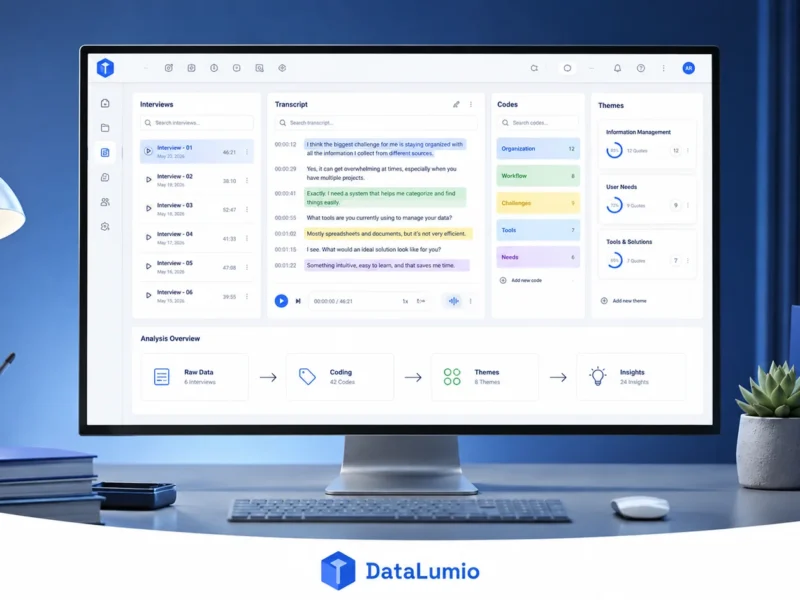
DataLumio is designed for users who want to clean, analyse, visualise, and report data within one workspace. It accepts spreadsheets, CSV files, surveys, PDFs, transcripts, and other business or research documents without requiring code.
Its cleaning features help users address duplicate records, missing values, blank rows, unwanted columns, and inconsistent spreadsheet data. Once the file is prepared, the same platform can support quantitative analysis, qualitative research, dashboards, and report creation.
This makes DataLumio particularly useful for researchers, students, consultants, marketers, and smaller business teams. However, users should still review suggested corrections before relying on the final dataset, especially when the information supports academic, financial, or operational decisions.
2. Microsoft Power Query: Best for Excel and Power BI Users
Power Query is a practical choice for people already working in Excel, Power BI, and other Microsoft products. Its graphical editor lets users import data, change data types, split or merge columns, replace values, remove errors, and reshape tables through recorded steps.
Because those steps can be refreshed when the source changes, Power Query is more dependable than correcting the same spreadsheet manually each month. Advanced transformations may require knowledge of the M formula language, but many common cleaning tasks need no coding.
3. Alteryx Designer Cloud: Best for Visual Data Preparation Pipelines
Alteryx Designer Cloud helps teams prepare and automate cloud-based data workflows through a visual interface. Its preparation tools support cleansing, sampling, filtering, blending, and preparing information for downstream analysis.
It works well for analysts who have outgrown spreadsheets but do not want to build every pipeline with code. The platform may be more costly and complex than necessary for someone cleaning an occasional CSV file.
4. Tableau Prep: Best for Tableau-Based Analytics Teams
Tableau Prep provides a visual, no-code environment for combining, shaping, and cleaning data before it reaches a dashboard. Prep Builder supports workflow creation, while Prep Conductor can automate refreshes and manage published preparation flows.
It is a strong fit for organisations already using Tableau. Teams working mainly with another BI platform may find less value in adopting a separate Tableau-centred preparation process.
5. Julius AI: Best for Conversational Cleaning and Exploration
Julius AI allows users to work with data through natural-language requests. A user can ask it to fix formatting, remove duplicates, explore patterns, build charts, or explain results without manually writing formulas or scripts.
It suits quick, interactive analysis, particularly for students and business professionals. It is less suitable as the sole quality-control layer for governed or high-volume production pipelines.
Best Open-Source and Developer-Focused Tools
Open-source and code-based tools provide greater control. They are often better for technical users who need custom rules, local processing, reproducible scripts, or integration with existing data systems.
6. OpenRefine: Best Free Tool for Messy Tabular Data
OpenRefine is a free, open-source tool for cleaning, transforming, enriching, and reconciling messy data. Users can interactively find inconsistent values, cluster similar spellings, apply bulk corrections, and connect records with external databases without learning a programming language.
It is especially useful for inconsistent names, locations, product categories, and research records. However, it is designed more for focused cleaning projects than continuously running enterprise pipelines.
7. Pandas: Best for Flexible Python-Based Cleaning
Pandas gives Python users detailed control over data cleaning. It can identify and remove duplicates, handle missing values, convert data types, standardise text, join tables, reshape records, and apply custom business rules. Its drop_duplicates method, for example, can remove repeated rows based on all or selected columns.
Pandas is highly flexible and reproducible, but it requires coding skills. Large datasets may also need more scalable processing technologies.
8. Great Expectations: Best for Automated Data Validation
Great Expectations is primarily a validation framework rather than a visual correction tool. Teams define “Expectations” that describe what valid data should look like, such as requiring unique customer IDs, approved value ranges, or expected statistical distributions.
It is valuable for preventing poor-quality data from entering dashboards, machine-learning systems, and production applications after cleaning rules have been established.
Best Enterprise Data Cleaning Platforms
Enterprise platforms become more relevant when data comes from many systems and must meet formal standards for security, governance, matching, monitoring, and accountability.
9. Informatica Cloud Data Quality: Best for Enterprise Governance
Informatica Cloud Data Quality helps organisations identify, correct, standardise, and monitor quality problems across cloud and on-premises data. It provides visual no-code capabilities alongside profiling, anomaly detection, cleansing rules, address verification, and quality monitoring.
It is powerful for large organisations, but implementation, licensing, and administration can exceed the needs of smaller teams.
10. Domo: Best for Data Preparation Connected to BI
Domo combines data integration, preparation, reporting, and business intelligence. Its Magic ETL feature lets users build visual dataflows, combine datasets, apply transformations, and schedule pipelines without needing advanced SQL knowledge.
Domo makes sense when cleaned information must move directly into dashboards and operational workflows. It may be broader than required for simple spreadsheet cleanup.
11. IBM InfoSphere QualityStage: Best for Record Matching
IBM InfoSphere QualityStage supports data investigation, cleansing, management, and entity matching. It is built to maintain consistent records for customers, suppliers, products, and locations across data warehouses, migrations, BI systems, and master data projects.
Its probabilistic matching capabilities are valuable for finding records that may represent the same real-world entity. However, it is a specialised enterprise solution that requires more technical expertise than the no-code tools covered earlier.
No-Code vs Open-Source vs Enterprise: Which Option Is Right for You?
The best category depends on how often you clean data, who performs the work, and where the information goes next.
Choose a no-code tool when analysts, researchers, or business users need to prepare data without programming. Power Query, for example, provides a graphical data-preparation engine for extracting, transforming, and loading information.
Choose an open-source tool when cost, control, and customisation are priorities. OpenRefine works well for focused projects involving messy tabular data, while Pandas suits developers building repeatable cleaning scripts. OpenRefine is free and supports cleaning, transforming, and extending data.
Enterprise software is more appropriate when an organisation needs centralised rules, monitoring, permissions, standardisation, and governance across multiple systems. Informatica combines cleansing, address verification, quality rules, and observability at scale.
Best Data Cleaning Software by Use Case
For everyday spreadsheet work, consider DataLumio, OpenRefine, or Power Query. DataLumio is suitable when cleaning must lead directly to analysis and reporting, while OpenRefine provides a free option for fixing inconsistent tabular records.
Power Query is the natural choice for Excel and Power BI users. Pandas provides greater flexibility for Python developers, and Great Expectations is better suited to checking whether cleaned data continues to meet defined schema and integrity rules inside automated pipelines.
Large organisations should consider Informatica for broad data-quality governance, Domo when preparation must connect with BI workflows, and IBM InfoSphere QualityStage for complex record matching.
How to Test a Data Cleaning Tool
Before purchasing software, create a sample dataset containing realistic problems. Add duplicate rows, blank fields, mixed date formats, misspelled categories, invalid email addresses, incorrect data types, and unusual values.
Run the same file through every shortlisted tool. Compare how many problems each one identifies, whether its corrections are accurate, how easily changes can be reversed, and whether the workflow can be saved and repeated.
Also assess:
- Supported file types and data sources
- Processing limits and performance
- Privacy and access controls
- Export quality
- Training and implementation costs
- Audit history and rule documentation
Avoid testing only a small, clean spreadsheet. The test should reflect the size and complexity of the data you handle regularly.
Can AI Data Cleaning Tools Be Trusted?
AI can speed up pattern detection, formatting corrections, and duplicate identification, but its suggestions should not be accepted without review. A valid value may appear unusual, while two similar records may represent different people or transactions.
For important datasets, preview every transformation, retain an unchanged copy, document cleaning rules, and validate the output. Automated validation tools can help prevent schema errors and integrity problems from moving further through a data pipeline.
Common Selection Mistakes
Do not choose a platform only because it has the longest feature list. A complex enterprise system may be unnecessary for occasional CSV cleaning, while a simple spreadsheet tool may not provide the governance required for production data.
Other common mistakes include overlooking implementation costs, trusting automated corrections without checking them, ignoring privacy requirements, and selecting a tool that cannot repeat or schedule the cleaning process.
Final Verdict
There is no universal winner among the best data cleaning tools in 2026.
DataLumio is a strong option for no-code cleaning followed by analysis and reporting. OpenRefine is suitable for free, focused tabular cleanup. Power Query works well within Excel and Power BI, while Pandas offers developers greater control.
Great Expectations is useful for automated validation rather than direct visual cleaning. Informatica, Domo, and IBM QualityStage serve larger organisations with more demanding integration, governance, and matching requirements.
The safest approach is to shortlist two or three data cleaning tools, test them with the same messy dataset, and compare accuracy, usability, repeatability, security, and total cost.
Clear answers about data cleaning tools
Find quick answers about beginner-friendly platforms, free software, Excel workflows, AI automation, Python tools and data validation.
01 What is the best data cleaning tool for beginners?
DataLumio and Power Query are accessible options for users who prefer visual or no-code workflows. DataLumio is useful when cleaning needs to continue into analysis and reporting, while Power Query works well for users already familiar with Microsoft tools.
02 What is the best free data cleaning software?
OpenRefine is one of the strongest free choices for cleaning inconsistent tabular data. It is especially helpful for finding similar values, correcting categories and applying changes to multiple records at once.
03 Which data cleaning tool works best with Excel?
Power Query works directly within the Microsoft data ecosystem and supports repeatable preparation steps. It can remove errors, change data types, combine tables and refresh the same cleaning process when source data changes.
04 Can AI clean an entire dataset automatically?
AI can automate many data-cleaning tasks, but important changes still need human review and validation. Automated systems may misinterpret unusual but valid values, merge separate records or apply a rule that does not match the dataset’s context.
05 Is Pandas better than OpenRefine?
Pandas offers more coding flexibility, customisation and automation. OpenRefine is easier for interactive, spreadsheet-style cleaning without programming. The better option depends on your technical skills and whether you need a visual or code-based workflow.
06 What is the difference between data cleaning and validation?
Data cleaning corrects existing problems. Data validation checks whether information follows defined rules and helps prevent new problems from reaching reports, dashboards, models or applications.
Try a different term such as Excel, AI, free or validation.