
Introduction
Julius AI has made it easier for people to work with datasets without spending hours writing formulas or building scripts. Instead of manually exploring every column in a spreadsheet, users can upload their data, ask questions in plain English, and request charts, calculations, or explanations.
That approach works well for people who want a more direct way to explore information. A student might use it to examine survey responses, while a business analyst might use it to review sales figures or identify changes in monthly performance.
Still, one tool cannot cover every type of analytical work equally well.
Someone working with interview transcripts may need different capabilities from someone building financial forecasts. A researcher combining questionnaire results with open-ended responses may need a platform that supports both qualitative and quantitative analysis. Others may simply want a less expensive option or a tool that fits their existing workflow.
That’s where Julius AI alternatives become worth considering.
There are several platforms that approach data analysis from different angles. Some focus on spreadsheets and natural-language questions. Others offer broader document analysis, research workflows, statistical tools, or collaborative data environments.
In this guide, we’ll compare nine alternatives to Julius AI, including free and paid options. We’ll look at what each platform is designed to do, who may benefit from it, and where its limitations should be considered.
The aim isn’t to declare one tool the winner in every situation. It’s to help you choose software that matches the work you actually need to complete.
What Is Julius AI?
Julius AI is an AI-powered workspace that allows users to interact with data and other content through natural-language instructions.
Rather than requiring users to perform every operation manually, the platform lets them ask questions, explore information, and request different outputs through a conversational interface.
Its capabilities extend beyond traditional spreadsheet analysis. The current product also covers research, presentations, reports, websites, and other creative workflows.
Some common reasons people use Julius AI include:
- Exploring spreadsheet data without writing formulas manually.
- Asking questions about uploaded datasets.
- Examining patterns and relationships in numerical information.
- Creating charts and visual summaries.
- Working with research and business information.
- Turning analytical findings into reports and presentations.
Its official pricing page provides the current subscription details, including the free option, credit allowances, and paid plans.
However, the right question isn’t simply whether Julius AI is a good platform. It’s whether its particular capabilities match your analytical requirements.
For example, someone primarily working with quantitative spreadsheets may be perfectly comfortable with Julius AI. A researcher handling interview transcripts, survey responses, and numerical findings together may want a different combination of features.
That difference is the starting point for comparing alternatives.
Why Look for an Alternative to Julius AI?
People generally start looking for another tool when their current software doesn’t fit their requirements, budget, or working habits.
There are several reasons this can happen.
1. Different types of data require different workflows
A spreadsheet containing sales figures is very different from a collection of interview transcripts.
The first requires numerical calculations, comparisons, and perhaps forecasting. The second requires careful reading, coding, theme identification, and interpretation.
A researcher working with both types of information may prefer a platform that handles qualitative and quantitative analysis within the same environment.
2. Pricing and usage limits matter
A free option can be useful for testing a product, but the amount of work someone can complete under a free allowance may be limited.
Users should compare the actual usage restrictions rather than looking only at the advertised monthly price.
Check how credits are consumed, whether unused credits expire, what features require an upgrade, and whether the subscription makes sense for your expected workload.
3. Some users need more control over their analysis
An automatically generated result can be useful as a starting point, but research and business decisions often require closer examination.
Users may want to inspect calculations, review the underlying data, reproduce a procedure, or validate an interpretation before accepting the findings.
For those situations, a notebook-based environment or statistical software may be a better fit.
4. Research work involves more than spreadsheets
Academic and professional research often involves PDFs, interview documents, questionnaires, spreadsheets, and written reports.
A tool designed primarily around numerical data may not provide everything needed for a complete research workflow.
This is particularly relevant for students and researchers working on dissertations, theses, mixed-methods studies, or customer research projects.
5. Integration with existing tools
Some people already work within a specific ecosystem.
A team might rely on Google Workspace, Microsoft products, SQL databases, or established analytics platforms. Introducing another standalone application can create additional work.
Before switching, consider how a potential alternative fits into your existing processes.
9 Best Julius AI Alternatives in 2026
The following platforms serve different needs. Some are closer to Julius AI’s conversational approach, while others are alternatives for particular stages of data analysis.
The comparison considers the platforms’ general positioning, practical use cases, and documented capabilities. Pricing and free-plan availability should always be checked on the linked official websites before purchasing.
1. DataLumio – Best Alternative for Qualitative and Quantitative Data Analysis
DataLumio is a strong alternative to consider if your work extends beyond conversational spreadsheet analysis.
It is designed for researchers, students, analysts, consultants, and business teams who need to work with different types of data in one place.
One of its main differences is the combination of qualitative and quantitative analysis.
For example, imagine a university researcher conducting a study on student satisfaction. The project contains numerical questionnaire responses, written feedback, and interview transcripts.
These sources answer different questions.
Numerical responses can help identify satisfaction levels, differences between groups, and statistical patterns. Written feedback can provide context about why students feel a particular way.
Using separate applications for every stage can make the process harder to manage. A platform that supports both types of analysis can provide a more connected workflow.
What makes it worth considering?
DataLumio provides several analytical workflows:
- Qualitative analysis: Work with interview transcripts, research documents, and open-ended survey responses to identify themes, supporting quotes, sentiment, and patterns.
- Quantitative analysis: Examine structured datasets and spreadsheets through statistical summaries, comparisons, charts, and numerical findings.
- Data cleaning: Identify common data-quality problems, including duplicate rows, empty rows, blank columns, and missing values in supported datasets.
- PDF analysis: Ask questions about supported PDF documents and examine information contained in longer files.
- Data dashboards: Turn structured datasets into visual summaries and interactive dashboard views.
- Reporting: Generate structured reports from analytical results.
You can explore the qualitative data analysis software and other available workflows through its feature overview.
Who should consider it?
DataLumio is particularly relevant to:
- University students conducting research projects.
- Researchers working with interviews and survey responses.
- Academic teams conducting mixed-methods research.
- Consultants reviewing business datasets and documents.
- Analysts who need to clean and visualize spreadsheet data.
- Organizations that want several data analysis workflows in one workspace.
Pricing and free access
DataLumio provides a free starting option and paid plans with different credit allowances.
Its published pricing includes a $5 one-time Starter option, a $10 monthly Standard plan, a $29 monthly Pro plan, and an Enterprise option. The included credits and available workflows differ by plan.
Visit the official pricing page for current details before subscribing.
Where does it stand against Julius AI?
The two platforms have overlapping uses, but their product emphasis is different.
Julius AI is positioned as a broader conversational AI workspace for analysis and content creation. DataLumio focuses on structured data analysis workflows, including qualitative and quantitative research, PDF analysis, cleaning, dashboards, and reporting.
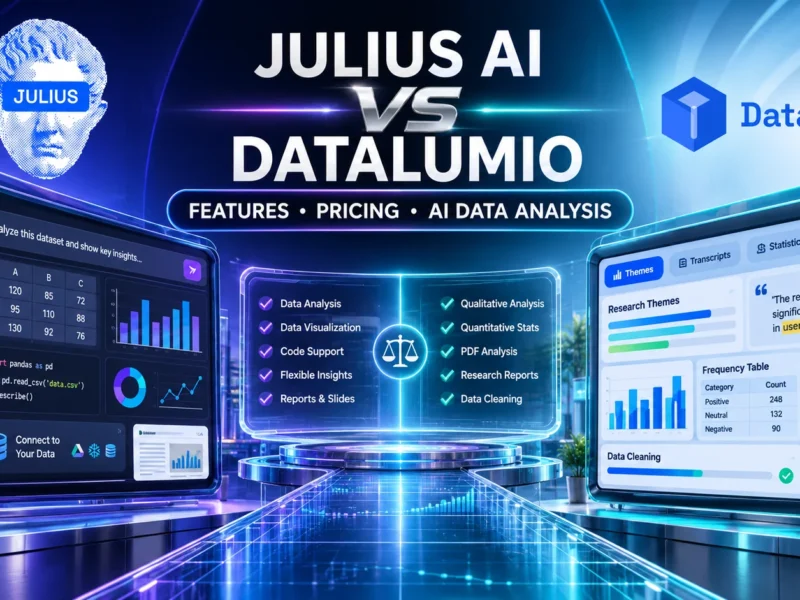
If you’re deciding specifically between these two platforms, read our detailed Julius AI comparison to examine their features, pricing, analytical capabilities, and suitability for different research and business workflows.
If your main requirement is asking questions about a spreadsheet, Julius AI may be worth testing alongside other spreadsheet-focused tools.
If you need to work with interviews, research documents, numerical datasets, and reports as part of one project, DataLumio deserves a place on your shortlist.
For that reason, DataLumio is one of the best Julius AI alternatives for researchers and users who need both qualitative and quantitative data analysis.
Its suitability will depend on your file requirements, preferred analytical methods, and the features available in your chosen plan.
2. ChatGPT – Best for Flexible, General-Purpose Data Analysis
ChatGPT is another option for people who want to explore datasets through conversational instructions.
Its data analysis capabilities allow users to upload supported files, ask questions, examine tables, perform calculations, and create visualizations.
This makes it useful for both occasional spreadsheet work and more involved analytical tasks.
For example, a marketing analyst could upload a campaign performance spreadsheet and ask for conversion rates by channel. A student could examine a dataset and request descriptive statistics. A business owner might use it to identify unusual changes in monthly revenue.
What makes it worth considering?
ChatGPT supports several useful analytical workflows:
- Examining uploaded CSV and spreadsheet files.
- Calculating descriptive statistics.
- Creating tables and charts.
- Comparing multiple datasets.
- Investigating unusual values.
- Explaining calculations and analytical results.
- Working with data through follow-up questions.
OpenAI documents these capabilities in its official data analysis guide.
Who should consider it?
ChatGPT is worth evaluating if you need a flexible assistant for different tasks rather than a platform dedicated exclusively to data analysis.
It may suit students, analysts, marketers, business professionals, and people who already use it for other work.
Pricing and free access
ChatGPT offers free and paid plans, but available tools and usage limits depend on the subscription and account settings.
Check the official ChatGPT plans for current information.
Where does it stand against Julius AI?
ChatGPT offers broader general-purpose assistance, while Julius AI is more specifically positioned around its own analytical and creation workspace.
ChatGPT can be a useful option for occasional analysis, explanations, calculations, and custom workflows. Users who need a dedicated research-analysis environment should compare the available features rather than assuming that a conversational interface provides the same workflow as specialist software.
3. Claude – Best for Document-Heavy Analytical Work
Claude is worth considering when much of your work involves reading, reviewing, and understanding documents.
Research projects often involve long reports, PDFs, spreadsheets, and written material. Extracting relevant information from these sources can take considerable time.
Claude supports document-based workflows that let users ask questions about uploaded material, summarize information, and examine the contents of supported files.
What makes it worth considering?
Its document handling is particularly relevant when your analysis begins with written information rather than a structured spreadsheet.
Potential use cases include:
- Reviewing research documents.
- Summarizing long reports.
- Comparing information across files.
- Examining text-based material.
- Working with supported CSV and spreadsheet documents.
- Extracting information relevant to a research question.
Anthropic maintains a list of supported document formats and associated restrictions in its official document upload guidance.
Who should consider it?
Claude may suit researchers, consultants, students, and professionals who spend a large portion of their working time reviewing documents.
It can also be useful when a project involves both structured data and substantial written context.
Pricing and free access
Claude offers free and paid access, with usage limits and feature availability depending on the plan.
See Claude’s official plans before making a purchasing decision.
Where does it stand against Julius AI?
Claude is a broader assistant with document-oriented capabilities, whereas Julius AI places greater emphasis on its dedicated analytical workspace.
If you mainly need help understanding documents and extracting information, Claude is worth testing. If your work requires more specialized spreadsheet analysis, compare the analytical features and practical outputs of both products.
4. Google Gemini – Best for People Working Within Google’s Ecosystem
Google Gemini is another alternative worth evaluating, particularly if your work already depends on Google services.
Many students, researchers, and business teams store documents and spreadsheets in Google Drive. Having an AI assistant that fits into an existing ecosystem can make everyday work more convenient.
Depending on the account, plan, and available features, Gemini can help users understand documents, work with information, and explore data through natural-language instructions.
What makes it worth considering?
Its main attraction is the wider Google ecosystem.
Possible use cases include:
- Understanding information from documents.
- Working with spreadsheet-related questions.
- Summarizing material.
- Exploring information through conversational prompts.
- Supporting everyday research and business tasks.
Who should consider it?
Gemini is worth testing if your work already revolves around Google Workspace, Google Drive, and related services.
It may be particularly convenient for students and teams that want to reduce the number of separate tools they use.
Pricing and free access
Google provides different levels of Gemini access. Features, limits, and subscription arrangements can vary by region and account.
Check Google Gemini and the relevant official Google subscription information for current details.
Where does it stand against Julius AI?
Gemini is a general-purpose assistant with a broader ecosystem, while Julius AI offers a workspace specifically designed around analysis and creation.
The better choice depends on whether you value integration with your existing Google workflow or a more dedicated analytical environment.
5. Powerdrill AI – Best for Exploring Data Through Natural-Language Questions
Powerdrill AI is another platform worth investigating if you prefer asking questions about data instead of manually navigating every table.
Its focus on AI-assisted data interaction makes it relevant to people who want to explore information, understand datasets, and obtain answers through a conversational workflow.
This approach can be useful when you are starting with a dataset but do not yet know which patterns or questions deserve attention.
What makes it worth considering?
Depending on the current product offering, users can evaluate it for:
- Conversational data exploration.
- Working with uploaded information.
- Asking questions about datasets.
- Generating analytical summaries.
- Exploring information without building every operation manually.
Before selecting it, test the actual file formats, analysis depth, and output controls available under the current plan.
Who should consider it?
Powerdrill AI is worth considering for users who want an accessible way to explore data without immediately moving into a technical analytics environment.
Pricing and free access
Check the official Powerdrill website for its current plans, usage limits, and free access conditions. Do not assume that a free account provides unlimited analysis.
Where does it stand against Julius AI?
Both products address AI-assisted data exploration. Your decision should depend on the types of datasets you use, the quality of the resulting analysis, the limits on your account, and how easily you can verify the outputs.
6. Rows – Best for Spreadsheet-Centered Workflows
Rows is a spreadsheet platform that combines spreadsheet functionality with data connections and AI-related capabilities.
It may be a better fit for users who prefer working directly within a spreadsheet interface instead of moving between a conversational assistant and a separate workbook.
What makes it worth considering?
Spreadsheet-based work remains central to many business processes.
Teams use spreadsheets for:
- Tracking sales and expenses.
- Organizing marketing performance.
- Comparing business metrics.
- Managing operational information.
- Preparing reports.
- Reviewing structured datasets.
A spreadsheet-centered platform can be convenient when people need to retain a familiar tabular working environment.
Who should consider it?
Rows is worth evaluating for marketers, startup teams, business analysts, and professionals who work with structured business information.
Pricing and free access
Visit the official Rows website to review current plan details and feature restrictions.
Where does it stand against Julius AI?
Rows and Julius AI approach data work from different product directions.
Rows is more closely associated with spreadsheet workflows, while Julius AI provides a broader conversational workspace.
If you want to remain inside a spreadsheet environment, Rows deserves consideration. If you prefer to ask questions about your data through a conversational interface, test both platforms with the same dataset.
7. Akkio – Best for Business Analytics and Predictive Workflows
Akkio is a platform to investigate if your primary interest is business-oriented analytics and predictive modeling.
Business teams often have historical information but need help understanding what it may indicate for future decisions.
For example, a company might want to examine customer behavior, identify patterns in sales information, or investigate factors associated with business performance.
Predictive analytics can help with these tasks, provided the underlying data and modeling assumptions are suitable.
What makes it worth considering?
Akkio is associated with AI-powered business analytics and predictive modeling.
Potential areas to investigate include:
- Business data exploration.
- Predictive analytics.
- Forecasting workflows.
- Customer and operational data analysis.
- Analytical support for business decisions.
The exact features and availability should be confirmed through current product documentation.
Who should consider it?
Akkio may suit business analysts, marketing teams, and organizations that want to investigate predictive analytics without building every model from scratch.
Pricing and free access
Check Akkio’s official website for current pricing, demonstrations, and access conditions.
Where does it stand against Julius AI?
Julius AI offers a broader conversational workspace. Akkio is more relevant when predictive business analytics is the main requirement.
Neither should be selected solely because a product advertises AI-powered analysis. Evaluate the available models, input requirements, validation options, and suitability for your particular dataset.
8. Hex – Best for Collaborative Data Analysis
Hex is a collaborative analytics platform that is relevant to teams working with data, SQL, Python, and analytical projects.
Some analytical tasks are too complex for a simple question-and-answer workflow.
A team might need to combine data sources, document its calculations, investigate assumptions, and share reproducible work with other analysts.
That is where collaborative analytical environments become useful.
What makes it worth considering?
Hex is worth investigating for:
- Collaborative data analysis.
- SQL and Python-based workflows.
- Working with connected data sources.
- Sharing analytical work.
- Documenting and reviewing analysis.
- Building repeatable analytical processes.
Who should consider it?
Hex is more relevant to data teams, technical analysts, and organizations that need a shared analytical environment.
It may not be the easiest starting point for someone who simply wants to upload a spreadsheet and ask a few questions.
Pricing and free access
Consult Hex’s official website for current plans and access arrangements.
Where does it stand against Julius AI?
Julius AI emphasizes conversational interaction, while Hex is more suited to structured collaborative analytics.
For users who need visibility into their analytical workflow and collaboration with technical colleagues, Hex may be worth the additional learning effort.
9. Deepnote – Best for Reproducible, Notebook-Based Analysis
Deepnote is another alternative for people who want more control over how their analytical work is performed and documented.
Notebook-based environments are useful because they allow analysts to organize code, calculations, explanations, and outputs within a single project.
This makes it easier to revisit work, inspect individual steps, and share an analytical process with colleagues.
What makes it worth considering?
Deepnote is relevant to:
- Python-based analysis.
- Data science projects.
- Collaborative notebooks.
- Documenting analytical procedures.
- Reproducible data workflows.
- Working with technical datasets.
Who should consider it?
Students studying data science, analysts with programming experience, and teams working on repeatable analytical projects may find it useful.
Pricing and free access
Check Deepnote’s official website for current pricing and plan restrictions.
Where does it stand against Julius AI?
Deepnote is not a direct replacement for every Julius AI workflow.
It is better viewed as an alternative for users who want more technical control and a notebook-based working environment.
If you prefer conversational analysis without writing code, Julius AI may be easier to start with. If reproducibility and programmatic control are more important, Deepnote deserves consideration.
Quick Comparison: 9 Julius AI Alternatives
The following table summarizes the main use cases rather than suggesting that every platform offers identical features.
| Tool | Best suited for | Main approach |
|---|---|---|
| DataLumio | Qualitative and quantitative research | Integrated analysis workflows |
| ChatGPT | General-purpose data analysis | Conversational assistance |
| Claude | Document-heavy work | Document analysis |
| Google Gemini | Google ecosystem users | General-purpose assistance |
| Powerdrill AI | Conversational data exploration | AI-assisted analysis |
| Rows | Spreadsheet-centered work | Spreadsheet platform |
| Akkio | Business analytics | Predictive analytics |
| Hex | Collaborative analytics | SQL and Python workflows |
| Deepnote | Reproducible analysis | Notebook environment |
The table should be treated as a starting point for evaluation. The right choice depends on the actual functions available under each product’s current plan.
Which Julius AI Alternative Is Best for Different Users?
A comparison becomes more useful when it considers the person who will use the software.
Here are some practical recommendations based on common requirements.
Best Julius AI Alternative for Academic Research
Researchers should look beyond spreadsheet analysis.
A typical research project may involve questionnaire data, interviews, written responses, PDFs, and a final report.
DataLumio is worth considering for this type of work because it brings qualitative and quantitative analysis into one platform.
For projects requiring more technical statistical procedures, researchers should also evaluate specialist tools and confirm that the available methods meet their academic requirements.
Best Free Julius AI Alternative
There is no single answer for every user.
ChatGPT, Claude, Gemini, and other platforms may provide free access with different restrictions. The amount of work available without payment can change over time.
If your requirement is occasional data analysis, compare the free usage limits and supported file formats before subscribing to anything.
Also distinguish between a genuinely free plan and a free trial that expires after a specific period.
Best Julius AI Alternative for Business Data
Business users should start by identifying the kind of information they need to analyze.
For routine spreadsheet exploration, ChatGPT and spreadsheet-focused platforms may be sufficient.
For predictive business analysis, investigate tools such as Akkio.
For teams that need repeatable, collaborative technical analysis, Hex or Deepnote may be more appropriate.
Best Julius AI Alternative for Qualitative and Quantitative Research
This is where DataLumio deserves particular attention.
A mixed-methods project can involve numerical responses alongside written feedback. Examining both types of evidence helps researchers understand not only what the data indicates but also the experiences or explanations behind those results.
Using separate applications for each stage can introduce additional work.
DataLumio supports both qualitative and quantitative analysis, making it a relevant choice for researchers who want these workflows together.
You can also read our guide to qualitative data analysis using AI to understand how these workflows can be applied to research material.
How to Choose the Right Alternative to Julius AI
Before switching, take a few minutes to define what you actually need from the software.
The following considerations can help narrow down the options.
1. Identify your primary data type
Start with the files you use most often.
Are you working with Excel spreadsheets, CSV datasets, PDFs, interview transcripts, or a combination of these?
A tool that works well for one type of file may not support your complete workflow.
Check the supported formats and any restrictions before purchasing.
2. Understand the depth of analysis you need
There is a difference between generating a summary and conducting a proper statistical analysis.
If your work requires hypothesis testing, regression, statistical assumptions, or reproducible calculations, make sure the platform supports the methods you need.
Do not assume that a conversational answer automatically constitutes a validated statistical result.
3. Check the free-plan restrictions
A platform may advertise free access while limiting the number of analyses, credits, uploads, or available features.
Compare the actual limits rather than relying on the word “free.”
If you work with data regularly, calculate the likely monthly cost based on your expected usage.
4. Examine how results can be verified
This matters particularly in academic research and business reporting.
You should be able to review the source information, check important calculations, and identify assumptions behind analytical conclusions.
For research work, also consider whether the software preserves supporting evidence and whether the findings can be independently reviewed.
5. Consider your existing workflow
Think about where your files are stored, which tools your team already uses, and how the final results need to be shared.
A tool with excellent standalone features may still be inconvenient if it creates unnecessary steps in your daily work.
6. Test the same dataset in different platforms
This is one of the most useful ways to compare alternatives.
Take a small dataset that you understand well and upload it to two or three shortlisted platforms.
Ask each one to perform the same task.
Compare the calculations, explanations, charts, handling of missing values, and ability to produce a useful final report.
This provides a more meaningful basis for selection than relying entirely on product descriptions.
Practical Example: Comparing Julius AI Alternatives With the Same Dataset
Suppose you have a survey dataset containing:
- Respondent IDs.
- Age groups.
- Satisfaction ratings.
- Product usage frequency.
- Written feedback.
- Reasons for dissatisfaction.
You want to understand the overall customer experience.
A sensible evaluation would involve several steps.
Step 1: Prepare the dataset
Check whether each platform can read the file correctly. Examine column names, missing values, duplicate records, and inconsistent categories.
Step 2: Request numerical summaries
Ask each tool to calculate average satisfaction, response counts, and differences between customer groups.
Step 3: Examine written feedback
Request a summary of recurring concerns and positive experiences. Check whether the platform can identify relevant themes and provide supporting examples.
Step 4: Compare numerical and written findings
For instance, a particular customer group might report lower satisfaction scores while also mentioning delivery delays in written responses.
A useful analysis should help you examine that relationship without automatically treating it as proof of causation.
Step 5: Review the final output
Compare the charts, explanations, exported reports, and clarity of the results.
This exercise can reveal which platform is most suitable for your actual work.
For mixed-methods projects, DataLumio is one option worth testing because it supports both structured numerical analysis and text-based qualitative workflows.
Frequently Asked Questions About Julius AI Alternatives
What is the best alternative to Julius AI?
The best alternative depends on your requirements. ChatGPT is worth considering for general-purpose data analysis, Claude for document-heavy work, Rows for spreadsheet-centered workflows, and Akkio for predictive business analytics.
DataLumio is among the best alternatives for users who need qualitative and quantitative research analysis within one platform.
Is there a free alternative to Julius AI?
Yes. Several platforms provide free access or free usage allowances, although the available features and restrictions differ.
ChatGPT, Claude, and Gemini offer free access options subject to their current account limits. You should also check the free offerings of other specialist platforms before deciding.
A free plan does not necessarily mean unlimited file uploads or analysis.
Is DataLumio a good alternative to Julius AI?
DataLumio is a good alternative to consider if your work involves qualitative and quantitative research, data cleaning, PDF analysis, dashboards, and reporting.
The two products have different areas of emphasis, so the right choice depends on your analytical requirements.
If you primarily need conversational spreadsheet analysis, compare Julius AI with other spreadsheet-focused platforms. If your work combines numerical datasets with interviews, transcripts, and research documents, DataLumio deserves a closer look.
Which Julius AI alternative is best for students?
Students should choose according to their course requirements.
For general spreadsheet questions and explanations, ChatGPT or Gemini may be sufficient. For research involving interview transcripts, survey responses, and numerical findings, DataLumio is worth evaluating.
Students should also check institutional requirements for data privacy, research integrity, and permitted software use.
Which Julius AI alternative is best for business analytics?
Akkio is worth investigating for predictive business analytics. ChatGPT and spreadsheet-centered platforms can help with routine data exploration, while Hex may suit teams requiring collaborative technical analysis.
The best choice depends on the complexity of your data, the level of technical control you need, and the reporting requirements of your organization.
Is Julius AI better than ChatGPT?
Neither is universally better.
Julius AI offers a dedicated workspace for analysis and creation. ChatGPT provides broader general-purpose assistance and can work with uploaded datasets through its data analysis capabilities.
Compare both using the same files and tasks rather than choosing based on a general feature list.
Can I use an AI data analysis tool for academic research?
Yes, AI-assisted tools can support parts of the research process, including data preparation, document review, descriptive analysis, visualization, and organizing qualitative findings.
However, researchers remain responsible for selecting appropriate methods, validating calculations, checking interpretations, protecting participant information, and following institutional research policies.
AI-generated results should not be treated as verified research findings without review.
Final Verdict: Which Julius AI Alternative Should You Choose?
The right alternative depends on what you expect the software to do.
If you mainly need a conversational assistant for occasional spreadsheet analysis, ChatGPT is worth testing. If you spend most of your time reviewing documents, Claude may be more suitable. Spreadsheet-focused users can investigate Rows, while business teams interested in predictive analytics should evaluate Akkio.
For researchers and professionals who need to work with both qualitative and quantitative information, DataLumio is one of the strongest alternatives to consider.
Its combination of qualitative analysis, quantitative analysis, data cleaning, PDF analysis, dashboards, and reporting makes it relevant to projects that involve more than numerical spreadsheets.
You don’t have to select software based on the number of features advertised on its homepage. Start with the type of work you need to complete, test the available tools using your own data, and choose the one that produces results you can inspect and trust.
Explore DataLumio to see whether its research and data analysis workflows fit your requirements.
Editorial note: Product features, subscription prices, free-plan allowances, and supported formats can change. Verify each vendor’s official documentation and pricing before publication. This comparison is an editorial assessment, not a claim that every platform is a direct substitute for every Julius AI feature.