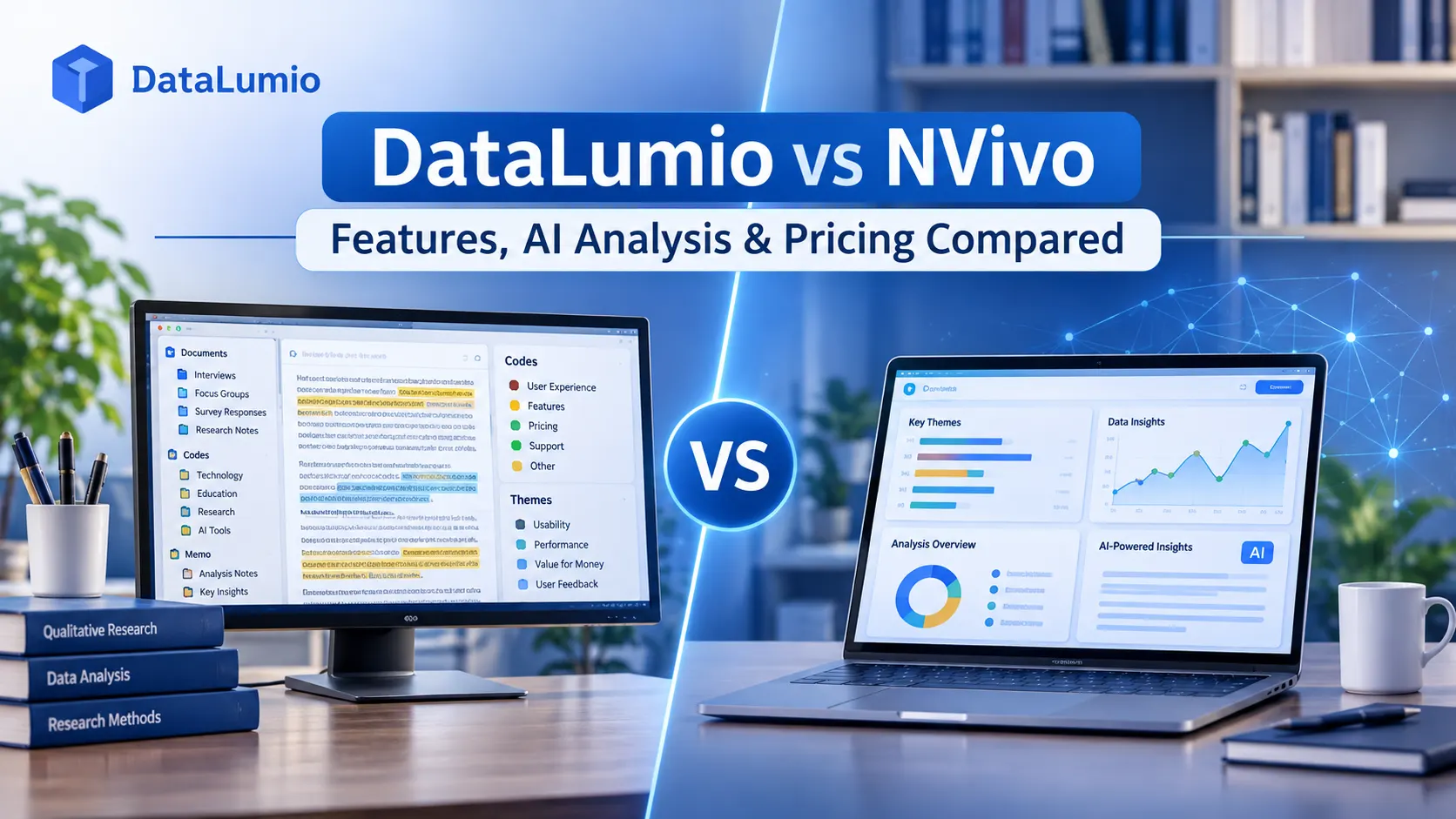
Choosing qualitative data analysis software can have a direct impact on how you organize research material, identify patterns, and develop findings. A tool that works well for a small student project may not offer enough control for a large academic study. Likewise, software designed for detailed manual coding may feel unnecessarily complicated when you only need to review interview transcripts and identify recurring themes.
Two options worth examining are DataLumio and NVivo. Both support qualitative research workflows, but they approach data analysis differently. DataLumio focuses on AI-assisted analysis and connected data workflows, while NVivo offers an established desktop research environment alongside its newer AI-native cloud product.
If you are comparing DataLumio vs NVivo, the decision should come down to your research methodology, the type of data you work with, how much manual control you need, and the amount of time you want to spend organizing your material.
This comparison examines their features, AI capabilities, qualitative and quantitative workflows, pricing considerations, and limitations to help you decide which platform is appropriate for your project.
Quick Comparison: DataLumio vs NVivo
Before looking at individual features, it helps to understand the main differences between the platforms.
| Comparison factor | DataLumio | NVivo Desktop | NVivo AI Cloud |
|---|---|---|---|
| Primary focus | AI-assisted data analysis | Traditional qualitative research analysis | AI-assisted qualitative research |
| Platform | Web-based | Desktop software | Cloud-based |
| Qualitative analysis | Yes | Yes | Yes |
| Quantitative analysis | Dedicated quantitative workflow | Quantitative and mixed-methods support | Mixed-methods research workflows |
| AI assistance | AI-assisted analysis | No built-in AI features in the desktop product | AURA research assistant |
| Theme identification | AI-assisted | Researcher-led coding and analysis | AI-suggested topics and codes |
| Supporting quotations | Yes | Yes | Yes, with source-linked evidence |
| Document analysis | PDF and DOC | Multiple document formats | Documents and research sources |
| Audio and video workflows | Not a native qualitative input workflow | Supported | Import and transcription workflows |
| Statistical analysis | Dedicated quantitative analysis tools | Coding frequencies, comparisons and descriptive statistics | Analytics and mixed-methods views |
| Collaboration | Controlled access to invited users | Optional collaboration services | Cloud collaboration |
| Best suited to | Fast first-pass analysis and connected data workflows | Detailed researcher-led qualitative analysis | AI-assisted, traceable qualitative research |
The comparison reflects the products’ documented capabilities. Features, licensing and supported workflows can change, so check the official product documentation before making a purchase.
The main distinction is straightforward: DataLumio brings several data analysis tasks into one web-based workspace, while NVivo provides specialized research environments for both traditional and AI-assisted qualitative analysis.
What Is DataLumio?
DataLumio is a web-based data analysis platform designed for researchers, students, analysts, and business teams. It helps users prepare, analyze, visualize, and report on different types of data without requiring them to build every workflow manually.
Its main advantage is that qualitative analysis, quantitative analysis, data cleaning, document analysis, and visual reporting are available within the same platform.
For qualitative researchers, the platform provides an AI-assisted workflow for examining text-based research material. Users can upload supported PDF and DOC documents, provide a research question or themes, and review the resulting analysis.
Depending on the source material, the output can include:
- Identified themes and recurring patterns.
- Supporting quotations from research documents.
- Sentiment classifications.
- Comparisons across documents.
- Structured research findings.
- Downloadable insight reports.
For example, a researcher studying student experiences at universities might upload several interview transcripts and ask the system to identify recurring barriers to academic performance. The resulting report can provide an initial overview of common themes and supporting passages.
The researcher can then review those passages, compare participants’ responses, and decide whether the suggested themes accurately reflect the original material.
The platform also includes a separate quantitative analysis workflow. This allows users to examine structured datasets, calculate statistical summaries, explore relationships, and create charts.
You can explore the qualitative data analysis software to see how this workflow operates.
What Is NVivo?
NVivo is qualitative data analysis software developed by Lumivero. It has been used in academic, social science, healthcare, market research, and other research settings where researchers need to organize and interpret substantial amounts of qualitative information.
Its traditional desktop product, NVivo Desktop, provides a structured environment for working with interviews, transcripts, documents, surveys, audio, video, and other research material.
Researchers can organize sources, create coding frameworks, compare cases, run queries, write analytical memos, and examine relationships between themes.
However, the NVivo product range has expanded.
Lumivero now offers two distinct experiences:
NVivo Desktop: The established desktop application focused on researcher-led qualitative analysis, coding, queries, comparisons, and visualization.
NVivo AI Cloud: A newer cloud-based research environment with AURA, an AI research assistant designed to support project setup, source review, transcription, coding suggestions, cited answers, and other research workflows.
These products should not be confused when comparing software. NVivo Desktop does not include the AI features available in NVivo AI Cloud.
You can explore the official NVivo Desktop features and the NVivo AI Cloud release notes for more information.
1. Qualitative Data Analysis Capabilities
Qualitative analysis is often the most important consideration when choosing between these platforms.
Researchers working with interviews, focus groups, open-ended survey responses, and field notes need a way to organize information without losing the meaning behind individual responses.
Both platforms support qualitative research, but their workflows are different.
DataLumio’s approach to qualitative analysis
DataLumio focuses on AI-assisted first-pass analysis of text-based research documents.
Instead of requiring users to build an entire coding framework before examining their material, it can identify possible themes and supporting evidence from uploaded documents.
Its workflow allows researchers to:
- Upload supported PDF and DOC research files.
- Provide a research question or specific themes.
- Run exploratory analysis without predefined themes.
- Identify recurring ideas across documents.
- Retrieve supporting quotations.
- Examine sentiment and document-level comparisons.
- Review and download structured findings.
This can be useful when working with multiple interview transcripts or large collections of written responses.
For instance, imagine that a postgraduate researcher has collected 25 interview transcripts about the challenges faced by postgraduate students.
Reading and organizing every transcript manually can take considerable time. An AI-assisted first pass can help identify recurring topics, such as financial pressure, supervisor communication, research workload, and access to academic resources.
The researcher can then examine the relevant quotations and decide which themes are meaningful to the study.
NVivo’s approach to qualitative analysis
NVivo Desktop offers more detailed researcher-led coding and organization.
Researchers can create codes, organize participants through cases and attributes, write memos, annotate sources, and use queries to explore relationships within their data.
Its capabilities are useful when the research requires a carefully maintained codebook or a more structured analytical process.
NVivo AI Cloud takes another approach. Its AURA assistant can suggest topics and codes, organize research sources, and provide answers linked to source evidence. Researchers can review and approve proposed changes rather than automatically accepting every suggestion.
Which approach is more suitable?
The answer depends on the research process.
DataLumio may be more convenient when the priority is quickly identifying possible themes and reviewing supporting quotations from text-based documents.
NVivo Desktop may be more suitable when the project requires detailed manual coding, complex codebooks, extensive queries, or multimedia analysis.
NVivo AI Cloud may be worth considering when a researcher wants AI assistance but also needs a more structured research environment with source-linked findings and an audit trail.
Neither approach automatically produces better research. The quality of the final analysis still depends on the methodology, source material, and researcher’s interpretation.
2. AI Features and Automated Research Analysis
AI has changed how researchers approach document review, coding, and the initial organization of qualitative data.
However, AI features should be assessed by what they actually do, not simply by whether a product advertises itself as AI-powered.
AI-assisted analysis in DataLumio
DataLumio uses AI to help researchers examine text-based material and produce an initial structured analysis.
Its qualitative workflow can identify themes, extract related quotations, classify sentiment, and compare findings across uploaded documents.
Researchers can also guide the process by providing a research question or specific themes.
This gives users flexibility. Someone conducting exploratory research can begin without a predefined list of themes, while someone working with established research objectives can provide more direction.
The main benefit is reducing the amount of initial organization required before a researcher can start reviewing patterns.
However, automated findings still require human verification. AI may misunderstand context, interpret sarcasm incorrectly, overlook cultural differences, or group responses that appear similar but have different meanings.
AI capabilities in NVivo
AI capabilities depend on which NVivo product you choose.
NVivo Desktop is designed around researcher-led analysis and does not include the AI features available in NVivo AI Cloud.
NVivo AI Cloud includes AURA, which supports several stages of the research process.
Its documented capabilities include:
- Guided research project setup.
- Source reading and summarization.
- AI-suggested topics and coding.
- Hierarchical codebook development.
- Questions and answers grounded in research sources.
- Transcription workflows.
- Memos linked to sources and codes.
- Analytical dashboards and evidence views.
- Audit trails for AI-assisted actions.
A particularly useful feature is its ability to provide cited answers connected to the underlying research material. This gives researchers a way to inspect the evidence behind an AI-generated response.
What should researchers consider?
The choice is not simply between manual analysis and artificial intelligence.
It is about how much assistance you want during different stages of research.
If you want a relatively direct way to generate an initial overview of text-based material, DataLumio offers a focused workflow.
If you want a research environment with more extensive AI-assisted project management, coding suggestions, source traceability, and audit capabilities, NVivo AI Cloud offers a different set of tools.
Researchers who prefer to control coding and interpretation themselves may also find NVivo Desktop appropriate.
3. Supported File Types and Research Material
File compatibility can determine whether software fits into an existing research workflow.
Before selecting a platform, consider the formats you already use and whether the software can work with them without requiring extensive conversion.
DataLumio
DataLumio’s qualitative analysis workflow currently supports PDF and DOC research documents.
These formats are useful for interview transcripts, written responses, field notes, focus group notes, and other text-based research material.
Its other features support different file types depending on the task. For example, quantitative analysis and data cleaning support structured spreadsheet formats, while PDF analysis provides a separate document-review workflow.
This means users can work with multiple types of research material within one platform, although the supported formats are not identical across every feature.
NVivo Desktop
NVivo Desktop supports a wider range of qualitative source material.
Its official product documentation describes workflows for:
- Documents and transcripts.
- Survey material.
- Audio recordings.
- Video recordings.
- Participant cases and attributes.
- Other research-related sources.
Researchers working with multimedia material may therefore find its source management capabilities useful.
NVivo AI Cloud
NVivo AI Cloud supports research sources that can be imported into its cloud-based environment, including documents and audio or video recordings for transcription and analysis workflows.
Its source handling is connected with its AI-assisted research pipeline, allowing researchers to organize evidence within a project.
Which software supports your files?
If your project mainly involves written interview transcripts and research documents, DataLumio may cover the initial analysis requirements.
If you need to work directly with audio, video, and a broader range of research materials, examine NVivo’s supported formats and workflows more closely.
Always check the current system requirements and file compatibility documentation before transferring an entire research project.
4. Quantitative and Mixed-Methods Research
Some studies rely entirely on qualitative evidence. Others combine numerical measurements with interviews, surveys, and observations.
A mixed-methods project might examine student satisfaction through survey ratings while also exploring the reasons behind those ratings through open-ended responses.
This requires more than simply collecting both types of data. Researchers must choose suitable analytical methods and interpret the findings in relation to their research questions.
Quantitative analysis in DataLumio
One distinction worth considering is DataLumio’s dedicated quantitative analysis workflow.
Users can upload supported CSV and Excel datasets and examine numerical or categorical variables.
Depending on the dataset and selected analysis, available outputs can include:
- Descriptive statistics.
- Frequency tables.
- Correlation analysis.
- Regression analysis.
- Chi-square tests.
- ANOVA.
- Outlier detection.
- Charts and visual summaries.
For example, a researcher examining student satisfaction could use quantitative analysis to calculate average satisfaction scores and compare responses across different student groups.
They could then use qualitative analysis to explore written explanations provided by those students.
This provides a connected way to work with different types of evidence.
You can learn more about the quantitative data analysis tools and their supported workflows.
Mixed-methods support in NVivo
NVivo Desktop provides mixed-methods tools that allow researchers to examine qualitative coding alongside quantitative information.
Its case and attribute features can help compare participant groups, while queries and matrices can reveal relationships between coded material and other variables.
NVivo AI Cloud also provides analytical views and project structures for exploring qualitative and quantitative research information.
Which platform should you choose?
DataLumio is worth considering when you want dedicated qualitative and quantitative workflows alongside data cleaning and visualization in one web-based platform.
NVivo is worth considering when your mixed-methods project requires detailed qualitative coding, case-based comparisons, or established research structures.
However, software availability does not determine methodological suitability. Researchers should select statistical tests and qualitative methods based on their research design, variable types, sampling approach, and research questions.
5. Ease of Use and Learning Requirements
The learning curve is another factor that should not be overlooked.
Researchers often work under deadlines, particularly when completing dissertations, academic papers, market research studies, or consulting projects.
A tool that requires extensive setup may be appropriate for a complex project but unnecessarily time-consuming for a smaller study.
Getting started with DataLumio
DataLumio follows a guided, web-based workflow.
For qualitative analysis, users upload supported documents, select their analysis approach, enter an optional research question or themes, and review the generated findings.
The process is designed to reduce the amount of initial configuration required.
It can be helpful for students and researchers who want to begin reviewing their material without first learning a complex coding environment.
That does not mean users can skip research training. Understanding qualitative methods, identifying suitable themes, and validating analytical outputs remain essential.
Learning NVivo Desktop
NVivo Desktop provides more extensive options for organizing research projects.
New users may need time to understand its coding structures, cases, attributes, queries, and other analytical features.
For someone conducting detailed qualitative research, that learning investment can be worthwhile.
However, users working on smaller projects may not need every available function.
Learning NVivo AI Cloud
NVivo AI Cloud offers a different onboarding experience, with guided project setup and an AI assistant designed to support parts of the research workflow.
Although AI assistance may reduce some manual steps, users still need to understand how to frame research questions, review suggested codes, and evaluate evidence.
Practical recommendation
Choose software based on the complexity of your project rather than assuming that fewer steps always mean a better research experience.
For a first-pass analysis of written documents, a guided AI-assisted workflow may be enough.
For a large study with a detailed codebook, multiple researchers, and complex analytical requirements, investing time in a specialized research environment may make more sense.
6. Data Privacy and Research Ethics
Research data can contain sensitive information, including participant names, contact details, personal experiences, health information, and organizational records.
Before uploading documents to any cloud-based analysis platform, researchers should understand how their information is processed, stored, and protected.
Data protection in DataLumio
DataLumio states that uploaded data is not used to train, fine-tune, or benchmark its AI models.
Its website also describes encryption in transit and at rest and controlled access to uploaded files.
These measures are relevant when evaluating a research platform, but they should not replace a review of the complete privacy policy and data usage terms.
Researchers should also remove identifying information when required and confirm that their institution permits the use of the chosen platform.
Read the AI and data usage policy before uploading research material.
Data protection in NVivo
NVivo offers different deployment models, which should be considered when reviewing data handling.
NVivo Desktop stores project data locally by default, according to Lumivero’s documentation. Optional cloud services may require an internet connection.
NVivo AI Cloud is cloud-based, so researchers should review its current privacy documentation, AI processing terms, data retention arrangements, and institutional requirements before using it for sensitive studies.
Questions to ask before choosing
Regardless of the platform, check:
- Where will your research files be stored?
- Who can access uploaded documents?
- Is uploaded material used for AI model training?
- How long is research data retained?
- Can files and projects be deleted?
- Does the platform meet your university’s or organization’s data protection requirements?
For academic research, ethical approval and participant consent should guide how research data is processed. Convenience should never take priority over those obligations.
7. Pricing: What Should You Compare?
Software pricing can be difficult to compare because some platforms charge through subscriptions, while others use different licensing arrangements or usage-based credits.
It is worth looking beyond the headline price.
DataLumio pricing
At the time of reviewing its official pricing page, DataLumio lists the following plans:
| Plan | Listed price | Payment model |
|---|---|---|
| Starter | $5 | One-time payment |
| Standard | $10 | Monthly |
| Pro | $29 | Monthly |
| Enterprise | $100 | Monthly |
The plans use a shared credit system for supported analysis reports, data cleaning, dashboards, PDF chat, and other functions.
The Starter plan is positioned for individuals and students, while the Standard and Pro plans offer larger credit allowances for more regular use.
The Enterprise plan is designed for organizations with higher-volume requirements.
A free starting experience is also presented on the website. Check the current plan limits and included features before relying on it for a full research project.
For the latest information, visit the DataLumio pricing page.
NVivo pricing
NVivo has separate licensing arrangements for NVivo Desktop and NVivo AI Cloud.
Pricing can depend on the type of license, customer category, purchasing region, and subscription or one-time purchase options.
The AI Cloud offering also has usage-related allowances, including AURA credits and transcription limits.
When comparing the cost, consider:
- Whether you need the desktop or cloud product.
- Whether AI credits are included.
- How much transcription you require.
- Whether collaboration services are additional.
- Whether your institution already provides a license.
- Whether you need individual or organisational purchasing.
Check the official NVivo store for the latest applicable pricing.
Which offers better value?
There is no universal answer.
A student analyzing a limited number of written transcripts may prefer a lower-cost, simpler workflow.
A research department working with complex projects, multiple researchers, and extensive multimedia material may find a specialized licensing arrangement more appropriate.
Compare the actual features you will use, rather than choosing a platform solely because its entry-level price is lower.
8. Who Should Choose Each Platform?
The best software depends on what you are trying to accomplish.
Here is a practical decision guide.
Choose DataLumio if:
- You want a web-based data analysis platform.
- Your qualitative material mainly consists of PDF and DOC documents.
- You want AI-assisted theme identification and supporting quotations.
- You need a first-pass analysis across multiple text documents.
- You also work with structured numerical datasets.
- You want access to data cleaning and visualization workflows.
- You prefer a guided workflow rather than configuring a complex coding environment.
Choose NVivo Desktop if:
- Your research requires detailed manual coding.
- You need to create and maintain complex codebooks.
- You work with audio and video research material.
- You need advanced queries, cases, attributes, and analytical comparisons.
- You prefer a desktop-based research environment.
- Your institution already uses or supports NVivo.
Choose NVivo AI Cloud if:
- You want AI-assisted qualitative research workflows.
- You need guided project setup and code suggestions.
- You want to question your research corpus using source-linked answers.
- You need an AI-supported codebook and research audit trail.
- You want cloud-based collaboration and project management.
These recommendations are based on documented product capabilities, not a claim that one platform is universally better.
Final Verdict: Which Research Analysis Software Should You Choose?
DataLumio and NVivo address overlapping research needs, but they are designed around different workflows.
DataLumio is worth considering if you want an accessible web-based workspace for AI-assisted qualitative analysis, quantitative analysis, document review, data cleaning, and visual reporting. It can be particularly useful when your research involves written documents and structured datasets and you want to reduce repetitive first-pass analysis work.
NVivo Desktop remains an option for researchers who need detailed control over coding, source organization, queries, and multimedia research. NVivo AI Cloud provides a separate alternative for those who want AI-assisted research workflows with source-linked evidence, coding suggestions, and project-level controls.
The right choice depends on your research material, methodology, budget, and preferred working style.
If you want to explore a connected approach to qualitative and quantitative analysis, take a look at DataLumio, review its available research data analysis features, and see whether its workflow matches your project requirements.
You can also watch the product demo before deciding whether it is the right fit for your research.
Frequently Asked Questions
Is DataLumio a good alternative to NVivo?
DataLumio may be a suitable alternative for researchers who primarily work with text-based research documents and want AI-assisted first-pass analysis. It also offers separate quantitative analysis, data cleaning, PDF analysis, and visualization workflows. Researchers requiring detailed manual coding or extensive multimedia analysis should examine NVivo’s capabilities before deciding.
What is the main difference between DataLumio and NVivo?
The main difference is their approach to research analysis. DataLumio focuses on guided AI-assisted analysis and connected data workflows. NVivo offers a traditional desktop qualitative analysis environment and a separate AI-native cloud product.
Does NVivo have AI features?
Yes, but the distinction between products matters. NVivo Desktop does not include the AI features available in NVivo AI Cloud. The cloud product includes AURA, which supports AI-assisted research setup, source analysis, coding suggestions, cited answers, and other workflows.
Can DataLumio analyse interview transcripts?
Yes. DataLumio supports text-based qualitative research documents, including interview transcripts in supported PDF and DOC formats. It can help identify themes, supporting quotations, sentiment, and patterns across documents.
Can DataLumio perform quantitative analysis?
Yes. Its quantitative workflow supports structured datasets and can generate statistical summaries, frequency tables, charts, outlier checks, and suitable statistical analyses depending on the data.
Is NVivo suitable for mixed-methods research?
Yes. NVivo Desktop offers mixed-methods tools, including comparisons and analytical functions that help researchers examine relationships between qualitative and quantitative information. NVivo AI Cloud also supports mixed-methods research workflows.
Is DataLumio suitable for academic research?
DataLumio can support academic projects involving interview transcripts, survey responses, research documents, and numerical datasets. Researchers remain responsible for selecting appropriate methods, verifying findings, maintaining research ethics, and meeting their institution’s requirements.
Which is easier to learn, DataLumio or NVivo?
DataLumio uses a guided workflow designed to make initial analysis straightforward. NVivo Desktop provides more extensive research controls and may require additional time to learn. NVivo AI Cloud offers guided AI-assisted workflows, although users still need research-method knowledge to review the results.
Can AI replace manual qualitative data analysis?
No. AI can help organize documents, identify possible themes, and retrieve relevant evidence, but it cannot take responsibility for the researcher’s methodological decisions. Important findings should always be checked against original material and interpreted within the study’s context.