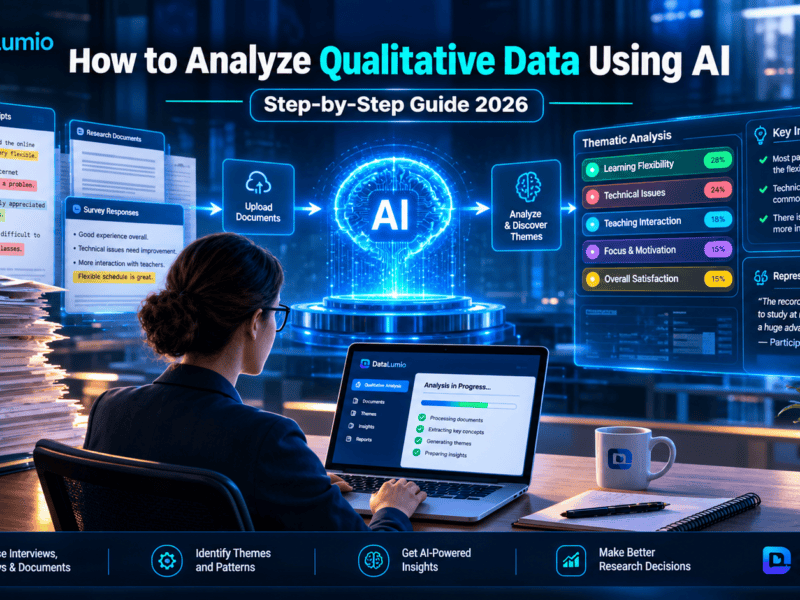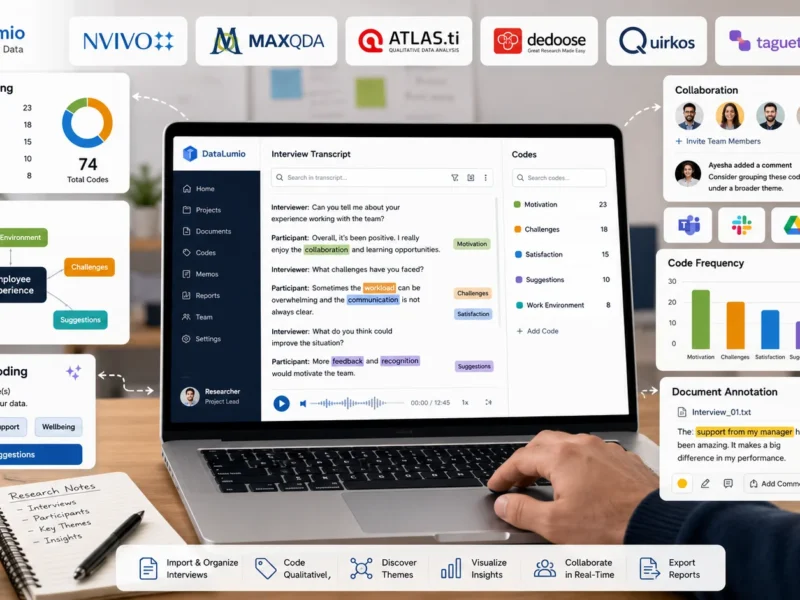
Finding the right qualitative data analysis software can make a considerable difference to how researchers organize their work, examine research material, and develop meaningful findings. However, NVivo is not the only option available. Depending on your research requirements, budget, preferred working environment, and need for artificial intelligence, several other tools may be worth considering.
Some researchers want a free NVivo alternative that can handle interview transcripts without requiring an expensive license. Others need open-source software that gives them more control over their research projects. Academic researchers may prefer advanced coding, case management, and mixed-methods analysis, while professionals conducting interviews and customer research may prioritize faster document analysis and AI-assisted insights.
The good news is that there are several alternatives to NVivo, ranging from traditional qualitative research applications to newer AI-powered platforms.
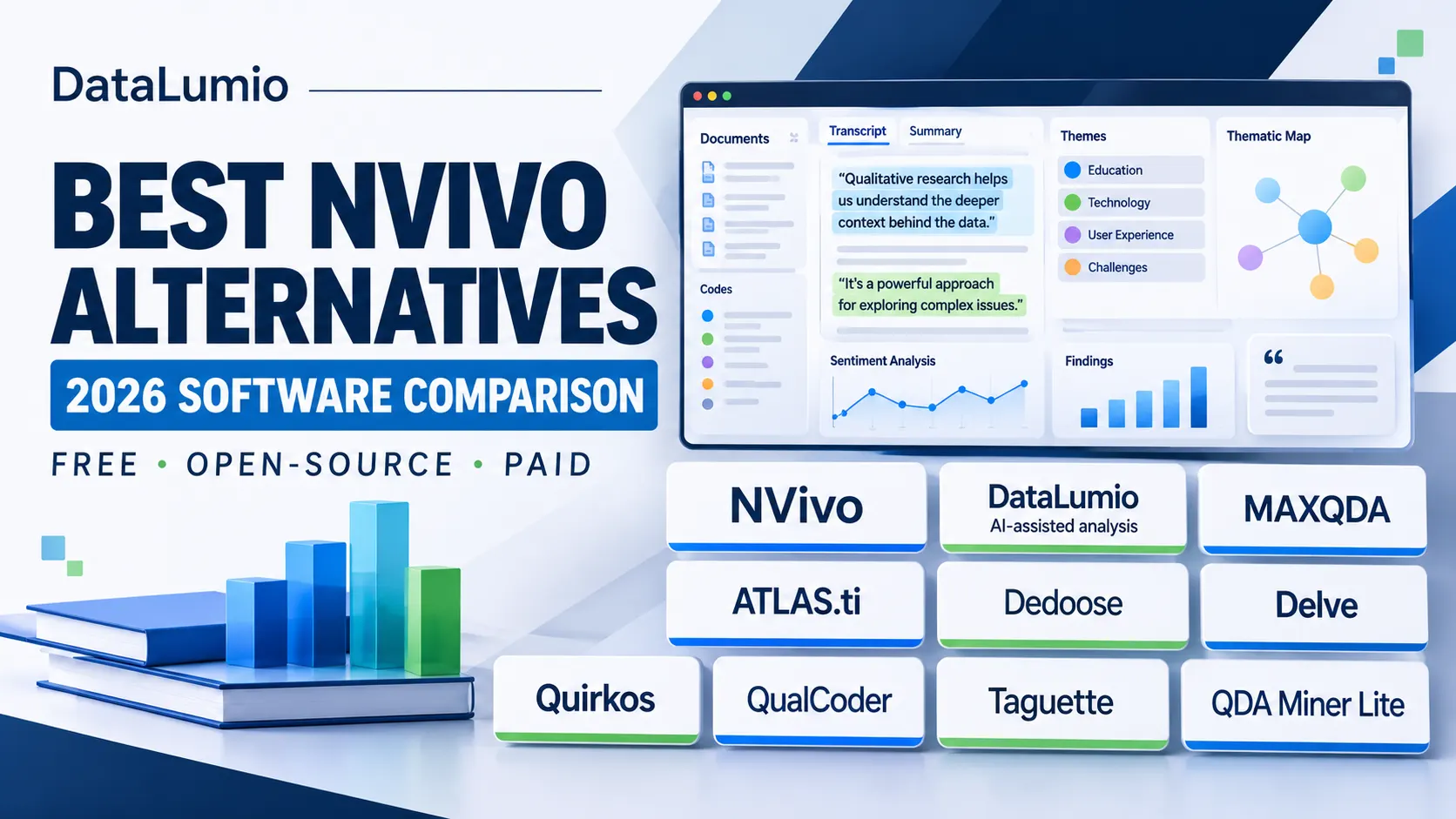
This guide compares nine options, including DataLumio, MAXQDA, ATLAS.ti, Dedoose, Delve, Quirkos, QualCoder, Taguette, and QDA Miner Lite. It examines their main capabilities, pricing models, free access, supported research workflows, and limitations to help you identify the software that best fits your requirements.
Whether you are completing a university dissertation, conducting interviews, analyzing survey responses, or managing a professional research project, this comparison will help you make a more informed decision.
Quick Comparison: 9 Best NVivo Alternatives in 2026
Before exploring individual platforms, here is an overview of the nine tools and the types of research work they support.
| Software | Pricing model | AI assistance | Best suited for |
|---|---|---|---|
| DataLumio | Free access and paid plans | Yes | AI-assisted analysis of text documents |
| MAXQDA | Paid licenses and AI add-on options | Yes | Advanced academic and mixed-methods research |
| ATLAS.ti | Paid licenses | Yes | Detailed qualitative coding and AI-assisted research |
| Dedoose | Subscription | Limited compared with AI-focused platforms | Collaborative mixed-methods research |
| Delve | Paid subscription with trial | AI-assisted features; verify current availability | Structured qualitative coding |
| Quirkos | Paid subscription and lifetime license options | Transcription assistance | Visual qualitative coding |
| QualCoder | Free and open source | Optional AI-assisted functions | Free multimedia qualitative analysis |
| Taguette | Free and open source | No native AI analysis workflow | Basic text-based qualitative coding |
| QDA Miner Lite | Freeware | No native AI analysis workflow | Basic Windows-based qualitative analysis |
Pricing, licensing, and feature availability can change. Check each provider’s current documentation before purchasing. The AI column describes the availability of AI-related functionality, not an independent assessment of its analytical accuracy.
1. DataLumio: Best for AI-Assisted Qualitative and Quantitative Analysis
DataLumio is a web-based data analysis platform that helps researchers, students, analysts, and business professionals work with qualitative and quantitative information.
Unlike traditional qualitative research applications that primarily revolve around manual coding and project organization, DataLumio provides an AI-assisted approach to analyzing text-based research documents.
This makes it particularly relevant to people who want to explore research material, identify possible themes, examine supporting quotations, and generate structured findings without first building an extensive manual coding framework.
Key features
DataLumio offers several capabilities relevant to qualitative research:
- AI theme detection: Identifies recurring ideas and possible themes across uploaded research documents.
- Guided analysis: Allows users to provide a research question or specify themes they want to investigate.
- Open analysis: Supports exploratory analysis when researchers have not established predefined themes.
- Supporting quotations: Helps identify passages associated with the generated findings.
- Sentiment analysis: Provides sentiment classifications for relevant text.
- Document comparisons: Helps researchers examine similarities and differences across uploaded material.
- Structured reports: Organizes analytical findings into a report that users can review and export.
The current qualitative analysis workflow supports PDF and DOC research files. Researchers can upload their documents, provide an analytical question, select themes, and review the generated report.
For example, imagine a PhD student conducting interviews with 30 university students about their experiences with online learning.
The researcher may want to investigate three questions:
- What challenges do students experience during online classes?
- Which factors influence student engagement?
- How do students describe the flexibility of online education?
Instead of manually searching through every document to identify initial patterns, the researcher can use guided analysis to explore these questions and review the resulting themes and supporting quotations.
The researcher must still examine the original responses and decide whether the identified patterns accurately represent participants’ experiences.
More than qualitative analysis
One reason DataLumio deserves consideration among the best NVivo alternatives is that its capabilities extend beyond qualitative research.
It also offers separate workflows for:
- Quantitative data analysis.
- Data cleaning.
- PDF analysis and document conversations.
- Data visualization and dashboards.
- Data integration.
This can be useful for researchers conducting mixed-methods projects involving interview transcripts and structured survey datasets.
For instance, a researcher could examine numerical survey responses to understand overall satisfaction and then investigate written responses to explore the reasons behind those results.
Having these workflows available within one platform can reduce the need to move between several separate applications.
Pricing and free access
DataLumio offers free access to get started, alongside paid plans based on credits and usage.
Its published pricing structure includes a Starter option with a one-time payment and subscription options for users with more regular analysis requirements.
Check the DataLumio pricing page for current plans, credit allowances, and usage conditions.
Limitations to consider
DataLumio is not designed to reproduce every traditional NVivo workflow.
Its current qualitative analysis workflow focuses on supported text-based documents. Researchers who need extensive native audio and video coding, complex manual codebooks, or advanced multimedia project management should evaluate those requirements carefully.
AI-generated themes and classifications also require human review. A generated report should be treated as an analytical starting point rather than a substitute for research interpretation.
Who should choose DataLumio?
DataLumio is a strong NVivo alternative for:
- Students and researchers working with interview transcripts.
- PhD researchers conducting document-based qualitative studies.
- Professionals analyzing open-ended survey responses.
- Market researchers examining customer feedback.
- Research teams combining qualitative and quantitative information.
- Users looking for AI-assisted first-pass analysis.
If you want a web-based platform that brings AI-assisted qualitative analysis together with other data analysis workflows, explore DataLumio’s qualitative analysis features.
2. MAXQDA: Best for Advanced Academic and Mixed-Methods Research
MAXQDA is an established qualitative and mixed-methods research platform used by academic researchers, students, and professional research teams.
It is worth considering when your project requires more than basic document coding. The software provides a structured environment for organizing research material, developing coding systems, examining relationships, and managing complex analytical projects.
Key features
MAXQDA supports a variety of research activities, including:
- Qualitative coding and code management.
- Document organization.
- Memo writing and annotations.
- Text and content analysis.
- Mixed-methods research.
- Quantitative text analysis through MAXDictio.
- Statistical analysis through MAXQDA Stats.
- Visual exploration of research findings.
Its AI Assist functionality adds another layer of support.
Depending on the selected package, AI Assist can help with coding suggestions, summaries, subcode recommendations, and conversations with research documents.
For example, a researcher studying workplace satisfaction could organize interview transcripts into a project, develop an initial coding framework, and use AI suggestions to explore relevant passages.
The researcher can then inspect the suggested coding and decide which results should be incorporated into the final analytical framework.
Pricing and free access
MAXQDA offers different license arrangements depending on whether the user is a student, academic institution, nonprofit organization, or commercial customer.
Licensing options include annual subscriptions and longer-term licenses.
AI Assist also has separate free and premium options, with different usage allowances.
Visit the official MAXQDA pricing page to check current licensing and AI add-on costs.
Limitations to consider
MAXQDA has a substantial feature set, so beginners may need time to understand its coding, project organization, and analytical functions.
Its licensing structure can also be a consideration for individual students or researchers working with limited budgets.
AI functionality should be evaluated separately from the main software license because availability and usage limits depend on the selected option.
Who should choose MAXQDA?
MAXQDA is particularly suitable for:
- University researchers.
- Doctoral students.
- Researchers conducting mixed-methods studies.
- Teams managing complex qualitative projects.
- Academics who need detailed coding and analytical controls.
It is a particularly relevant alternative when you want a traditional research environment with extensive qualitative and quantitative research capabilities.
3. ATLAS.ti: Best for Detailed Qualitative Coding and AI-Assisted Research
ATLAS.ti is another established qualitative data analysis platform. It is used by academic researchers, students, and commercial research teams working with unstructured information.
The platform provides tools for organizing research documents, coding meaningful passages, examining relationships, and developing evidence-based interpretations.
Key features
ATLAS.ti supports several research workflows:
- Manual and AI-assisted coding.
- Document organization.
- Code management.
- Memo writing.
- Network visualizations.
- Relationships between concepts.
- Sentiment analysis.
- Text, image, audio, and video analysis.
- Research reporting and visualization.
Its AI capabilities have also expanded.
The platform provides AI Coding, conversational AI, AI summaries, and AI-assisted transcription. Researchers can use these functions to explore their material and generate suggestions during different stages of analysis.
For example, someone researching customer experiences could upload interview transcripts, establish an analytical objective, and use AI-assisted coding to identify passages associated with recurring customer concerns.
The researcher can then review the suggested codes and refine them according to the study’s methodology.
Pricing and free access
ATLAS.ti offers commercial licensing and trial options. The exact cost depends on the license and purchasing arrangement.
Because the platform has multiple product and licensing options, check its official website for current purchasing information and AI feature documentation.
Limitations to consider
ATLAS.ti offers extensive research functionality, which may be more than someone needs for a small interview-based project.
Researchers should also consider the learning requirements associated with its coding, project management, and visualization features.
Who should choose ATLAS.ti?
It is worth considering for:
- Researchers working with complex qualitative datasets.
- Academic institutions.
- Professional research teams.
- Researchers analyzing multimedia material.
- Users who want manual coding alongside AI assistance.
If your research depends on detailed coding, relationships between concepts, and a structured analytical environment, ATLAS.ti deserves a place on your shortlist.
4. Dedoose: Best for Collaborative Mixed-Methods Research
Dedoose is a web-based qualitative and mixed-methods analysis application.
It is particularly useful for projects in which multiple researchers need to work with qualitative information alongside quantitative attributes and measurements.
Rather than focusing exclusively on individual document analysis, Dedoose provides tools for organizing research projects, coding material, comparing participants, and collaborating with team members.
Key features
Dedoose offers capabilities such as:
- Qualitative coding.
- Media and document management.
- Mixed-methods analysis.
- Participant and descriptor management.
- Data visualization.
- Code frequency analysis.
- Team collaboration.
- Role-based permissions.
- Research project management.
Consider a university research team studying the relationship between student demographics and learning experiences.
The team may collect interview transcripts, survey responses, and participant information.
Dedoose can help organize these different forms of data so researchers can examine qualitative responses alongside relevant participant characteristics.
This makes it useful when the project involves more than identifying themes from individual documents.
Pricing and free access
Dedoose offers subscription-based plans for students, individual users, and research teams.
Its pricing model includes active-month options, which can be useful for researchers whose work is concentrated in particular periods.
Check the official Dedoose pricing page for current prices and subscription conditions.
Limitations to consider
Dedoose is not a permanently free qualitative research application.
Researchers should also evaluate whether its project structure, coding tools, and collaboration features match their particular methodology.
Those looking for a simple document-analysis workflow may find some of its project-management capabilities unnecessary.
Who should choose Dedoose?
Dedoose is worth considering for:
- University research teams.
- Collaborative academic studies.
- Mixed-methods projects.
- Social science researchers.
- Projects involving participant attributes and qualitative responses.
It is particularly relevant when multiple researchers need to examine the same project and compare findings.
5. Delve: Best for Straightforward Qualitative Coding
Delve is qualitative data analysis software designed to help researchers organize written research material, create codes, and identify patterns.
Its focus is on making qualitative coding easier to manage, particularly for researchers who do not need an extensive desktop research environment.
Key features
Delve provides tools for:
- Organizing research transcripts.
- Highlighting relevant passages.
- Creating and managing codes.
- Applying codes to text.
- Reviewing coded segments.
- Organizing themes.
- Working with research projects.
- Collaborating with team members.
For example, a student researching employee experiences could upload interview material, create codes such as management support, workload, workplace communication, and job satisfaction, and apply them to relevant sections.
As more material is coded, the researcher can examine which concepts appear repeatedly and how different participants describe their experiences.
The software is designed around a relatively approachable coding workflow.
Pricing and free access
Delve offers a paid subscription with a free trial.
Its published pricing information includes a per-user monthly subscription, with separate education and institutional arrangements.
Visit the official Delve website to review current pricing and trial conditions.
Limitations to consider
Delve is primarily relevant to structured qualitative coding rather than being a complete replacement for every advanced research environment.
Researchers who require extensive statistical analysis, complex multimedia workflows, or highly specialized analytical tools should examine its capabilities carefully.
Who should choose Delve?
Delve may be suitable for:
- Undergraduate and postgraduate students.
- Researchers analyzing interview transcripts.
- Small research projects.
- Researchers who prefer guided coding workflows.
- Users looking for an alternative to complex qualitative applications.
6. Quirkos: Best for Visual and Beginner-Friendly Qualitative Coding
Quirkos takes a more visual approach to qualitative data analysis.
Rather than presenting research coding only through traditional document and code lists, the software uses visual elements to help researchers organize concepts and themes.
This can make it easier for beginners to understand how their coding structure develops throughout a project.
Key features
Quirkos supports:
- Visual organization of codes and themes.
- Text-based qualitative coding.
- Document imports.
- Spreadsheet imports.
- Code organization.
- Research reporting.
- Project exports.
- Cloud collaboration.
- Automated transcription through an additional service.
Researchers can create visual representations of their codes and examine how different concepts relate to the research material.
For example, someone studying student experiences could create themes such as academic pressure, teaching quality, financial challenges, and social interaction.
As passages are assigned to different codes, the visual representation helps researchers explore how much material is associated with each theme.
Pricing and free access
Quirkos offers cloud subscriptions and offline license options.
Its official pricing page also advertises a 14-day free trial. Cloud plans and permanent offline licenses have different terms.
See the Quirkos licensing and pricing page for current information.
Limitations to consider
Quirkos emphasizes visual qualitative analysis and accessible coding rather than offering every advanced feature available in larger research platforms.
Its transcription service is also a separate consideration when working with recorded interviews.
Who should choose Quirkos?
Quirkos is worth considering for:
- Beginners learning qualitative coding.
- Students working on smaller projects.
- Researchers who prefer visual organization.
- Interview and focus-group analysis.
- Teams that want cloud-based project collaboration.
7. QualCoder: Best Free and Open-Source Alternative to NVivo
If your main requirement is a free NVivo alternative, QualCoder deserves serious consideration.
QualCoder is free, open-source desktop software designed for qualitative data analysis. It supports a wider range of research material than many basic free coding tools.
One of its main advantages is that researchers can work with different media types without purchasing a conventional commercial software license.
Key features
QualCoder supports:
- Text coding.
- Image coding.
- Audio coding.
- Video coding.
- Hierarchical code organization.
- Research memos and journal notes.
- Case organization.
- Coding reports.
- Code frequency analysis.
- Project exports.
- Optional AI-assisted analysis functions.
This makes it particularly useful for researchers who need multimedia coding but do not have the budget for a commercial application.
For example, a researcher conducting interviews could organize transcripts, code important statements, write analytical memos, and compare emerging categories.
A project involving visual research material may also benefit from its image and multimedia capabilities.
QualCoder’s newer versions include optional AI-assisted features that can help researchers explore and interact with their data. These capabilities should be checked against the current release and configured according to the user’s privacy requirements.
Pricing and free access
QualCoder is free and open source.
There is no standard commercial subscription required to use its core application.
Researchers can visit the official QualCoder website to access the software and documentation.
Limitations to consider
QualCoder is a desktop application, so users need to install and configure it.
Its interface and setup process may require some learning, particularly for beginners who have never used qualitative analysis software.
It also does not provide the same commercial support arrangements or managed collaboration environment as some paid research platforms.
Who should choose QualCoder?
QualCoder is particularly suitable for:
- PhD students.
- Independent academic researchers.
- University students.
- Researchers working with audio and video.
- Users looking for free open-source QDA software.
- Research teams with limited software budgets.
If you want an open-source NVivo alternative with multimedia coding capabilities, QualCoder should be one of your first options to evaluate.
8. Taguette: Best Free Alternative for Basic Text-Based Coding
Taguette is another free and open-source qualitative research tool.
It focuses on a relatively straightforward task: helping researchers highlight meaningful passages in documents and organize those passages using codes or tags.
Unlike larger applications with extensive project-management and analytical features, Taguette keeps its workflow relatively simple.
Key features
Taguette allows users to:
- Import PDF documents.
- Import Word documents.
- Work with text and other supported document formats.
- Highlight relevant passages.
- Create custom codes.
- Apply codes to selected text.
- Organize coded material.
- Export research projects and coded information.
- Collaborate through supported hosting arrangements.
For example, a student analyzing 15 interview transcripts could create codes such as learning difficulties, family support, academic motivation, and financial barriers.
The student could then highlight relevant passages and assign them to the appropriate categories.
This provides a straightforward way to organize qualitative information without paying for a commercial application.
Pricing and free access
Taguette is free and open source.
Users can work with its hosted service or explore self-hosting options, depending on their requirements.
Its source code and project information are available through the official Taguette website.
Limitations to consider
Taguette focuses primarily on text-based coding.
It does not offer the extensive multimedia research environment available in platforms such as NVivo or QualCoder.
It also lacks a built-in AI qualitative analysis workflow comparable to dedicated AI-assisted platforms.
Who should choose Taguette?
Taguette may be a suitable choice for:
- Students conducting small research projects.
- Researchers analyzing written interviews.
- Beginners learning manual coding.
- Users who want open-source software.
- Researchers who do not need advanced multimedia features.
For basic text-based qualitative research, Taguette offers a practical alternative without a commercial license.
9. QDA Miner Lite: Best Free Windows Software for Basic Qualitative Analysis
QDA Miner Lite is a free version of Provalis Research’s qualitative data analysis software.
It provides basic coding and analytical capabilities for researchers who need to organize and examine textual material without purchasing a full commercial application.
Key features
QDA Miner Lite supports:
- Importing text documents.
- Working with PDF and Word-related formats.
- Importing spreadsheet data.
- Image analysis.
- Hierarchical code organization.
- Manual coding.
- Comments and research memos.
- Text searches.
- Code frequency analysis.
- Basic visual reporting.
- Exporting research information.
Consider a researcher analyzing news articles or interview transcripts.
They could import the documents, establish a coding structure, assign codes to relevant passages, and examine the frequency of particular categories.
The software also supports basic visual summaries, helping researchers explore how frequently particular codes appear.
Pricing and free access
QDA Miner Lite is freeware.
It is a limited-feature version of the full QDA Miner application, rather than an open-source product.
The Lite version provides enough functionality for some basic qualitative research projects without requiring a paid license.
Limitations to consider
QDA Miner Lite is a Windows application, which makes it less convenient for researchers working exclusively on macOS or Linux.
It also lacks some of the advanced analytical and code-management features available in the full commercial product.
Its free version should not be confused with the complete QDA Miner software.
Who should choose QDA Miner Lite?
It may be useful for:
- Students working with limited budgets.
- Researchers analyzing text and images.
- Windows users.
- Small qualitative research projects.
- Users who need basic manual coding and reporting.
Best Free NVivo Alternatives: Which Options Should You Consider?
Not every researcher needs a paid qualitative analysis platform.
If your project involves a manageable number of interviews, open-ended responses, or research documents, a free application may provide enough functionality.
However, free software differs considerably in terms of supported formats, coding capabilities, and analytical features.
Here is how the main free options compare.
| Software | Free access | Open source | Multimedia coding | Native AI analysis |
|---|---|---|---|---|
| QualCoder | Yes | Yes | Yes | Optional AI functions |
| Taguette | Yes | Yes | Primarily text | No |
| QDA Miner Lite | Yes | No | Text and images | No |
| DataLumio | Free access available | No | PDF and DOC research files | Yes |
Which free NVivo alternative is best?
The answer depends on what you need to analyze.
QualCoder is a strong choice for researchers who want free software with multimedia coding capabilities.
Taguette is suitable for straightforward text-based research where highlighting, tagging, and organizing passages are the main requirements.
QDA Miner Lite is worth considering if you use Windows and need basic manual coding, text retrieval, and reporting.
DataLumio is worth considering if you want AI-assisted analysis of supported PDF and DOC research documents, alongside other data analysis workflows.
It is worth distinguishing between free access and open-source software. DataLumio offers free access but is not open source. QualCoder and Taguette are free and open source.
Best Open-Source NVivo Alternatives
Open-source software is particularly attractive to researchers who want to use qualitative analysis tools without paying for a conventional software license.
However, open-source availability does not automatically mean that a tool will meet every research requirement.
Two particularly relevant options are QualCoder and Taguette.
QualCoder
QualCoder is a more extensive option for researchers working with different types of research material.
It supports text, images, audio, and video, alongside coding, memos, hierarchical categories, and reporting.
Its optional AI-assisted functions provide additional ways to explore research material.
For researchers who need multimedia analysis without purchasing a commercial license, it is a particularly useful option.
Taguette
Taguette focuses on organizing and coding text-based research material.
Its simpler workflow may be more suitable for students who want to highlight passages, create codes, and retrieve relevant sections without learning a complex analytical environment.
It is particularly useful for small and medium-sized text-based research projects.
Which open-source option should you choose?
Choose QualCoder if you need multimedia coding, hierarchical categories, and a broader set of research functions.
Choose Taguette if your work primarily involves written documents and you want a simpler coding environment.
Before adopting either application for a long-term project, examine its current documentation, export options, backup procedures, and compatibility with your research team’s requirements.
Compare the
Best NVivo Alternatives
for Your Research

Suitable for researchers who want AI-assisted analysis of supported text documents alongside separate quantitative and data-analysis workflows.
Suitable for detailed researcher-led qualitative projects, structured coding, queries, cases, and multimedia research.
A strong candidate for researchers who need advanced coding, quantitative text analysis, memos, and integrated mixed-methods tools.
Worth considering for projects involving detailed coding, multimedia research, and AI-assisted qualitative workflows.
Suitable for budget-conscious researchers who need free, open-source desktop software with multimedia coding capabilities.
A practical free option for researchers who primarily need document highlighting, tagging, and basic text-based coding.
How to Choose the Right Alternative to NVivo
Before purchasing a new application, consider what you expect the software to accomplish.
A platform that works well for a small dissertation project may not be suitable for a university research team managing hundreds of documents.
The following factors can help narrow your choices.
1. Identify Your Research Methodology
Start with your research methodology.
Are you conducting thematic analysis, content analysis, grounded theory, framework analysis, narrative analysis, or a mixed-methods study?
Different platforms support different aspects of these approaches.
For example, someone conducting thematic analysis may need to organize interview responses, create codes, group related concepts, and examine supporting quotations.
A researcher using grounded theory may need more extensive memo writing, constant comparison, and control over the development of concepts.
Your chosen software should support the actual analytical process rather than dictate your methodology.
2. Consider the Types of Research Data You Collect
The file formats you use can significantly affect your choice.
Some researchers primarily work with PDF documents, Word files, and written interview transcripts.
Others collect recorded interviews, photographs, videos, and multimedia research material.
If your project involves multiple media formats, examine the import and coding capabilities of each platform before making a decision.
For example, Taguette is primarily suited to text-based coding, whereas QualCoder offers support for text, images, audio, and video.
3. Evaluate Manual Coding and AI Assistance
AI can make certain stages of qualitative research more efficient.
It can help suggest codes, identify possible themes, summarize documents, and retrieve relevant passages.
However, researchers should not assume that AI-generated findings are automatically accurate.
A useful platform should allow you to examine the original material and assess whether the suggested interpretations make sense.
Consider how much control you want over the coding process.
If you prefer to develop and manage a detailed coding framework manually, a traditional QDA platform may be more suitable.
If you want AI assistance during initial document exploration, a platform such as DataLumio may be worth evaluating.
4. Compare Pricing and Licensing
Software costs can become significant when a research project lasts several months or involves multiple team members.
Check whether the application uses:
- Monthly subscriptions.
- Annual subscriptions.
- Student licenses.
- Institutional licenses.
- Per-user pricing.
- One-time payments.
- Free or open-source licensing.
Also check whether AI functions, transcription, collaboration, or cloud storage require additional payments.
A low starting price does not necessarily mean that all the functions you need are included.
5. Check Data Privacy and Research Ethics
Research material can contain sensitive participant information.
Before uploading interview transcripts or other confidential documents, examine the provider’s privacy policy, data retention practices, AI processing arrangements, access controls, and institutional requirements.
Remove unnecessary personal identifiers and obtain appropriate consent before processing participant information.
For research involving sensitive information, institutional approval and data protection requirements should take priority over convenience.
6. Examine Export and Project Portability
Your research project should not become difficult to access when you change software or finish your subscription.
Check whether the platform allows you to export:
- Original research documents.
- Coding structures.
- Coded passages.
- Research memos.
- Reports.
- Participant information.
- Project data.
Also investigate whether the software supports established exchange formats such as REFI-QDA where relevant.
A project export is not necessarily the same as a fully editable project migration. Confirm what information will actually transfer before moving an existing NVivo project.
DataLumio vs Other NVivo Alternatives: Which One Fits Your Research?
Although all nine applications support aspects of qualitative research, they do not offer identical workflows.
The best choice depends on the type of analysis you need to perform.
For example, if you want to analyze written research documents using AI assistance, DataLumio provides a focused workflow for exploring themes, supporting quotations, sentiment, and patterns.
If your work requires detailed manual coding, extensive code management, and complex research queries, MAXQDA or ATLAS.ti may be more appropriate.
For researchers with limited budgets, QualCoder and Taguette provide free and open-source options.
Dedoose is worth evaluating when collaboration and mixed-methods research are central to the project.
Quirkos may suit researchers who prefer visual coding, while Delve provides a straightforward environment for organizing and coding qualitative material.
The important distinction is that choosing an NVivo replacement does not necessarily mean finding a product with exactly the same features.
It means identifying the application that supports your research requirements without introducing unnecessary complexity or expense.
Why consider DataLumio?
DataLumio is particularly relevant when you want to combine AI-assisted qualitative analysis with other data analysis activities.
For example, consider a research project involving 20 interview transcripts and a survey containing 500 responses.
The qualitative material could help explain participants’ experiences, while the numerical dataset could provide measurable information about the research population.
Working with these different forms of information can help researchers develop a more complete understanding of their research questions.
DataLumio provides separate qualitative and quantitative workflows, as well as data cleaning, document analysis, and visualization capabilities.
It also supports a guided analysis process in which researchers can provide questions or themes before generating a report.
This makes it a strong alternative to consider for researchers who want a more AI-assisted approach to text-based analysis without committing to a traditional manual-coding environment.
However, if your research requires native multimedia coding, complex manual coding structures, or extensive institutional collaboration, you should compare those specific requirements with the capabilities of the other platforms before deciding.
You can explore the qualitative data analysis features, review the available pricing plans, and watch the product demonstration to understand the workflow.
Frequently Asked Questions About NVivo Alternatives
What is the best alternative to NVivo in 2026?
The best alternative depends on your research requirements. DataLumio is a strong option for AI-assisted analysis of text-based research documents and connected data workflows. MAXQDA and ATLAS.ti are suitable for more extensive researcher-led coding, while QualCoder and Taguette are useful free and open-source alternatives.
Is there a free alternative to NVivo?
Yes. QualCoder, Taguette, and QDA Miner Lite offer free access. QualCoder and Taguette are open source, while QDA Miner Lite is freeware with a limited feature set. DataLumio also offers free access for users who want to explore AI-assisted research analysis.
What is the best free NVivo alternative for students?
QualCoder is worth considering for students who need multimedia coding and open-source software. Taguette is suitable for basic text-based coding, while QDA Miner Lite can be useful for Windows users working on smaller projects. Students who want AI-assisted analysis can also evaluate DataLumio’s free access.
Which NVivo alternatives are open source?
QualCoder and Taguette are two relevant open-source qualitative data analysis applications. QualCoder supports text, images, audio, and video, while Taguette focuses on highlighting and coding text-based documents.
Is QualCoder better than NVivo?
Neither application is universally better. QualCoder provides a free, open-source option with multimedia coding capabilities. NVivo offers a more extensive commercial research environment with advanced coding, queries, comparisons, and institutional support options. The better choice depends on your project complexity, budget, and collaboration requirements.
Is Taguette completely free?
Taguette is free and open source. Users can explore its hosted or self-hosted options, depending on their preferred setup. Researchers should review the current documentation for hosting, collaboration, and deployment requirements.
Does DataLumio offer a free NVivo alternative?
DataLumio offers free access to its AI-powered data analysis platform. Its qualitative analysis workflow supports PDF and DOC research documents and helps users explore themes, quotations, sentiment, and patterns. It is not open source and does not reproduce every traditional NVivo feature.
Which NVivo alternative supports AI-powered qualitative analysis?
DataLumio, MAXQDA, ATLAS.ti, and QualCoder offer AI-related functionality in different forms. Their capabilities, usage allowances, and licensing arrangements differ. Researchers should check the current documentation and test the workflow before relying on AI-generated findings.
Can I use an NVivo alternative for PhD research?
Yes. Several alternatives can support doctoral research, including MAXQDA, ATLAS.ti, QualCoder, Dedoose, and DataLumio. The appropriate choice depends on your methodology, data formats, coding requirements, research ethics, and university guidelines.
Can I transfer an NVivo project to another qualitative analysis tool?
Project migration depends on the software and the information you want to transfer. Some applications support exchange formats such as REFI-QDA, while others offer more limited import and export options. Check whether your codes, source documents, memos, attributes, and relationships can be transferred before changing platforms.
Are free NVivo alternatives suitable for large research projects?
Some free applications can handle substantial amounts of research material, but suitability depends on project size, performance, collaboration requirements, backup arrangements, and available support. Test the software with a representative sample of your dataset before committing to a large project.
Should I choose AI-assisted analysis or manual coding?
Neither approach is automatically better for every study. AI-assisted analysis can help researchers explore documents and identify possible patterns, while manual coding offers direct control over how passages are categorized. Some research projects benefit from combining both approaches, provided the methodology and validation process are clear.
Final Thoughts
NVivo remains a recognized option for qualitative research, but it is not the only software worth considering.
The alternatives available in 2026 serve different purposes. Some focus on advanced academic coding, others on visual research organization, collaborative analysis, free open-source workflows, or AI-assisted document exploration.
If you need detailed manual coding and extensive project controls, MAXQDA and ATLAS.ti are worth examining. If your priority is free software, QualCoder and Taguette offer practical starting points. Dedoose can be useful for collaborative mixed-methods projects, while Quirkos and Delve provide alternative approaches to qualitative coding.
For researchers who want to work with text-based research documents using AI-assisted analysis, DataLumio is a strong alternative to consider. Its combination of qualitative analysis, quantitative workflows, document analysis, data cleaning, and visualization makes it relevant to projects that extend beyond traditional qualitative coding.
Before selecting any application, consider your methodology, research material, budget, privacy requirements, and the level of analytical control you need.
The right software should support the way you conduct research, make your work easier to organize, and help you develop findings that remain grounded in the original evidence.