Introduction
Choosing an AI data analysis platform can be harder than it first appears. Several tools promise to make working with spreadsheets, research documents, and business information easier, but their actual capabilities can be quite different.
Two platforms worth comparing are Julius AI and DataLumio.
Both aim to make data analysis more accessible. They allow users to work with information without having to build every calculation or analytical workflow manually. However, they approach the problem from different directions.
Julius AI provides a conversational AI workspace for analyzing data, conducting research, creating reports, and producing presentations and other content. Users can upload files, connect data sources, and ask questions in natural language.
DataLumio focuses more specifically on data analysis workflows. It brings qualitative analysis, quantitative analysis, data cleaning, PDF analysis, dashboards, and reporting together within one web-based platform.
That difference matters when choosing between them.
A business analyst who mainly works with spreadsheets and connected databases may appreciate Julius AI’s conversational analysis and integrations. A postgraduate researcher working with interview transcripts, survey responses, research PDFs, and numerical datasets may find DataLumio’s combination of analytical workflows more relevant.
So, which one should you choose?
In this Julius AI vs DataLumio comparison, we’ll examine their features, pricing, supported files, analytical capabilities, research applications, and limitations. We’ll also look at practical situations where one platform may be a better fit than the other.
The goal is to help you make a decision based on your actual work, rather than a long list of marketing claims.
If you’re still exploring other options beyond these two platforms, our guide to the nine Julius AI alternatives compares additional tools for research, spreadsheet analysis, business analytics, and data visualization.
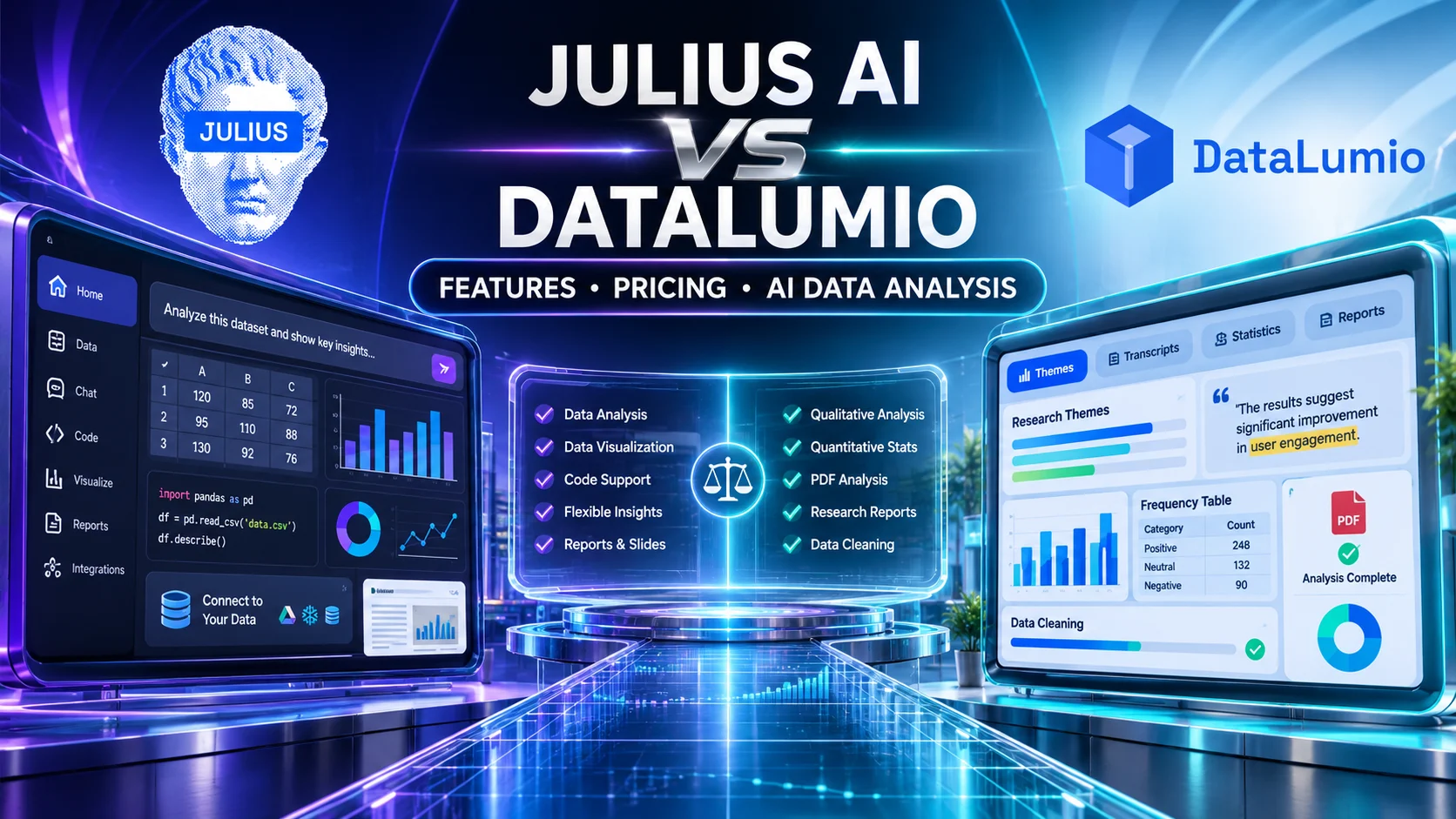
Julius AI vs DataLumio: Quick Comparison
Before examining each feature, here’s a brief overview of the two platforms.
| Comparison factor | Julius AI | DataLumio |
|---|---|---|
| Main positioning | Conversational AI workspace for analysis and creation | Data analysis platform for research and business |
| Primary users | Analysts, researchers, business teams, and general users | Researchers, students, analysts, consultants, and business teams |
| Qualitative analysis | General document and text analysis workflows | Dedicated qualitative analysis workflow |
| Quantitative analysis | Code-backed numerical analysis | Dedicated quantitative analysis workflow |
| Data cleaning | Data transformation through analytical instructions | Dedicated data cleaning workflow |
| PDF analysis | Upload and analyze PDF documents | Dedicated PDF chat and analysis workflow |
| Dashboards | Charts, reports, and dashboards | Dedicated data visualization dashboards |
| Database connections | Multiple supported databases and cloud sources | Supported cloud-file connections |
| Presentations and websites | Dedicated creation capabilities | Not its primary positioning |
| Pricing structure | Free and paid credit-based plans | One-time and monthly credit-based plans |
| Best suited for | Broad AI-assisted analysis and creation | Connected qualitative and quantitative data workflows |
Both platforms have useful capabilities, but they are not identical products.
Julius AI is a broader workspace with several creation and analysis tools. DataLumio concentrates on the process of preparing, analyzing, visualizing, and reporting data.
The following sections explain what that difference means in practice.
1. What Is Julius AI?
Julius AI is an AI-powered workspace designed to help users analyze information and create different types of content through natural-language instructions.
Instead of manually writing code or building every calculation, users can upload files, connect supported data sources, and ask Julius to perform specific tasks.
For example, someone working with a sales spreadsheet might ask it to calculate monthly revenue, compare product categories, identify unusual changes, or create a chart showing sales trends.
Julius translates analytical instructions into code-backed operations and presents the results through its conversational interface.
Its current product extends beyond spreadsheet analysis. Users can also research topics, create presentations, generate reports, build websites, and work with other supported creative tools.
Main Julius AI capabilities
Some of its main capabilities include:
Conversational data analysis
Users can ask questions about their datasets in natural language. Julius can perform operations such as filtering, sorting, aggregating, and statistical analysis.
Data visualization
Users can request different chart types to explore numerical patterns and communicate findings.
Research assistance
Julius supports research-oriented workflows, allowing users to investigate topics and work with uploaded information.
Report and presentation creation
The platform can turn research and analytical findings into presentations and reports.
Database and cloud connections
Julius supports connections to several external data sources, including Google Drive, OneDrive, SharePoint, and databases such as PostgreSQL, Snowflake, and BigQuery, with availability depending on the plan.
Automated reporting
Its higher-level plans provide scheduled reporting capabilities, which can help teams receive recurring analytical updates.
You can review these capabilities on the official Julius product page.
Who should consider Julius AI?
Julius AI is worth considering if you:
- Regularly analyze spreadsheets and structured datasets.
- Prefer conversational instructions over manually writing code.
- Need to explore data connected to databases.
- Create charts, presentations, and analytical reports.
- Want research and data analysis in a broader AI workspace.
- Work with other team members who need access to shared analytical information.
Its broad feature set makes it relevant to several types of users, particularly those who want analysis and content creation in one environment.
2. What Is DataLumio?
DataLumio is a web-based data analysis platform designed for people who need to prepare, analyze, visualize, and report on different types of information.
It serves researchers, university students, analysts, consultants, and business teams.
One of its main distinctions is the combination of qualitative and quantitative analysis.
These two approaches are often used together in research, but they require different methods.
Qualitative analysis focuses on text-based information, such as interviews, transcripts, open-ended survey answers, and research documents. Quantitative analysis focuses on structured numerical information, such as survey scores, business records, and statistical datasets.
DataLumio provides separate workflows for these types of information within the same platform.
Main DataLumio capabilities
Qualitative data analysis
Users can work with supported interviews, transcripts, and text-based research material to identify recurring themes, supporting quotations, sentiment, and patterns.
For example, a researcher studying employee satisfaction can examine interview responses to understand recurring concerns about workplace communication, management, or working conditions.
Quantitative data analysis
The quantitative workflow supports structured datasets and spreadsheets. Depending on the data, users can generate descriptive statistics, frequency tables, comparisons, charts, outlier checks, and suitable statistical outputs.
This can help students and analysts understand numerical information without manually preparing every calculation.
Data cleaning
DataLumio includes a dedicated workflow for preparing supported CSV and Excel files.
It can help identify common data-quality problems, such as duplicate records, empty rows, blank columns, and missing values.
PDF analysis
Users can upload supported PDF documents and ask questions about their contents. This can be useful when reviewing research papers, reports, and other lengthy documents.
Data visualization dashboards
The platform can turn supported structured datasets into visual dashboard views containing charts, comparisons, and other summaries.
Analysis reports
DataLumio can generate structured reports from its supported qualitative and quantitative workflows.
You can explore the complete feature overview for further details.
Who should consider DataLumio?
DataLumio is worth evaluating if you:
- Conduct academic or professional research.
- Work with interview transcripts and open-ended survey responses.
- Analyze structured numerical datasets.
- Need both qualitative and quantitative analysis.
- Regularly clean Excel or CSV files.
- Review research PDFs and business documents.
- Create dashboards and structured reports.
- Prefer several data analysis workflows within one workspace.
Its main strength is bringing several common data tasks together instead of requiring users to manage each stage through a separate application.
3. Julius AI vs DataLumio: Feature-by-Feature Comparison
The most useful way to compare these platforms is to look at the actual work each one supports.
A long feature list does not necessarily tell you which product is more suitable. What matters is whether the available tools can handle your files, analytical methods, and reporting requirements.
3.1 Qualitative Data Analysis
Qualitative research involves interpreting non-numerical information.
This can include:
- Interview transcripts.
- Focus group discussions.
- Open-ended questionnaire responses.
- Customer feedback.
- Research documents.
- Written observations.
The purpose is to understand patterns, experiences, opinions, and explanations within the collected material.
Julius AI
Julius can work with text-based files and uploaded documents. Users can ask questions about their contents, request summaries, and investigate information through its conversational interface.
This can be helpful when reviewing documents or extracting information from research material.
However, conversational document analysis should not automatically be treated as equivalent to a dedicated qualitative research workflow. Users conducting formal research may need structured theme organization, supporting quotations, and a way to review how findings relate to the original material.
DataLumio
DataLumio provides a dedicated qualitative analysis workflow for supported text-based research material.
Depending on the uploaded content and analysis, it can produce:
- Recurring themes.
- Theme summaries.
- Supporting quotations.
- Sentiment labels.
- Theme occurrence tables.
- Document-level comparisons.
- Word clouds.
- Structured findings and conclusions.
For example, imagine a researcher conducting 20 interviews about online learning experiences.
The researcher wants to identify recurring issues, such as internet access, teaching quality, student engagement, and course flexibility.
DataLumio’s qualitative workflow can help organize this material into themes and supporting evidence.
The researcher can then review the original quotations and decide which findings are relevant to the research questions.
Which is better?
DataLumio is the more directly relevant option when the requirement is a dedicated qualitative analysis workflow.
Julius AI remains useful for conversational document analysis, summaries, and research questions.
For formal qualitative research, the distinction between asking questions about text and systematically organizing qualitative findings is worth considering.
3.2 Quantitative Data Analysis
Quantitative analysis focuses on numerical information.
It is used in academic research, business reporting, surveys, financial analysis, and many other fields.
Common tasks include calculating averages, examining distributions, comparing groups, identifying relationships, and producing statistical summaries.
Julius AI
Julius supports code-backed data analysis.
Its documentation explains that users can perform operations similar to those available through pandas dataframes, including filtering, sorting, aggregation, and regression.
Users can also request charts and visualizations through natural-language prompts.
For example, an analyst could upload a spreadsheet containing monthly sales information and ask Julius to calculate revenue by product category.
The platform can perform the requested operation and present the results.
DataLumio
DataLumio provides a dedicated quantitative analysis workflow for supported structured datasets.
Depending on the dataset and applicable methods, outputs can include:
- Descriptive statistics.
- Frequency tables.
- Statistical comparisons.
- Charts and visual summaries.
- Outlier checks.
- Chi-square outputs.
- ANOVA results.
- Regression-style summaries.
- Plain-language explanations.
For example, a postgraduate student analyzing questionnaire responses could upload a supported Excel or CSV file and request an initial statistical report.
The resulting output can provide a starting point for reviewing the data and identifying patterns.
Which is better?
Both platforms can support quantitative analysis, but they offer different approaches.
Julius provides a more conversational, code-backed environment that can be useful for flexible data operations.
DataLumio provides a dedicated quantitative analysis workflow intended to make common statistical and reporting tasks more accessible.
For specialized statistical work, users should check whether the exact procedure, assumptions, and diagnostic outputs they require are supported. Neither platform removes the need to validate analytical results.
3.3 Data Cleaning
Data cleaning is often one of the least enjoyable parts of working with a dataset.
A spreadsheet may contain duplicated records, empty rows, inconsistent fields, or missing values. If these issues are ignored, they can affect later calculations and interpretations.
Julius AI
Julius can transform and manipulate data through natural-language instructions.
Its documentation describes operations such as sorting, filtering, aggregating, and other dataframe-based transformations.
This can help users prepare datasets as part of a broader analytical conversation.
DataLumio
DataLumio offers a dedicated data cleaning workflow for supported CSV and Excel datasets.
It can help identify common issues such as:
- Duplicate records.
- Empty rows.
- Blank columns.
- Missing values.
This gives users a specific place to prepare their files before moving into quantitative analysis or visualization.
Which is better?
If you prefer to clean and transform data through conversational instructions and code-backed operations, Julius is worth evaluating.
If you want a dedicated cleaning workflow as part of a wider data analysis process, DataLumio may be more convenient.
In either case, users should inspect the cleaned output before treating it as analysis-ready. Removing a missing value, for example, is not always the correct choice. The decision depends on what the missing information represents and how its removal affects the dataset.
3.4 PDF Analysis
PDF files are common in academic and professional work.
Researchers use them for journal articles, reports, dissertations, policy documents, and other sources. Business professionals use them for proposals, financial documents, and operational reports.
The challenge is often finding relevant information without reading every page repeatedly.
Julius AI
Julius supports PDF uploads and lets users interact with uploaded files through its conversational interface.
Users can ask questions, request information, and use document content as part of a broader research or analysis task.
Its official documentation also lists PDF among its supported data-source formats.
DataLumio
DataLumio provides a dedicated PDF analysis and chat workflow.
Users can ask questions about supported documents and examine information contained in longer PDFs.
For example, a student reviewing several research papers might ask questions about research objectives, methodology, findings, or limitations.
This can help organize the reading process, although important information should still be checked against the original pages.
Which is better?
Both platforms support PDF-based workflows.
DataLumio is particularly relevant if PDF analysis is one stage of a larger research process involving qualitative analysis, quantitative datasets, and reporting.
Julius may be more attractive if the user wants to connect document analysis with its wider research, presentation, and creation tools.
3.5 Data Visualization and Dashboards
Visualizations help users understand information that may be difficult to interpret in a large table.
Charts can reveal trends, differences between categories, unusual values, and relationships between variables.
Dashboards bring several visual summaries together.
Julius AI
Julius allows users to generate visualizations through conversational prompts.
For example, a user can upload a dataset and request a bar chart comparing revenue across product categories.
Its broader workspace also supports reports and dashboards, depending on the workflow and available plan.
DataLumio
DataLumio provides a dedicated data dashboard workflow.
Users can transform supported structured datasets into visual summaries, including charts, comparisons, and KPI-style views.
This is useful when the goal is to organize important findings into a dashboard that can be reviewed and shared.
Which is better?
Julius is worth considering if you want to request visualizations as part of a flexible analytical conversation.
DataLumio is worth considering if dashboard creation is part of a more structured process involving data preparation, analysis, and reporting.
The right choice depends on the type of visualization you need and whether the available dashboard controls meet your reporting requirements.
3.6 Reports and Presentations
Analytical work often ends with a report or presentation.
Researchers need to explain their methodology and findings. Business teams need to communicate performance and recommendations to colleagues or clients.
Julius AI
Julius has a broader set of creation capabilities.
Its product includes AI-assisted presentations, reports, websites, and other content-generation workflows.
This can be useful for users who want to move from an analytical question to a presentation or other deliverable without switching between several applications.
DataLumio
DataLumio focuses on structured analysis reports and visual outputs.
Its reporting workflow is connected to its qualitative and quantitative analysis capabilities.
This makes it relevant when the main objective is to organize analytical findings into a readable report.
Which is better?
Julius offers a wider range of presentation and content-creation capabilities.
DataLumio is more focused on data analysis reports and visual summaries.
If your work requires designing slide decks or publishing websites, Julius has a broader documented offering. If your main requirement is reporting research and data findings, DataLumio is worth considering.
3.7 Integrations and Data Sources
The way a platform connects with your existing files and databases can affect how convenient it is to use.
Julius AI
Julius supports a range of data sources.
Its published information lists integrations and connections that include:
- Google Drive.
- OneDrive.
- SharePoint.
- Snowflake.
- BigQuery.
- PostgreSQL.
- MySQL.
- SQL Server.
The exact availability depends on the plan and connection type.
These options make Julius relevant to organizations that work with data stored across several systems.
DataLumio
DataLumio supports file-based workflows and connected sources, including supported Google Drive and Google Sheets integrations.
Users can work with supported CSV, Excel, PDF, DOC, and TSV files depending on the selected feature.
Its emphasis is on bringing those files into the relevant analysis workflow rather than providing the same breadth of enterprise database connections listed by Julius.
Which is better?
Julius has the broader documented database and cloud-source connection offering.
DataLumio is more relevant when your work primarily involves supported research documents, spreadsheets, and files that can be used across its analysis workflows.
If your organization depends on a particular database, verify the exact connection support before choosing either platform.
3.8 Ease of Use and Learning Requirements
Ease of use is not simply a matter of how attractive a dashboard looks.
It also depends on how much preparation a user needs, whether they understand the analytical methods, and how easily they can review the results.
Julius AI
Julius uses natural-language instructions to make data operations more accessible.
Users can ask for calculations, transformations, and charts without writing every line of code themselves.
However, users working with complex datasets may still need to understand their data structure and provide sufficiently clear instructions.
DataLumio
DataLumio uses dedicated workflows for different stages of analysis.
A user can select the relevant process for cleaning, qualitative analysis, quantitative analysis, PDF review, or dashboard creation.
This can be helpful for people who prefer a more guided approach rather than managing every operation through one long conversation.
Which is better?
Both platforms reduce the need to perform every operation manually.
Julius is appealing for users who like conversational interaction and flexible instructions.
DataLumio may be easier to navigate when the user already knows which analytical workflow they need.
Neither platform replaces an understanding of research methodology, statistical concepts, or data quality.
4. Julius AI vs DataLumio Pricing: Which Is More Affordable?
Pricing is one of the main factors people consider when choosing data analysis software.
However, comparing only the monthly subscription amount can be misleading.
You should also consider the included credits, usage limits, available features, billing period, and the amount of analysis you expect to complete.
The following comparison uses the publicly listed prices found on the vendors’ official pricing pages at the time of research.
Julius AI pricing
Julius AI provides a free plan and several paid options.
Its current published pricing structure includes:
| Plan | Monthly billing price | Annual-equivalent monthly price |
|---|---|---|
| Free | $0 | $0 |
| Plus | $20 | $16 |
| Pro | $45 | $37 |
| Max | $200 | $166 |
| Business | $450 | $375 |
Annual-equivalent figures reflect the displayed discounted rates and require the applicable annual billing commitment.
The free plan includes daily credits, while paid plans provide larger credit allowances and additional capabilities.
For example:
- Plus includes 2,000 monthly credits.
- Pro includes 5,000 monthly credits.
- Max includes 25,000 monthly credits.
- Business includes 60,000 monthly credits.
Higher plans also provide expanded model access, exports, collaboration, integrations, and other features.
Julius also offers Enterprise arrangements through its sales team.
For the latest details, consult the official Julius AI pricing page.
DataLumio pricing
DataLumio uses a shared credit balance across its supported analysis workflows.
Its publicly listed plans include:
| Plan | Price | Included credits |
|---|---|---|
| Starter | $5 one-time | 25 |
| Standard | $10/month | 50/month |
| Pro | $29/month | 150/month |
| Enterprise | $100/month | Unlimited as advertised |
The main distinction is that Starter is a one-time credit purchase, while Standard, Pro, and Enterprise are monthly plans.
The published credit costs include:
- Analysis reports: 10 credits per request.
- Data cleaning: 10 credits per request.
- Data dashboards: 10 credits per request.
- PDF chat: 1 credit per text question.
- Image generation: 5 credits.
The shared balance can be used across the supported workflows.
For example, a researcher could use credits for PDF questions, data cleaning, and an analysis report without purchasing separate feature-specific subscriptions.
DataLumio’s pricing page also lists qualitative and quantitative support across its plans.
You can review the current pricing and credit details.
Which platform offers better value?
That depends on how you use the software.
If you want a free starting option, Julius AI has a publicly listed free plan with daily credits.
If you need a small amount of structured data analysis, DataLumio’s $5 one-time Starter plan may be worth considering.
For regular work, compare the monthly credits with the number and type of operations you expect to perform.
For example, DataLumio’s $29 Pro plan lists 150 credits per month. Julius AI’s $45 Pro plan lists 5,000 monthly credits.
These numbers should not be compared directly as if one credit has the same value in both systems. The platforms use different credit models and charge differently for individual operations.
A fair comparison requires testing how many credits your actual workflow consumes on each platform.
For a student completing one research project, the one-time Starter option may be sufficient. Someone analyzing several datasets each month may prefer a monthly plan.
For a business team needing database connections, scheduled reports, and shared workspaces, Julius’s higher-tier options may offer capabilities that are more relevant.
The best-value option is the one that lets you complete your required work within your budget, without paying for capabilities you do not use.
5. Julius AI vs DataLumio: Practical Use Cases
A feature comparison is useful, but real situations often make the decision clearer.
Let’s look at several common examples.
Scenario 1: A student analyzing survey responses
Imagine a postgraduate student has collected 300 questionnaire responses.
The spreadsheet contains demographic information, multiple-choice answers, and satisfaction ratings.
The student needs descriptive statistics, frequency tables, charts, and a written summary.
Both platforms are worth evaluating for the numerical analysis.
Julius can work with structured data through code-backed operations and conversational instructions.
DataLumio offers a dedicated quantitative analysis workflow that can generate statistical summaries, frequency tables, charts, and other relevant outputs.
If the student also has open-ended answers that require theme identification, DataLumio’s qualitative workflow becomes particularly relevant.
Suggested choice: DataLumio for a project that combines structured survey analysis with qualitative responses. Julius AI is also worth considering for flexible numerical exploration.
Scenario 2: A business analyst reviewing sales data
A business analyst has several spreadsheets containing sales figures from different regions.
The objective is to identify performance changes, compare product categories, and produce charts for a management meeting.
Julius AI may be a suitable choice because of its conversational data analysis, code-backed operations, and broader report and presentation capabilities.
DataLumio is also relevant if the analyst needs to clean supported spreadsheets, perform quantitative analysis, and create dashboard views.
Suggested choice: Julius AI for a workflow centered on conversational analysis, connected databases, and presentations. DataLumio for a more focused process involving spreadsheet cleaning, analysis, dashboards, and reports.
Scenario 3: A researcher analyzing interview transcripts
A researcher has collected 15 interview transcripts about the experiences of international students.
The objective is to identify recurring themes, examine differences between participants, and collect quotations that support the findings.
Julius can help review text documents and answer questions about their contents.
DataLumio offers a dedicated qualitative analysis workflow that can organize themes, supporting quotes, sentiment labels, and other structured findings.
Suggested choice: DataLumio is the more directly relevant option for this type of qualitative research workflow.
The researcher should still review the original transcripts and verify every quotation and interpretation.
Scenario 4: A team working with connected databases
A company stores information in a database and wants employees to ask questions about business performance without manually building every query.
The company also needs recurring reports and shared access.
Julius has documented support for database connections, scheduled reporting, and team-oriented features on higher plans.
DataLumio supports connected file workflows, but it does not advertise the same breadth of enterprise database connections in its public feature information.
Suggested choice: Julius AI is worth evaluating first for organizations that depend on connected databases and scheduled reporting.
Scenario 5: A consultant preparing a research report
A consultant is working on a project involving customer survey responses, interview notes, and supporting PDF reports.
The consultant needs to organize the numerical results, identify recurring themes, review source documents, and prepare a structured report.
DataLumio brings these types of workflows together through its qualitative, quantitative, PDF, and reporting features.
Julius can also help with document review, data analysis, and report creation.
Suggested choice: DataLumio for a project that depends heavily on dedicated qualitative and quantitative research workflows. Julius may be more suitable when the consultant also needs its broader presentation and creation tools.
6. Which Platform Is Better for Academic Research?
Academic research deserves a closer comparison because it often involves several types of evidence.
A dissertation or thesis might contain:
- Quantitative questionnaire results.
- Interview transcripts.
- Focus group discussions.
- Research papers in PDF format.
- Demographic information.
- Statistical findings.
- Written interpretations.
Using different applications for each stage can create extra work.
Researchers must move between files, organize findings, compare evidence, and prepare the final results chapter.
Julius AI can help with data exploration, document questions, calculations, charts, and reports.
DataLumio is particularly relevant when the research requires both qualitative and quantitative analysis.
For example, consider a study examining the relationship between online learning tools and student engagement.
The researcher might collect numerical satisfaction scores and conduct interviews to understand students’ experiences.
The quantitative results can reveal patterns across respondents. The interview findings can help explain why particular groups report higher or lower satisfaction.
These are different forms of evidence, and they should be analyzed using suitable methods.
DataLumio provides workflows for both types of analysis, which can make it a practical option for mixed-methods projects.
However, neither platform should be treated as a replacement for an established research methodology.
Researchers remain responsible for:
- Selecting appropriate research methods.
- Understanding the sampling process.
- Checking statistical assumptions.
- Reviewing qualitative interpretations.
- Verifying supporting quotations.
- Maintaining research ethics.
- Protecting participant information.
- Reporting limitations honestly.
AI can help organize and examine information, but the researcher must remain responsible for the conclusions.
7. Data Privacy and Security Considerations
Data privacy deserves attention before uploading research documents, customer information, or internal business records.
Both platforms publish information about their data-handling practices, but the available public claims are not identical.
Julius AI
Julius states that it uses encryption and access controls to protect customer data.
Its pricing and product information also identifies SOC 2 Type II compliance and additional security controls for relevant plans.
Users working with enterprise information should review the current security documentation, privacy policy, and contractual terms before uploading sensitive datasets.
DataLumio
DataLumio states in its FAQ that uploaded data is not used to train, fine-tune, or benchmark its AI models.
The platform also publishes information about its supported file workflows and data-handling practices.
Users should read its current privacy policy and applicable terms before uploading confidential or personally identifiable information.
What should users check?
Regardless of which platform you select, examine:
- How uploaded files are stored.
- Whether data is used for model training.
- File deletion and retention policies.
- Access controls and user permissions.
- Encryption practices.
- Data-processing agreements.
- Applicable compliance documentation.
- Whether your institution or organization permits the use of the service.
Do not assume that a statement about data privacy is equivalent to a formal security certification.
If you are handling research participant information, confidential client records, or regulated data, obtain the necessary institutional or organizational approval first.
8. Limitations: Where Each Platform May Not Be the Right Choice
A useful comparison should explain where a product may not be suitable.
Neither Julius AI nor DataLumio is the perfect solution for every analytical task.
Julius AI limitations to consider
A broader workspace may include capabilities you do not need.
If you only want a focused qualitative or quantitative analysis workflow, Julius’s additional presentation, website, image, and video features may not be relevant to your work.
Credit consumption needs attention.
Users should understand how credits are used by their chosen models and operations. More complex tasks may consume more resources.
Formal research still requires methodological review.
Code-backed analysis can make numerical operations easier, but it does not guarantee that the selected statistical method is appropriate for the research question.
Feature availability depends on the plan.
Database connections, collaboration, scheduled reports, and other advanced features may require higher subscriptions.
DataLumio limitations to consider
Its focus is narrower than a general AI workspace.
DataLumio concentrates on data analysis and related workflows. Users who need a full website builder, presentation generator, or broad creative workspace should consider other products.
Credits are allocated across workflows.
The shared credit system provides flexibility, but users should estimate their expected usage before choosing a plan.
Specialized analysis still requires validation.
Not every statistical method or research requirement will necessarily be covered by the available workflows.
Users should confirm that the platform supports the specific test, file type, or output they need.
Integrations should be checked against your existing systems.
If your team depends on an enterprise database or a specific cloud service, verify its availability rather than assuming that every source is supported.
Understanding these limitations will help you make a better decision and avoid paying for software that does not fit your requirements.
9. Julius AI vs DataLumio: Final Feature Scorecard
The following scorecard summarizes the documented areas of emphasis. It is an editorial comparison, not a laboratory benchmark or a measured performance test.
| Evaluation area | Julius AI | DataLumio |
|---|---|---|
| Conversational data analysis | Strong documented focus | Supported through analysis workflows |
| Dedicated qualitative analysis | General document and text analysis | Dedicated workflow |
| Dedicated quantitative analysis | Code-backed analytical operations | Dedicated workflow |
| Data cleaning | Conversational transformations | Dedicated cleaning workflow |
| PDF analysis | Supported | Dedicated PDF workflow |
| Data visualization | Charts and visual outputs | Dedicated dashboard workflow |
| Presentation creation | Dedicated capability | Not a primary feature |
| Website creation | Dedicated capability | Not a primary feature |
| Database connectivity | Broader documented connections | More limited public integration offering |
| Research reports | Supported | Dedicated analytical reporting |
| Shared credit system | Yes | Yes |
| Free plan | Publicly listed | No equivalent free credit tier listed on the pricing page |
The comparison shows why neither platform should be declared the winner without understanding the intended use.
Julius has a broader set of AI workspace capabilities and a more extensive documented database connection offering.
DataLumio concentrates on several connected data analysis workflows, particularly qualitative and quantitative research.
10. Julius AI or DataLumio: Which One Should You Choose?
The final decision should depend on the type of work you perform most often.
Choose Julius AI if:
- You primarily analyze spreadsheets through natural-language prompts.
- You need code-backed data operations.
- You work with connected databases.
- You want charts and visualizations through conversational instructions.
- You create presentations, reports, and websites.
- Your team needs shared workspaces and scheduled reporting.
- You prefer a broad AI workspace rather than a platform focused mainly on data analysis.
Julius AI is a strong option for users who want several analysis and creation capabilities in one environment.
Choose DataLumio if:
- You work with qualitative and quantitative research.
- You analyze interviews and open-ended survey responses.
- You need dedicated statistical analysis workflows.
- You regularly clean supported Excel and CSV files.
- You review research PDFs.
- You want data dashboards and structured analysis reports.
- You prefer a shared credit balance across several data workflows.
- You need a platform focused on preparing, analyzing, and reporting data.
DataLumio is particularly relevant for students, researchers, and professionals who need to work with different types of evidence as part of the same project.
Can you use both?
Yes, provided your budget and workflow justify it.
Some users may benefit from combining platforms.
For example, a research team could use DataLumio for dedicated qualitative and quantitative analysis while using Julius for broader research assistance, connected database exploration, or presentation creation.
There is no requirement to use only one AI tool for every task.
The important thing is to avoid duplicating subscriptions when one platform already covers your actual requirements.
Frequently Asked Questions
Is Julius AI better than DataLumio?
Neither platform is universally better.
Julius AI offers a broader conversational workspace for data analysis, research, presentations, and other creation tasks.
DataLumio focuses on qualitative and quantitative analysis, data cleaning, PDF analysis, dashboards, and reporting.
The better choice depends on your workflow.
What is the main difference between Julius AI and DataLumio?
The main difference is their product focus.
Julius AI combines conversational data analysis with broader research and content-creation tools.
DataLumio concentrates on connected data analysis workflows, including qualitative and quantitative research.
Is DataLumio a good alternative to Julius AI?
Yes. DataLumio is a strong alternative to consider for users who need qualitative and quantitative research analysis, data cleaning, PDF analysis, dashboards, and reporting.
It is especially relevant when a project involves both structured numerical information and text-based research material.
Which is cheaper, Julius AI or DataLumio?
DataLumio offers a $5 one-time Starter plan, while Julius AI offers a free plan with daily credits.
For regular usage, DataLumio’s published Standard plan costs $10 per month and its Pro plan costs $29 per month. Julius’s Plus plan costs $20 monthly and its Pro plan costs $45 monthly, with lower monthly-equivalent prices under annual billing.
However, their credit systems are different, so the cheapest subscription is not necessarily the cheapest option for your particular workload.
Does Julius AI offer a free plan?
Yes. Julius AI publicly lists a free plan with daily credits. The available models, usage limits, and other capabilities differ from its paid subscriptions.
Check the official pricing page for current allowances.
Does DataLumio offer a free plan?
DataLumio’s published pricing page lists a $5 one-time Starter plan and paid monthly plans. It does not list an equivalent free credit plan. Check the signup page for any current introductory access arrangements.
Which platform is better for qualitative research?
DataLumio is the more directly relevant choice for dedicated qualitative analysis because it provides a workflow for themes, supporting quotations, sentiment, and structured findings.
Julius can also help users review and summarize text-based documents through conversational interaction.
Which platform is better for quantitative analysis?
Both platforms support quantitative analysis.
Julius offers code-backed numerical operations and flexible conversational instructions.
DataLumio provides a dedicated quantitative workflow with statistical summaries, frequency tables, comparisons, and visual outputs.
The appropriate choice depends on the statistical methods and level of control required.
Can Julius AI analyze Excel files?
Yes. Julius documents support for Excel formats, including XLS and XLSX, as well as CSV and other file types.
It can perform data operations and generate visualizations based on user instructions.
Can DataLumio analyze Excel files?
Yes. DataLumio supports XLS and XLSX files for relevant quantitative analysis, cleaning, and visualization workflows.
Which tool is better for students?
Students should consider the type of assignment or research project.
Julius AI can help with spreadsheet exploration, calculations, and research assistance.
DataLumio is worth considering for projects involving survey analysis, interview transcripts, PDFs, qualitative findings, and quantitative results.
Which platform is better for business teams?
Julius may be more suitable for teams that rely on connected databases, scheduled reporting, and broader AI creation workflows.
DataLumio may be more relevant for teams that regularly clean datasets, analyze customer feedback, prepare reports, and build dashboards.
Can these platforms replace SPSS, NVivo, or Excel?
They can support some tasks commonly performed with traditional software, but they should not automatically be treated as complete replacements.
Researchers should verify whether a platform supports their required statistical procedures, qualitative methods, file formats, export options, and validation requirements.
For specialized or regulated work, established software may still be necessary.
Final Verdict: Julius AI vs DataLumio
Julius AI and DataLumio are both worth considering, but they are designed around different priorities.
Julius AI is a broader AI workspace that combines conversational data analysis, research assistance, database connections, presentations, websites, and reporting. It is a practical option for users who want a flexible environment for several analytical and creative tasks.
DataLumio takes a more focused approach to data analysis. Its combination of qualitative analysis, quantitative analysis, data cleaning, PDF analysis, dashboards, and structured reports makes it particularly relevant to researchers, students, analysts, and teams working with different types of data.
If your work mainly involves spreadsheet questions, database exploration, and broader content creation, Julius AI may be the better fit.
If you regularly work with interview transcripts, survey results, research PDFs, numerical datasets, and analytical reports, DataLumio is one of the best alternatives to consider.
For mixed-methods research in particular, its dedicated qualitative and quantitative workflows provide a practical reason to put it on your shortlist.
The best way to decide is to identify your most common analytical tasks, review the current plans, and test the same type of data in both platforms.
That will give you a much clearer answer than choosing based on feature counts alone.
Explore DataLumio to see whether its data analysis workflows fit your research or business requirements.
Visit DataLumio | Explore the Features | View Pricing
Comparison methodology and disclosure: This article compares publicly documented product capabilities and pricing. It is not a controlled performance benchmark. DataLumio is the publisher’s own product, and that relationship should be disclosed to readers. Features, plan limits, credits, and prices can change; verify them on the official vendor websites before publication. Always validate AI-generated calculations, quotations, statistical results, and interpretations before using them in formal research or business decisions.